A modern web-based Pi-hole backup manager with automated scheduling, Discord notifications, and support for Docker-based Pi-hole installations.

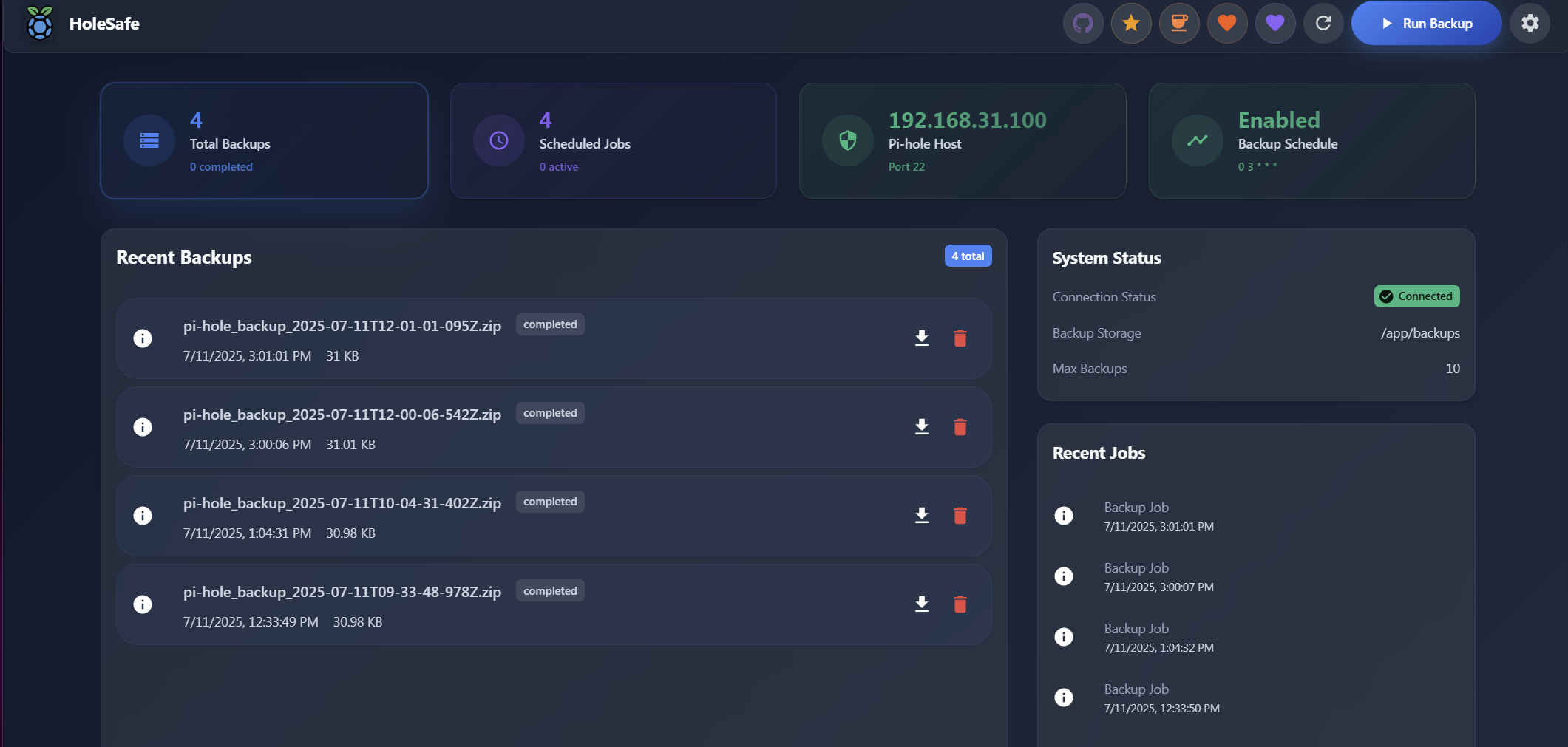
- 🌐 Web-Only Mode: No SSH required - perfect for Docker Pi-hole installations
- 🎨 Modern UI: Responsive React interface with Material-UI components
- ⏰ Automated Backups: Configurable cron-based scheduling with timezone support
- 📊 Dashboard: Real-time backup statistics and job history
- 🔔 Discord Notifications: Rich webhook notifications for backup events
- 🔧 Easy Setup: Step-by-step configuration wizard
- 🐳 Docker Ready: Single-container deployment with nginx + Node.js
# Using Docker Compose
curl -o docker-compose.yml https://raw.githubusercontent.com/TheInfamousToTo/PiHoleVault/main/docker-compose.yml
docker-compose up -d

# Access at http://localhost:3000Create a .env file for optional configuration:
# Discord notifications (optional)
DISCORD_WEBHOOK_URL=https://discord.com/api/webhooks/your-webhook-url

# Debug mode (optional)
DEBUG_MODE=true
LOG_LEVEL=debug- Open http://localhost:3000
- Follow the setup wizard to configure:
- Pi-hole connection (Web-only, SSH, or Hybrid)
- Backup settings and retention
- Schedule configuration
- Discord notifications (optional)
- Web-Only:
https://your-pihole/admin/- No SSH needed (recommended for Docker) - SSH: Traditional method requiring SSH access
- Hybrid: Combines web API for monitoring with SSH for backups
GET /health- Health checkPOST /api/backup/run- Manual backupGET /api/backups/- List backupsPOST /api/pihole/test-connection- Test Pi-hole connection
# Clone and build locally
git clone https://github.com/TheInfamousToTo/PiHoleVault.git
cd PiHoleVault
docker-compose -f docker-compose.local.yml up -d --buildDebug mode: Set DEBUG_MODE=true in .env and restart container
View logs: docker-compose logs -f piholevault
Common issues:
- Web-only connection fails: Ensure Pi-hole admin password is correct
- SSH connection fails: Verify SSH credentials and Pi-hole accessibility
- Backup fails: Check Pi-hole API endpoints and authentication
MIT License - see LICENSE file
- ⭐ Star this repository
- ☕ Buy me a coffee
- 🐛 Report issues on GitHub Issues
Docker Hub: theinfamoustoto/piholevault
Latest Release: GitHub Releases