Conversation


Flow.Launcher/MainWindow.xaml.cs
Outdated
| var menu = contextMenu; | ||
|
|
||
| var header = new MenuItem() { Header = "Flow Launcher", IsEnabled = false }; | ||
| var open = new MenuItem() { Header = InternationalizationManager.Instance.GetTranslation("iconTrayOpen") }; | ||
| var settings = new MenuItem() { Header = InternationalizationManager.Instance.GetTranslation("iconTraySettings") }; | ||
| var exit = new MenuItem() { Header = InternationalizationManager.Instance.GetTranslation("iconTrayExit") }; | ||
| menu.Items[0] = header; | ||
| menu.Items[1] = open; | ||
| menu.Items[2] = settings; | ||
| menu.Items[3] = exit; | ||
| open.Click += (o, e) => Visibility = Visibility.Visible; | ||
| settings.Click += (o, e) => App.API.OpenSettingDialog(); | ||
| exit.Click += (o, e) => Close(); |
There was a problem hiding this comment.
For this part, why not keep the original one? I don't see any difference from that. Just need to change 0 to 1, 1 to 2, 2 to 3 because you have added a header.
There was a problem hiding this comment.
original : ContextMenuStrip
New : Context Menu

|
Just curious, where do you change the style of the tray in this pull request? |

I don't want use nuget. so I use Notifyicon + Context Menu. when Right click the notifyicon, conetextmenu will open. Where is Style? Since I already satisfied the requirements I wanted and there was a sense of unity, This is because the button size is larger and it is good to see. so I just left them as they were. I'll probably style it again later, (for dark mode) but I'll finish it like this. it's the why don't have new style. I think UpdateNotifyIconText() (for language string update realtime) code is little bad. |
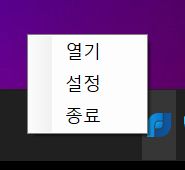
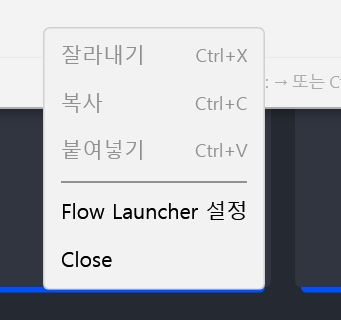
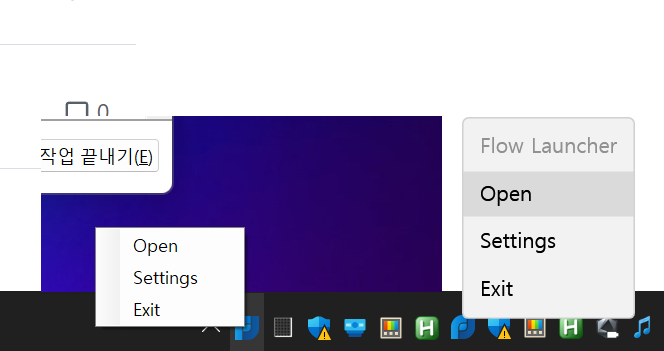
sure
That's interesting. How is that related to the new context menu? |

I don't know why exactly. |
 taooceros
left a comment
taooceros
left a comment
taooceros
left a comment
There was a problem hiding this comment.
I will approve. Though I don't understand how the contextmenustrip works, it doesn't affect the functionality.

 jjw24
added
enhancement
jjw24
added
enhancement
3 participants


#763
Other pr contents were removed and simplified.