🏆 Arm AI Developer Challenge 2025 Submission

⚠️ Before Installing APK: Disable Google Play Protect temporarily: Settings → Google → Security → Google Play Protect → Turn off "Scan apps with Play Protect" (You can re-enable it after installation)
Your AI, Your Model, Your Device — A fully offline, privacy-first AI chatbot that lets you run ANY large language model locally on Arm-powered Android devices. Choose the perfect model for your hardware and task.
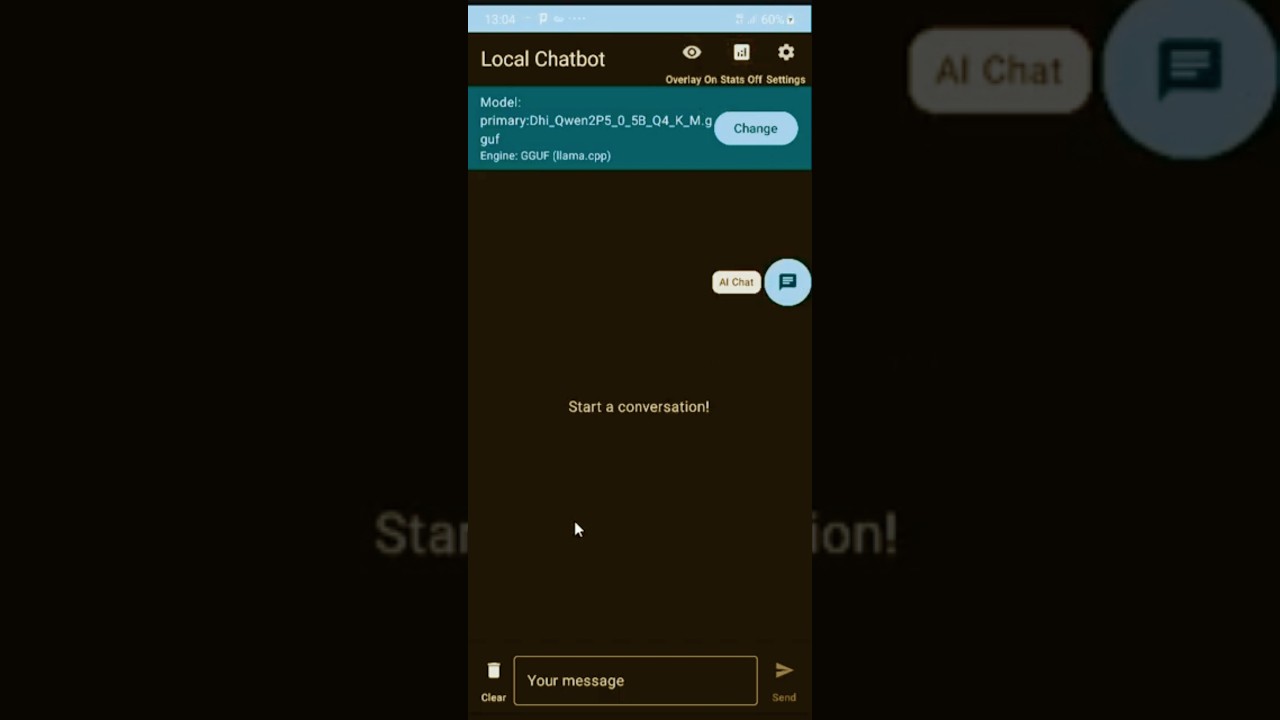
👆 Click the image above to watch the demo on YouTube

LocalChatbot brings the power of generative AI directly to your pocket with unprecedented flexibility. Unlike other mobile AI apps that lock you into a single model, LocalChatbot empowers users to:
- 📱 Choose models that match your device — Run lightweight 0.5B models on budget phones or powerful 7B+ models on flagships
- 🔄 Switch models for different tasks — Use a coding-optimized model for programming, a creative model for writing, or a general assistant for everyday questions
- 💾 Optimize for your resources — Select quantization levels (Q4, Q5, Q8) based on available RAM and desired quality
- 🌐 Stay completely offline — All inference happens on-device with zero data transmission
The app leverages Arm's NEON SIMD instructions for optimized inference, making it possible to run quantized LLMs on mobile devices with impressive performance.
| Criteria | How LocalChatbot Delivers |
|---|---|
| Technological Implementation | Native C++/JNI integration with llama.cpp, ARM NEON SIMD optimizations, multi-engine architecture supporting GGUF and ExecuTorch formats |
| User Experience | Flexible model selection lets users choose models based on their device resources; Material 3 design, streaming responses, floating system-wide assistant |
| Potential Impact | Democratizes on-device AI — users with ANY Arm phone can run AI by selecting appropriate models for their hardware |
| WOW Factor | One app, unlimited models — load a tiny 0.5B model on a budget phone or a powerful 7B model on a flagship, all offline! |
- Flexible Model Selection ⭐: Users can load ANY GGUF model based on their device capabilities — choose lightweight models for older phones or powerful models for flagship devices. Switch models anytime for different tasks (coding, writing, Q&A)
- True Privacy: All AI processing happens locally — your conversations never leave your device
- Arm-Native Optimization: Built from the ground up to leverage Arm NEON SIMD for maximum performance
- System-Wide AI Access: Floating assistant and text selection integration bring AI to any app
- Multi-Engine Support: Supports both GGUF (llama.cpp) and ExecuTorch (.pte) model formats
- Production-Ready UX: Polished Material 3 UI with streaming responses, resource monitoring, and intuitive controls
- Load any GGUF model — no hardcoded models, full user control
- Resource-aware choices: Pick models that fit YOUR device's RAM and CPU
- Task-specific models: Use a coding model for programming, a chat model for conversations
- Hot-swap models: Change models without reinstalling the app
- Wide compatibility: From 0.5B models on budget phones to 7B+ on flagships
- Run quantized GGUF models (Q4, Q5, Q8) directly on device
- ExecuTorch support for Meta's optimized mobile models
- Streaming token generation for responsive UX
- Conversation context management
- System-wide floating button accessible from any app
- Draggable chat window overlay
- Drag-to-close gesture for easy dismissal
- Persistent across app switches
- Select text anywhere → "Ask AI" appears in context menu
- Instant AI analysis of selected content
- Copy response to clipboard
- Live CPU usage tracking
- Memory consumption display
- Native heap monitoring for model memory
- Toggle stats on/off for performance
- ARM64-v8a native build with NEON SIMD enabled
- Compiler flags:
-O3 -ffast-math -march=armv8-a+simd - Greedy sampling (temperature=0) for fastest inference
- Minimal context window for mobile efficiency
┌─────────────────────────────────────────────────────────────┐
│                      LocalChatbot App                        │
├─────────────────────────────────────────────────────────────┤
│  UI Layer (Jetpack Compose + Material 3)                    │
│  ├── ChatScreen - Main chat interface                       │
│  ├── SettingsScreen - Model & inference settings            │
│  ├── FloatingAssistantService - System overlay              │
│  └── ProcessTextActivity - Text selection handler           │
├─────────────────────────────────────────────────────────────┤
│  Business Logic                                              │
│  ├── ChatViewModel - UI state management                    │
│  ├── ModelRunner - Inference orchestration                  │
│  └── ResourceMonitor - Performance tracking                 │
├─────────────────────────────────────────────────────────────┤
│  Inference Layer                                             │
│  ├── EngineManager - Multi-engine abstraction               │
│  ├── GGUFEngine - llama.cpp integration                     │
│  └── ExecuTorchEngine - Meta ExecuTorch support             │
├─────────────────────────────────────────────────────────────┤
│  Native Layer (C++ / JNI)                                    │
│  ├── llama-android.cpp - JNI bindings                       │
│  └── llama.cpp - Optimized inference engine                 │
│      └── GGML with ARM NEON SIMD                            │
└─────────────────────────────────────────────────────────────┘
Why Arm NEON Matters: ARM NEON is a SIMD (Single Instruction, Multiple Data) architecture extension that allows parallel processing of multiple data elements. For LLM inference, this means:
- Matrix multiplications run 4-8x faster
- Quantized model operations are hardware-accelerated
- Memory bandwidth is used more efficiently
CMake Configuration:
# ARM NEON SIMD optimizations (critical for mobile performance)
set(GGML_NEON ON CACHE BOOL "Enable ARM NEON" FORCE)

# Disable unnecessary features for mobile
set(LLAMA_CURL OFF)
set(GGML_OPENMP OFF)  # Single-threaded for battery efficiency

# Performance flags
set(CMAKE_CXX_FLAGS "${CMAKE_CXX_FLAGS} -O3 -ffast-math -fno-finite-math-only")
Gradle NDK Configuration:
ndk {
    abiFilters += listOf("arm64-v8a")  // ARM64 only - no x86 bloat
}
externalNativeBuild {
    cmake {
        arguments += "-DGGML_NEON=ON"
        cppFlags += listOf("-O3", "-ffast-math", "-march=armv8-a+simd")
    }
}
Inference Optimizations:
- Greedy sampling (temperature=0, top_k=1) for fastest token selection
- 2048 token context window optimized for mobile memory
- Single-turn conversation history to minimize prompt size
- Streaming generation for perceived responsiveness
- Android Studio Hedgehog (2023.1.1) or newer
- Android NDK 25.0 or newer (installed via SDK Manager)
- CMake 3.22.1+ (installed via SDK Manager)
- An Arm64 Android device (arm64-v8a) with Android 8.0+
- ~2GB free storage for models
-
Clone the repository:
git clone https://github.com/GGUFloader/Mobile-AI-Assistant.git cd Mobile-AI-Assistant -
Open in Android Studio:
- Open the
Mobile-AI-Assistantfolder in Android Studio - Wait for Gradle sync to complete (llama.cpp is automatically downloaded by Gradle)
- If prompted, install any missing SDK components
- If prompted, install any missing SDK components
- Open the
-
Build the project:
# On Windows
gradlew.bat assembleRelease

# On macOS/Linux
./gradlew assembleRelease
Or use Android Studio: Build → Build Bundle(s) / APK(s) → Build APK(s)
-
Install on device:
adb install app/build/outputs/apk/release/app-release.apk
-
Download a GGUF model (choose based on your device RAM):
Model Size RAM Required Download Dhi Qwen2.5 0.5B Q4_K_M ⭐ ~400MB 512MB Download TinyLlama 1.1B Q4_K_M 637MB 1GB HuggingFace Phi-2 Q4_K_M 1.6GB 2GB HuggingFace Gemma 2B Q4_K_M 1.4GB 2GB HuggingFace 💡 Recommended for Testing: The Dhi Qwen2.5 0.5B model is lightweight and perfect for quick testing on most devices.
-
Transfer model to device:
# Recommended model for testing
adb push Dhi_Qwen2P5_0_5B_Q4_K_M.gguf /sdcard/Download/

# Or any other model you downloaded
adb push TinyLlama-1.1B-Chat-v1.0-Q4_K_M.gguf /sdcard/Download/
-
Load model in app:
- Open LocalChatbot
- Tap the folder icon to select your model file
- Wait for model to load (progress shown)
-
Start chatting!
- Type your message and tap send
- Enable floating button for system-wide access
- Type messages in the input field
- Tap send or press enter to generate response
- Watch streaming tokens appear in real-time
- Tap stop button to cancel generation mid-stream
- Toggle stats icon to see CPU/memory usage
- Enable "Floating Button" toggle in main screen
- Grant overlay permission when prompted
- Tap floating bubble from any app to open chat
- Drag bubble to reposition
- Drag bubble to top of screen to dismiss
- Select text in any app (browser, email, notes, etc.)
- Tap "Ask AI" from the context menu
- View AI response in popup dialog
- Copy response to clipboard with one tap
- Adjust inference parameters (temperature, top_k, top_p)
- Configure context window size
- Switch between inference engines
- Manage loaded models
Tested on various Arm devices:
| Device | SoC | Model | Tokens/sec | Memory |
|---|---|---|---|---|
| Pixel 7 | Tensor G2 (Cortex-X1) | TinyLlama 1.1B Q4 | 8-12 t/s | ~800MB |
| Pixel 7 | Tensor G2 | Phi-2 Q4 | 4-6 t/s | ~1.8GB |
| Samsung S23 | Snapdragon 8 Gen 2 | TinyLlama 1.1B Q4 | 10-15 t/s | ~800MB |
| OnePlus 12 | Snapdragon 8 Gen 3 | Gemma 2B Q4 | 8-10 t/s | ~1.6GB |
Performance varies based on device thermal state and background processes
LocalChatbot/
├── app/
│   ├── src/main/
│   │   ├── java/com/example/localchatbot/
│   │   │   ├── MainActivity.kt              # App entry point
│   │   │   ├── ModelRunner.kt               # Inference orchestration
│   │   │   ├── ChatApplication.kt           # App-wide state
│   │   │   ├── data/
│   │   │   │   ├── ChatMessage.kt           # Message data class
│   │   │   │   └── ChatHistoryRepository.kt # Persistence
│   │   │   ├── inference/
│   │   │   │   ├── InferenceEngine.kt       # Engine interface
│   │   │   │   ├── EngineManager.kt         # Multi-engine support
│   │   │   │   ├── GGUFEngine.kt            # llama.cpp wrapper
│   │   │   │   ├── ExecuTorchEngine.kt      # ExecuTorch wrapper
│   │   │   │   └── LlamaCpp.kt              # JNI interface
│   │   │   ├── overlay/
│   │   │   │   ├── FloatingAssistantService.kt  # Floating bubble
│   │   │   │   ├── AssistantChatActivity.kt     # Overlay chat UI
│   │   │   │   └── ProcessTextActivity.kt       # Text selection
│   │   │   ├── ui/
│   │   │   │   ├── ChatScreen.kt            # Main chat UI
│   │   │   │   ├── ChatViewModel.kt         # UI state management
│   │   │   │   ├── SettingsScreen.kt        # Settings UI
│   │   │   │   └── theme/Theme.kt           # Material 3 theming
│   │   │   ├── settings/
│   │   │   │   ├── InferenceSettings.kt     # Inference params
│   │   │   │   └── EngineSettings.kt        # Engine config
│   │   │   └── util/
│   │   │       └── ResourceMonitor.kt       # CPU/memory tracking
│   │   ├── cpp/
│   │   │   ├── CMakeLists.txt               # Native build config
│   │   │   ├── llama-android.cpp            # JNI bindings
│   │   │   └── llama.cpp/                   # Inference engine (submodule)
│   │   ├── res/                             # Android resources
│   │   └── AndroidManifest.xml              # App manifest
│   └── build.gradle.kts                     # App build config
├── build.gradle.kts                         # Root build config
├── settings.gradle.kts                      # Gradle settings
├── LICENSE                                  # MIT License
└── README.md                                # This file
LocalChatbot is designed with privacy as a core principle:
- 100% Offline: No internet permission required, no data transmission
- Local Processing: All AI inference happens on-device
- No Analytics: Zero tracking, telemetry, or data collection
- Open Source: Full transparency — audit the code yourself
- Your Data Stays Yours: Conversations are stored locally and never leave your device
- Voice input/output support (on-device speech recognition)
- Multiple conversation threads with history
- In-app model download manager
- Prompt templates library
- Home screen widget for quick access
- Wear OS companion app
- RAG support for document Q&A
Contributions are welcome! Please feel free to submit issues and pull requests.
- Fork the repository
- Create your feature branch (
git checkout -b feature/amazing-feature) - Commit your changes (
git commit -m 'Add amazing feature') - Push to the branch (
git push origin feature/amazing-feature) - Open a Pull Request
MIT License - See LICENSE file for details.
This project is open source and free to use, modify, and distribute.
- llama.cpp - The incredible inference engine that makes this possible
- ExecuTorch - Meta's mobile inference framework
- Arm - For the amazing mobile architecture and NEON SIMD
- Jetpack Compose - Modern Android UI toolkit
Built with ❤️ for the Arm AI Developer Challenge 2025