Open‑source version of OpenRouter, managed through a unified gateway that handles all AI SaaS model calls. Core functions include:
- Aggregating chat, image, speech, TTS, embeddings, rerank and other capabilities.
- Aggregating multiple model providers such as OpenAI, Anthropic, Azure, Google Vertex, OpenRouter, DeepSeek, Replicate, AWS Bedrock, etc.
- Aggregating various upstream API request formats like Chat Completion, Response, Claude Messages.
- Supporting different request formats; users can issue requests via Chat Completion, Response, or Claude Messages, which are automatically and transparently converted to the native request format of the upstream model. Even if the client sends a mismatched request format to wrong api endpoint, it will still be correctly processed.
- Supporting multi‑tenant management, allowing each tenant to set distinct quotas and permissions.
- Supporting generation of sub‑API Keys; each tenant can create multiple sub‑API Keys, each of which can be bound to different models and quotas.
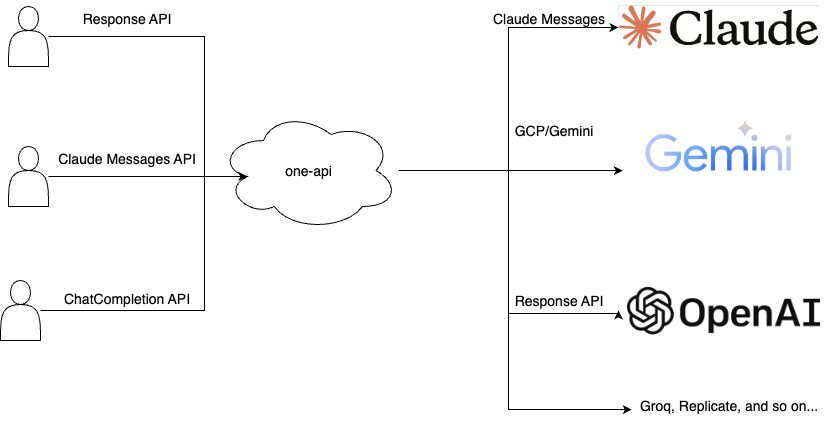
Also welcome to register and use my deployed one-api gateway, which supports various mainstream models. For usage instructions, please refer to https://wiki.laisky.com/projects/gpt/pay/.
Try it at https://oneapi.laisky.com, login with test / 12345678. 🚀
=== One-API Compatibility Matrix 2025-12-12T04:37:09Z ===

Request Format                         gpt-4o-mini  gpt-5-mini   claude-haiku-4-5  gemini-2.5-flash  openai/gpt-oss-20b  deepseek-chat  grok-4-fast-non-reasoning  azure-gpt-5-nano
Chat (stream=false)                    PASS 11.21s  PASS 13.10s  PASS 8.52s        PASS 4.64s        PASS 9.52s          PASS 7.08s     PASS 3.08s                 PASS 14.68s
Chat (stream=true)                     PASS 13.23s  PASS 13.37s  PASS 2.31s        PASS 6.02s        PASS 4.56s          PASS 10.92s    PASS 9.72s                 PASS 15.30s
Chat Tools (stream=false)              PASS 5.60s   PASS 12.94s  PASS 7.69s        PASS 7.11s        PASS 3.14s          PASS 8.71s     PASS 5.48s                 PASS* 35.02s
Chat Tools (stream=true)               PASS 14.51s  PASS 18.90s  PASS 7.60s        PASS 4.36s        PASS 8.87s          PASS 7.56s     PASS 7.45s                 PASS 13.13s
Chat Tools History (stream=false)      PASS 9.09s   PASS 14.28s  PASS 12.04s       PASS 7.45s        PASS 10.40s         PASS 9.52s     PASS 6.26s                 PASS 13.61s
Chat Tools History (stream=true)       PASS 14.80s  PASS 25.49s  PASS 3.08s        PASS 11.24s       PASS 5.22s          PASS 4.97s     PASS 5.14s                 PASS 15.56s
Chat Structured (stream=false)         PASS 10.51s  PASS 15.71s  PASS 12.66s       PASS 13.68s       PASS 8.24s          PASS 6.95s     PASS 13.42s                PASS 13.80s
Chat Structured (stream=true)          PASS 11.26s  PASS 14.50s  PASS 6.07s        PASS 4.84s        PASS 6.97s          PASS 6.86s     PASS 4.51s                 PASS 14.04s
Response (stream=false)                PASS 14.65s  PASS 15.31s  PASS 10.51s       PASS 3.03s        PASS 3.98s          PASS 12.83s    PASS 11.29s                PASS 15.70s
Response (stream=true)                 PASS 8.91s   PASS 17.54s  PASS 6.51s        PASS 5.81s        PASS 5.26s          PASS 7.56s     PASS 9.51s                 PASS 15.66s
Response Vision (stream=false)         PASS 12.32s  PASS 14.49s  PASS 14.12s       PASS 8.82s        SKIP                SKIP           PASS 8.74s                 PASS 16.59s
Response Vision (stream=true)          PASS 11.04s  PASS 9.50s   PASS 10.75s       PASS 13.60s       SKIP                SKIP           PASS 9.05s                 PASS 11.51s
Response Tools (stream=false)          PASS 11.02s  PASS 11.71s  PASS 7.68s        PASS 10.55s       PASS 4.04s          PASS 10.30s    PASS 10.15s                PASS 12.93s
Response Tools (stream=true)           PASS 8.64s   PASS 14.40s  PASS 10.73s       PASS 13.20s       PASS 6.81s          PASS 7.62s     PASS 13.42s                PASS 12.03s
Response Tools History (stream=false)  PASS 8.04s   PASS 14.45s  PASS 9.63s        PASS 5.54s        PASS 5.88s          PASS 9.30s     PASS 5.22s                 PASS 11.11s
Response Tools History (stream=true)   PASS 9.89s   PASS 12.22s  PASS 6.58s        PASS 5.18s        PASS 7.40s          PASS 5.84s     PASS 4.50s                 PASS 16.86s
Response Structured (stream=false)     PASS 14.35s  PASS 15.40s  PASS 13.74s       PASS 12.78s       PASS 7.59s          PASS 5.99s     PASS 12.10s                PASS 13.18s
Response Structured (stream=true)      PASS 15.04s  PASS 12.68s  PASS 12.52s       PASS 7.83s        PASS 7.85s          PASS 3.81s     PASS 8.35s                 PASS 11.01s
Claude (stream=false)                  PASS 4.78s   PASS 11.79s  PASS 12.18s       PASS 10.58s       PASS 8.75s          PASS 12.46s    PASS 9.66s                 PASS 14.93s
Claude (stream=true)                   PASS 4.46s   PASS 9.82s   PASS 6.43s        PASS 14.37s       PASS 9.22s          PASS 12.17s    PASS 3.13s                 PASS 20.63s
Claude Tools (stream=false)            PASS 9.20s   PASS 11.08s  PASS 11.79s       PASS 3.55s        PASS 7.39s          PASS 6.32s     PASS 12.71s                PASS 14.85s
Claude Tools (stream=true)             PASS 3.01s   PASS 6.56s   PASS 14.15s       PASS 8.11s        PASS 9.11s          PASS 8.37s     PASS 4.16s                 PASS 12.80s
Claude Tools History (stream=false)    PASS 9.67s   PASS 15.07s  PASS 7.45s        PASS 6.70s        PASS 8.47s          PASS 9.25s     PASS 13.92s                PASS 15.36s
Claude Tools History (stream=true)     PASS 11.15s  PASS 19.37s  PASS 13.52s       PASS 8.90s        PASS 7.20s          PASS 8.89s     PASS 5.81s                 PASS 9.87s
Claude Structured (stream=false)       PASS 5.39s   SKIP         PASS 7.89s        PASS 11.51s       PASS 13.30s         PASS 8.31s     PASS 6.16s                 SKIP
Claude Structured (stream=true)        PASS 6.43s   SKIP         PASS 11.05s       PASS 9.62s        PASS 3.05s          PASS 4.64s     PASS 4.69s                 SKIP

Totals  | Requests: 208 | Passed: 200 | Failed: 0 | Skipped: 8

Warnings (passed with caveats):
- azure-gpt-5-nano - Chat Tools (stream=false) -> tool was not invoked

Skipped (unsupported combinations):
- azure-gpt-5-nano - Claude Structured (stream=false) -> Azure GPT-5 nano does not return structured JSON for Claude messages (empty content)
- azure-gpt-5-nano - Claude Structured (stream=true) -> Azure GPT-5 nano does not return structured JSON for Claude messages (empty content)
- deepseek-chat - Response Vision (stream=false) -> vision input unsupported by model deepseek-chat
- deepseek-chat - Response Vision (stream=true) -> vision input unsupported by model deepseek-chat
- gpt-5-mini - Claude Structured (stream=false) -> GPT-5 mini returns empty content for Claude structured requests
- gpt-5-mini - Claude Structured (stream=true) -> GPT-5 mini streams only usage deltas, never emitting structured JSON blocks
- openai/gpt-oss-20b - Response Vision (stream=false) -> vision input unsupported by model openai/gpt-oss-20b
- openai/gpt-oss-20b - Response Vision (stream=true) -> vision input unsupported by model openai/gpt-oss-20b

2025-12-12T04:37:09Z    INFO    oneapi-test     test/main.go:58 command completed       {"command": "run"}
The original author stopped maintaining the project, leaving critical PRs and new features unaddressed. As a long‑time contributor, I’ve forked the repository and rebuilt the core to keep the ecosystem alive and evolving.
- One API
- Synopsis
- Tutorial
- Contributors
- New Features
- Universal Features
- OpenAI Features
- Support whisper
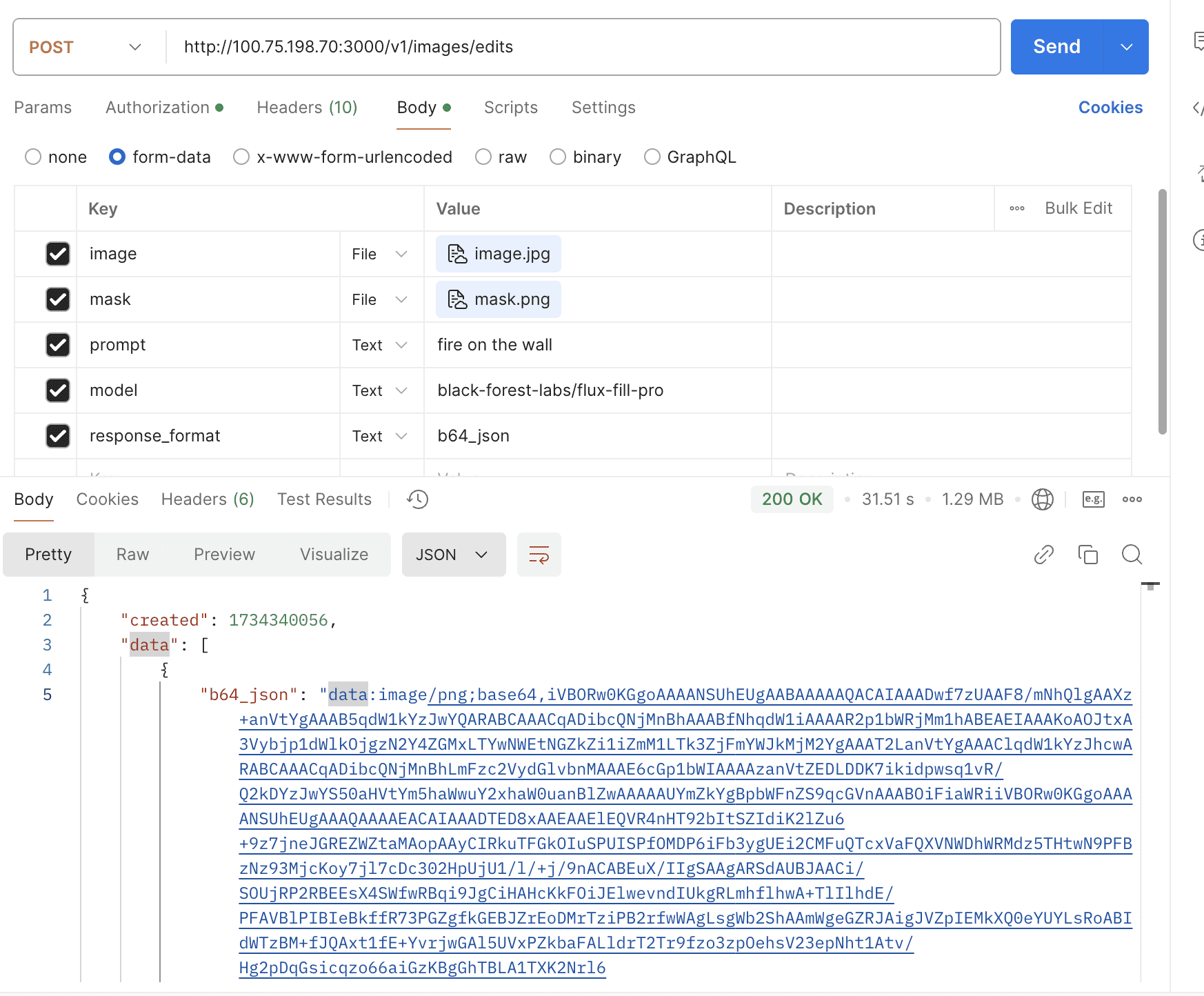
- Support openai images edits
- Support OpenAI o1/o1-mini/o1-preview
- Support gpt-4o-audio
- Support OpenAI web search models
- Support gpt-image family for image generation & edits
- Support o3-mini & o3 & o4-mini & gpt-4.1 & o3-pro & reasoning content
- Support OpenAI Response API
- Support gpt-5 family
- Support o3-deep-research & o4-mini-deep-research
- Support Codex Cli
- Support Sora
- Anthropic (Claude) Features
- Support Claude 4.x Models
- Google (Gemini & Vertex) Features
- Support gemini-2.0-flash-exp
- Support gemini-2.0-flash
- Support gemini-2.0-flash-thinking-exp-01-21
- Support Vertex Imagen3
- Support gemini multimodal output #2197
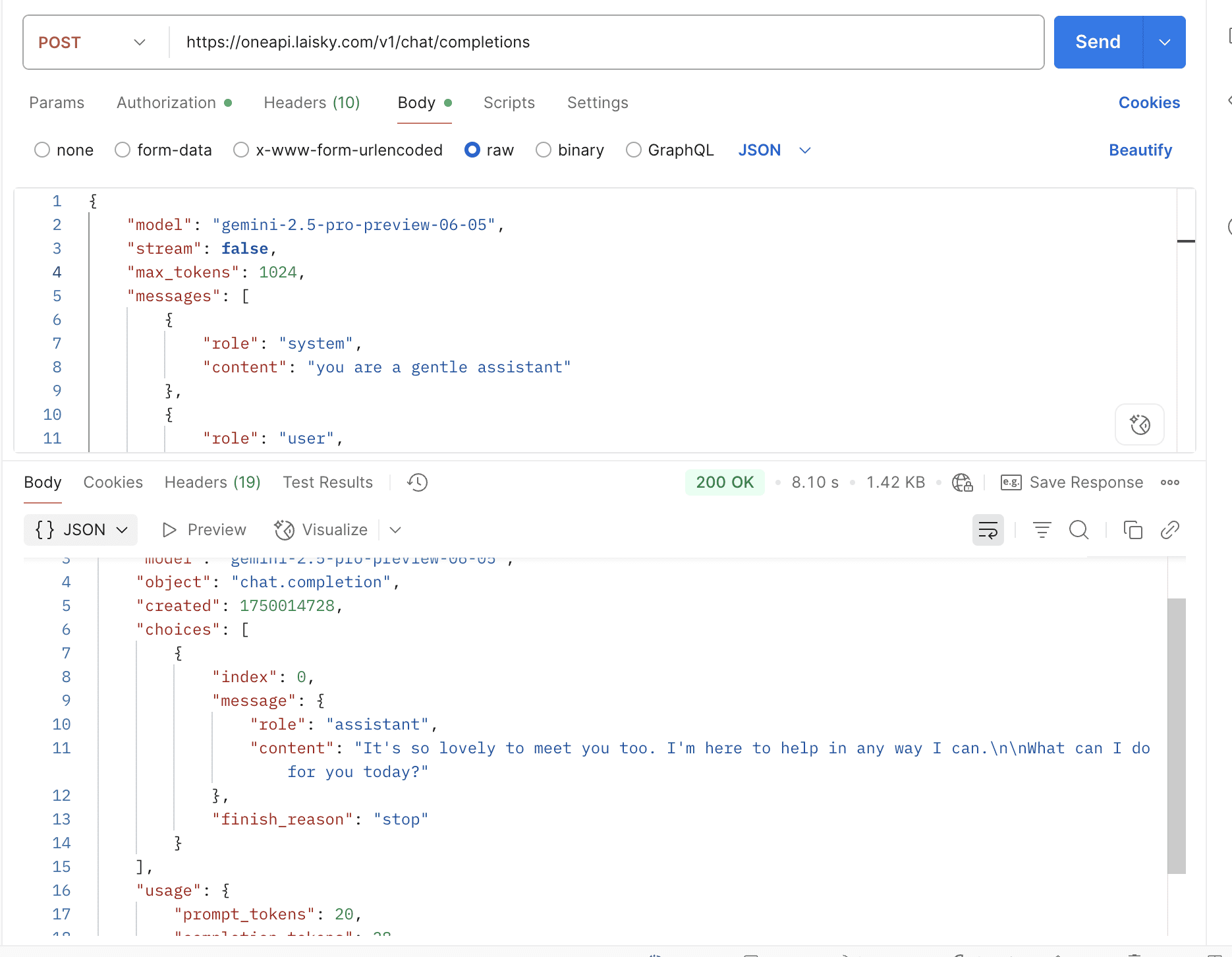
- Support gemini-2.5-pro
- Support GCP Vertex gloabl region and gemini-2.5-pro-preview-06-05
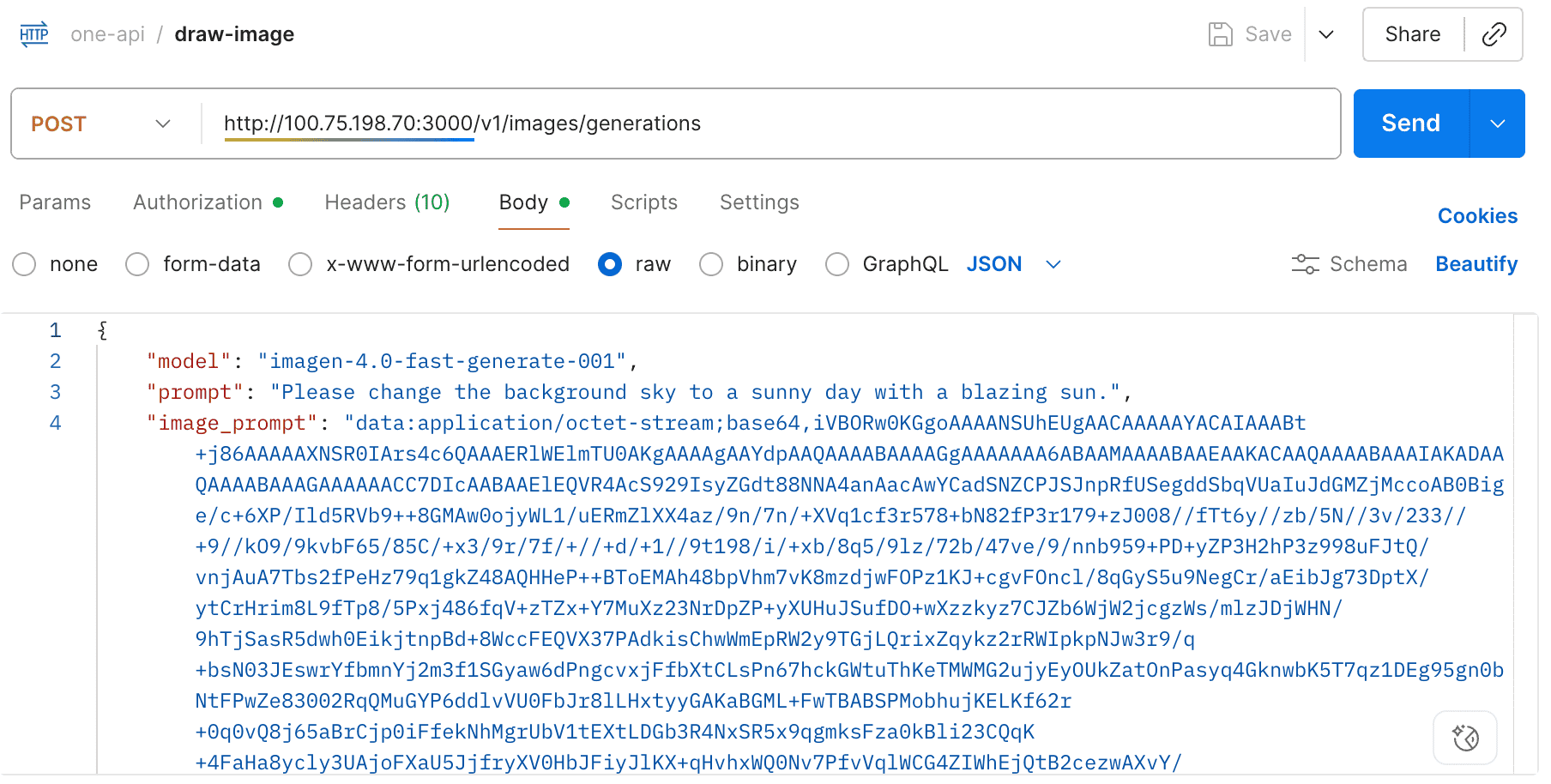
- Support gemini-2.5-flash-image-preview & imagen-4 series
- Support gemini-3 family
- OpenCode Support
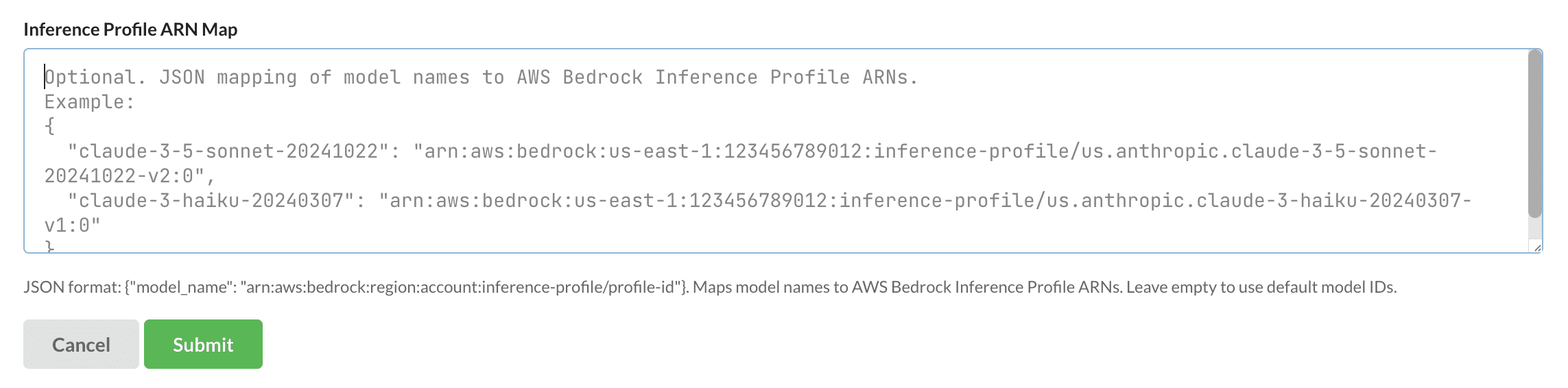
- AWS Features
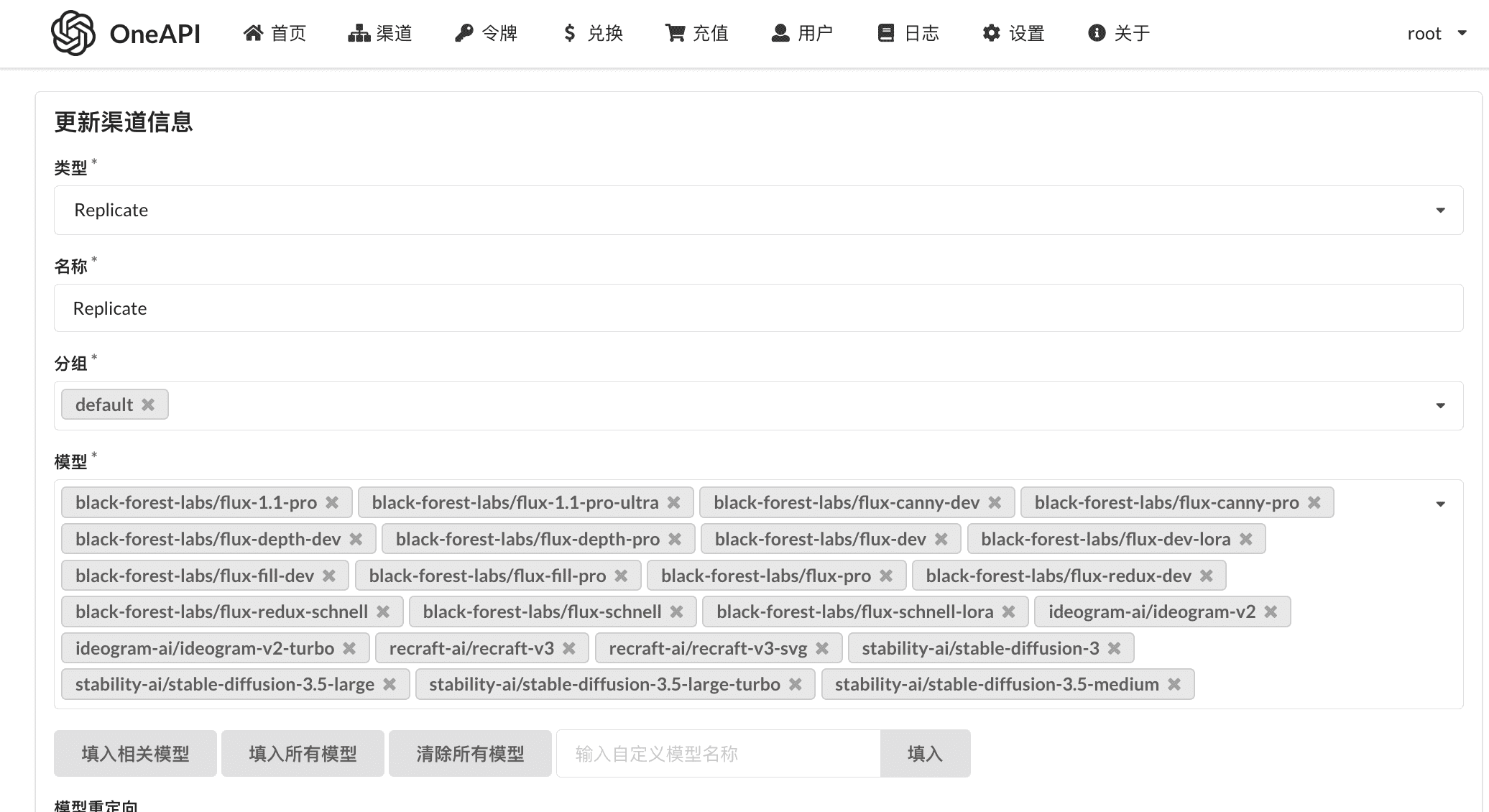
- Replicate Features
- DeepSeek Features
- OpenRouter Features
- Cohere
- Coze Features
- Moonshot Features
- GLM Features
- XAI / Grok Features
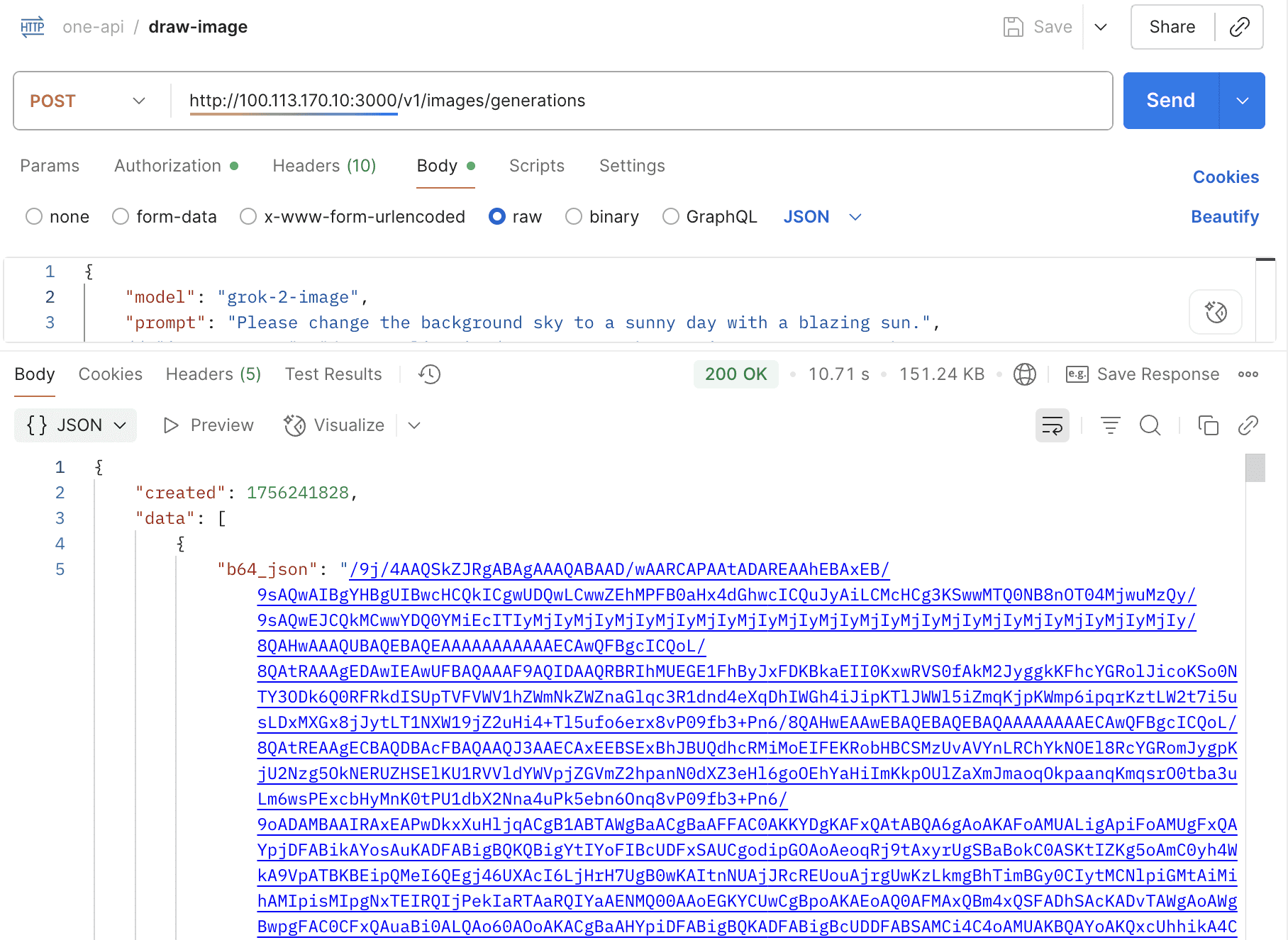
- Black Forest Labs Features
- Bug Fixes & Enterprise-Grade Improvements (Including Security Enhancements)
Docker images available on Docker Hub:
ppcelery/one-api:latestppcelery/one-api:arm64-latest
The initial default account and password are root / 123456. Listening port can be configured via the PORT environment variable, default is 3000.
Run one-api using docker-compose:
All environment variables can be set via the
environmentsection in thedocker-compose.ymlfile, please refer to ./common/config/config.go for all available configuration options.
oneapi:
  image: ppcelery/one-api:latest
  restart: unless-stopped
  logging:
    driver: "json-file"
    options:
      max-size: "10m"
  volumes:
    - /var/lib/oneapi:/data
  ports:
    - 3000:3000
Tip
For production environments, consider using proper secret management solutions instead of hardcoding sensitive values in environment variables.
The Kubernetes deployment guide has been moved into a dedicated document:
Support internationalization (i18n) in the web frontend, including English, Chinese, French, Spanish, and Japanese.
All channels share a four-layer billing pipeline (channel overrides → adapter defaults → global fallback → safe default) with support for tiered token pricing, cached prompt buckets, and per-second/per-image media meters. Administrators can fetch defaults, override specific models, and audit every call via X-Oneapi-Request-Id; see docs/arch/billing.md for internals and docs/manuals/billing.md for the operational playbook.
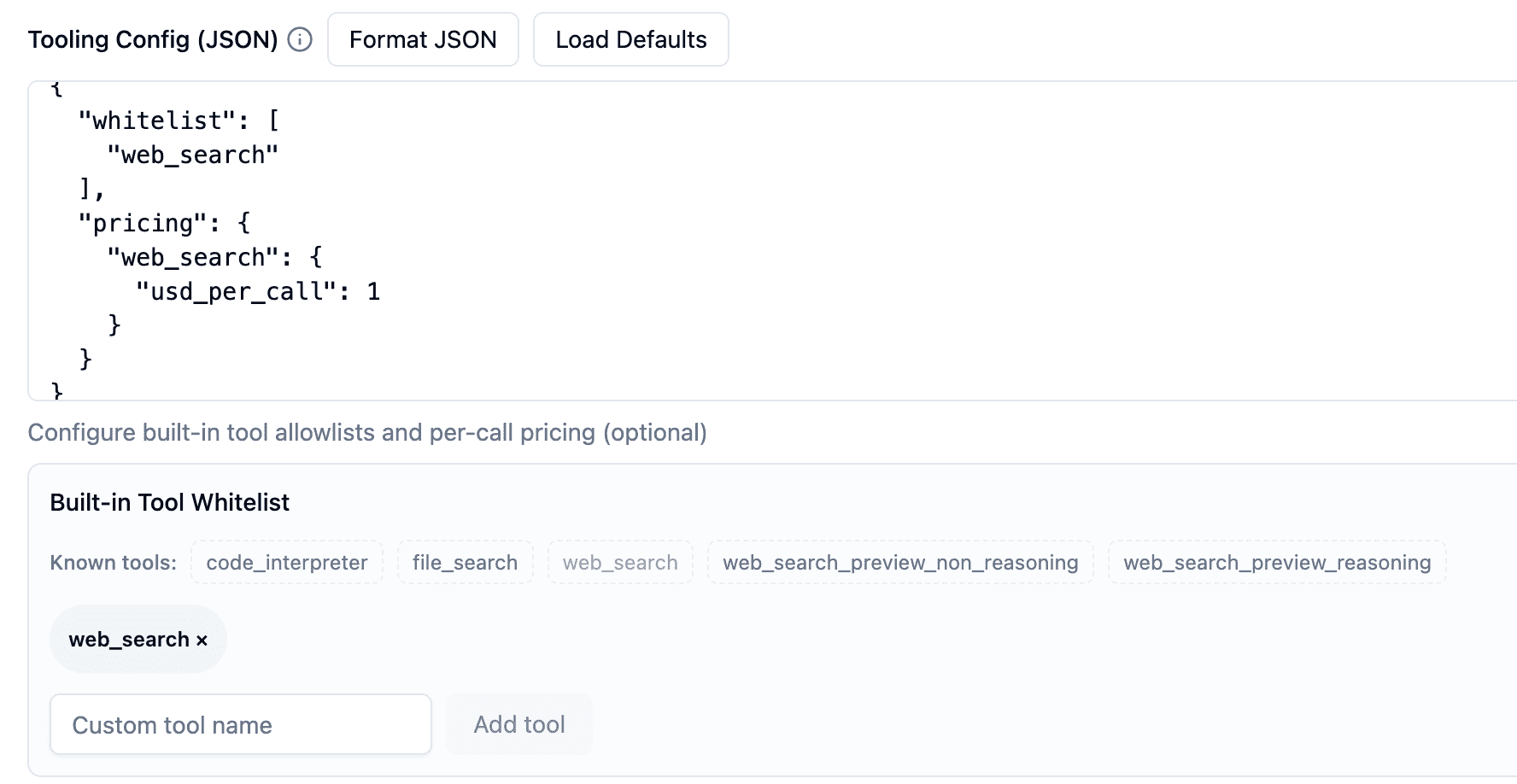
Configure the price and whitelist for a channel’s built‑in tools.
You can update the used quota using the API key of any token, allowing other consumption to be aggregated into the one-api for centralized management.
curl -X POST https://oneapi.laisky.com/api/token/consume \
  -H "Authorization: Bearer <TOKEN_API_KEY>" \
  -H "Content-Type: application/json" \
  -d '{
    "add_reason": "async-transcode",
    "add_used_quota": 150
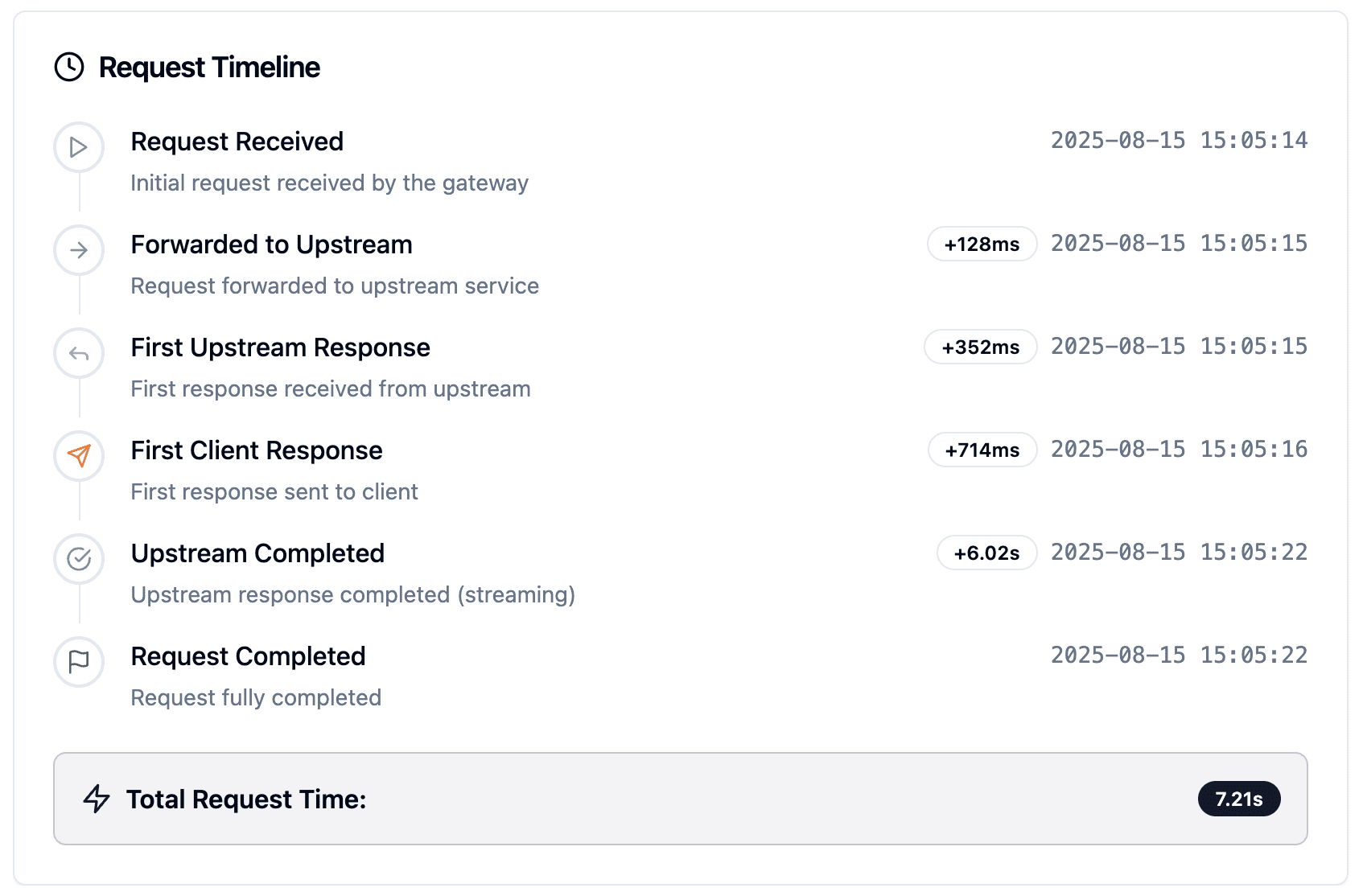
}'Each chat completion request will include a X-Oneapi-Request-Id in the returned headers. You can use this request id to request GET /api/cost/request/:request_id to get the cost of this request.
The returned structure is:
type UserRequestCost struct {
  Id          int     `json:"id"`
  CreatedTime int64   `json:"created_time" gorm:"bigint"`
  UserID      int     `json:"user_id"`
  RequestID   string  `json:"request_id"`
  Quota       int64   `json:"quota"`
  CostUSD     float64 `json:"cost_usd" gorm:"-"`
}
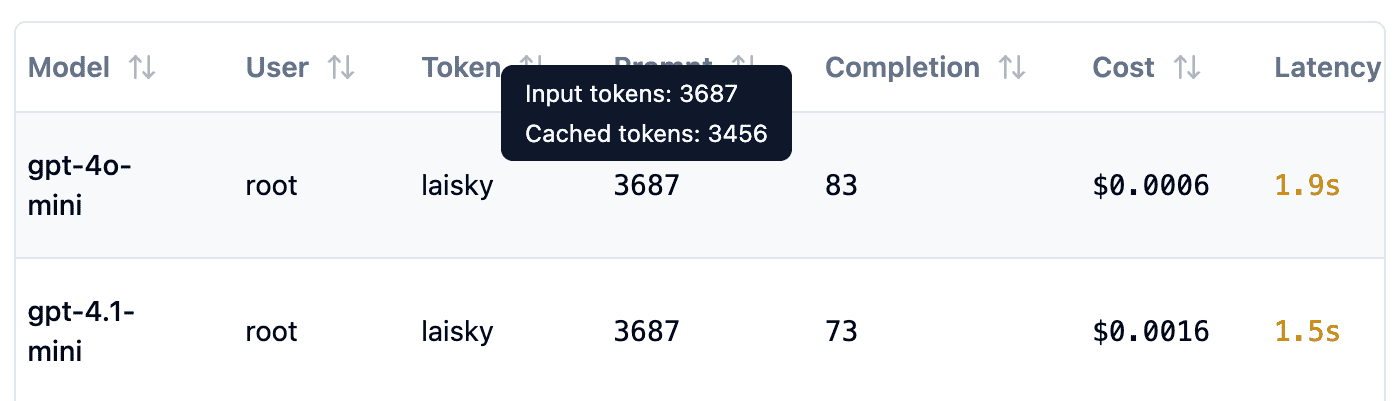
Now supports cached input, which can significantly reduce the cost.
Supports two URL parameters: thinking and reasoning_format.
thinking: Whether to enable thinking mode, disabled by default.reasoning_format: Specifies the format of the returned reasoning.reasoning_content: DeepSeek official API format, returned in thereasoning_contentfield.reasoning: OpenRouter format, returned in thereasoningfield.thinking: Claude format, returned in thethinkingfield.
curl --location 'https://oneapi.laisky.com/v1/chat/completions?thinking=true&reasoning_format=reasoning_content' \
  --header 'Content-Type: application/json' \
  --header 'Authorization: sk-xxxxxxx' \
  --data '{
    "model": "gpt-5-mini",
    "max_tokens": 1024,
    "messages": [
      {
        "role": "user",
        "content": "1+1=?"
      }
    ]
  }'
Response:
{
  "id": "resp_01282fbc2c1cd0a90069068d5ae43c819e93f5ca9ebacf4aaa",
  "model": "gpt-5-mini",
  "object": "chat.completion",
  "created": 1762037082,
  "choices": [
    {
      "index": 0,
      "message": {
        "role": "assistant",
        "content": "2",
        "reasoning_content": "**Calculating addition succinctly**\n\nI need to respond clearly. The user might be asking playfully, so I should keep it concise. The simplest answer is 1 + 1 = 2. It could be fun to mention that in binary, 1 + 1 equals 10, but that's not really necessary since the typical base is decimal. I'll stick with the straightforward response: \"2.\" Maybe I can add a brief note explaining it, like \"Adding one and one gives two,\" but I’ll keep it minimal.",
        "reasoning": "**Calculating addition succinctly**\n\nI need to respond clearly. The user might be asking playfully, so I should keep it concise. The simplest answer is 1 + 1 = 2. It could be fun to mention that in binary, 1 + 1 equals 10, but that's not really necessary since the typical base is decimal. I'll stick with the straightforward response: \"2.\" Maybe I can add a brief note explaining it, like \"Adding one and one gives two,\" but I’ll keep it minimal."
      },
      "finish_reason": "stop"
    }
  ],
  "usage": {
    "prompt_tokens": 10,
    "completion_tokens": 199,
    "total_tokens": 209,
    "prompt_tokens_details": {
      "cached_tokens": 0,
      "audio_tokens": 0,
      "text_tokens": 0,
      "image_tokens": 0
    },
    "completion_tokens_details": {
      "reasoning_tokens": 192,
      "audio_tokens": 0,
      "accepted_prediction_tokens": 0,
      "rejected_prediction_tokens": 0,
      "text_tokens": 0,
      "cached_tokens": 0
    }
  }
}curl --location 'https://oneapi.laisky.com/v1/chat/completions?thinking=true&reasoning_format=reasoning' \
--header 'Content-Type: application/json' \
--header 'Authorization: sk-xxxxxxx' \
--data '{
"model": "gpt-5-mini",
"max_tokens": 1024,
"messages": [
{
"role": "user",
"content": "1+1=?"
}
]
}'Response:
{
  "id": "resp_0e6222cdcfeabbbf0069068da588b88194964340c1e33fbabb",
  "model": "gpt-5-mini",
  "object": "chat.completion",
  "created": 1762037157,
  "choices": [
    {
      "index": 0,
      "message": {
        "role": "assistant",
        "content": "2",
        "reasoning": "**Calculating a simple equation**\n\nThe user asked what 1 + 1 equals, which is a straightforward question. I can just respond with \"2.\" Although I could add a simple explanation that 1 plus 1 equals 2, I should keep it concise. So, I’ll stick with the answer \"2\" and perhaps mention \"1 + 1 = 2\" for clarity. It's clear, and there are no concerns here, so I'll give the final response of \"2.\""
      },
      "finish_reason": "stop"
    }
  ],
  "usage": {
    "prompt_tokens": 10,
    "completion_tokens": 71,
    "total_tokens": 81,
    "prompt_tokens_details": {
      "cached_tokens": 0,
      "audio_tokens": 0,
      "text_tokens": 0,
      "image_tokens": 0
    },
    "completion_tokens_details": {
      "reasoning_tokens": 64,
      "audio_tokens": 0,
      "accepted_prediction_tokens": 0,
      "rejected_prediction_tokens": 0,
      "text_tokens": 0,
      "cached_tokens": 0
    }
  }
}curl --location 'https://oneapi.laisky.com/v1/chat/completions?thinking=true&reasoning_format=thinking' \
--header 'Content-Type: application/json' \
--header 'Authorization: sk-xxxxxxx' \
--data '{
"model": "gpt-5-mini",
"max_tokens": 1024,
"messages": [
{
"role": "user",
"content": "1+1=?"
}
]
}'Response:
{
  "id": "resp_099bd53deedec1a80069068dc160d88191a1d3ff4eb82c37bb",
  "model": "gpt-5-mini",
  "object": "chat.completion",
  "created": 1762037185,
  "choices": [
    {
      "index": 0,
      "message": {
        "role": "assistant",
        "content": "2",
        "thinking": "**Calculating simple arithmetic**\n\nThe user asked a really straightforward question: \"1+1=?\". I should definitely keep it concise, so the answer is simply 2. I could also mention that 1+1 equals 2 in terms of adding integers. But really, just saying \"2\" should suffice. If they're curious for more detail, I can provide a brief explanation. Still, keeping it minimal, I'll just go with \"2\". That's all they need!"
      },
      "finish_reason": "stop"
    }
  ],
  "usage": {
    "prompt_tokens": 10,
    "completion_tokens": 71,
    "total_tokens": 81,
    "prompt_tokens_details": {
      "cached_tokens": 0,
      "audio_tokens": 0,
      "text_tokens": 0,
      "image_tokens": 0
    },
    "completion_tokens_details": {
      "reasoning_tokens": 64,
      "audio_tokens": 0,
      "accepted_prediction_tokens": 0,
      "rejected_prediction_tokens": 0,
      "text_tokens": 0,
      "cached_tokens": 0
    }
  }
}curl --location 'https://oneapi.laisky.com/v1/audio/transcriptions' \
--header 'Authorization: Bearer laisky-xxxxxxx' \
--form 'file=@"postman-cloud:///1efcd71f-7206-4a70-94d1-7727d79d124b"' \
--form 'model="whisper-1"' \
--form 'response_format="verbose_json"'Response:
{
  "task": "transcribe",
  "language": "english",
  "duration": 3.869999885559082,
  "text": "Hello everyone, nice to see you today",
  "segments": [
    {
      "id": 0,
      "seek": 0,
      "start": 0.0,
      "end": 3.680000066757202,
      "text": " Hello everyone, nice to see you today",
      "tokens": [50364, 2425, 1518, 11, 1481, 281, 536, 291, 965, 50548],
      "temperature": 0.0,
      "avg_logprob": -0.44038617610931396,
      "compression_ratio": 0.8604651093482971,
      "no_speech_prob": 0.002639062935486436
    }
  ],
  "usage": {
    "type": "duration",
    "seconds": 4
  }
}curl --location 'https://oneapi.laisky.com/v1/images/edits' \
--header 'Authorization: sk-xxxxxxx' \
--form 'image[]=@"postman-cloud:///1f020b33-1ca1-4f10-b6d2-7b12aa70111e"' \
--form 'image[]=@"postman-cloud:///1f020b33-22c6-4350-8314-063db53618a4"' \
--form 'prompt="put all items in references image into a gift busket"' \
--form 'model="gpt-image-1"'Response:
{
  "created": 1762038453,
  "data": [
    {
      "url": "https://xxxxxxx.png"
    }
  ]
}curl --location 'https://oneapi.laisky.com/v1/chat/completions' \
--header 'Content-Type: application/json' \
--header 'Authorization: sk-xxxxxxx' \
--data '{
"model": "gpt-4o-audio-preview",
"max_tokens": 200,
"modalities": ["text", "audio"],
"audio": { "voice": "alloy", "format": "pcm16" },
"messages": [
{
"role": "system",
"content": "You are a helpful assistant."
},
{
"role": "user",
"content": [
{
"type": "text",
"text": "what is in this recording"
},
{
"type": "input_audio",
"input_audio": {
"data": "<BASE64_ENCODED_AUDIO_DATA>",
"format": "mp3"
}
}
]
}
]
}'Response:
{
  "id": "chatcmpl-CXEuXGd0MagiwenLiOtDhLNMHZs63",
  "object": "chat.completion",
  "created": 1762038177,
  "model": "gpt-4o-audio-preview-2025-06-03",
  "choices": [
    {
      "index": 0,
      "message": {
        "role": "assistant",
        "content": null,
        "refusal": null,
        "audio": {
          "id": "audio_690691a2f0248191be5a199d7a49968b",
          "data": "<BASE64_ENCODED_AUDIO_DATA>",
          "expires_at": 1762041778,
          "transcript": "The recording contains a greeting where someone is saying, \"Hello everyone, nice to see you today.\" It sounds like a friendly and casual greeting"
        },
        "annotations": []
      },
      "finish_reason": "length"
    }
  ],
  "usage": {
    "prompt_tokens": 64,
    "completion_tokens": 200,
    "total_tokens": 264,
    "prompt_tokens_details": {
      "cached_tokens": 0,
      "audio_tokens": 38,
      "text_tokens": 26,
      "image_tokens": 0
    },
    "completion_tokens_details": {
      "reasoning_tokens": 0,
      "audio_tokens": 159,
      "accepted_prediction_tokens": 0,
      "rejected_prediction_tokens": 0,
      "text_tokens": 41
    }
  },
  "service_tier": "default",
  "system_fingerprint": "fp_363417d4a6"
}support gpt-4o-search-preview & gpt-4o-mini-search-preview
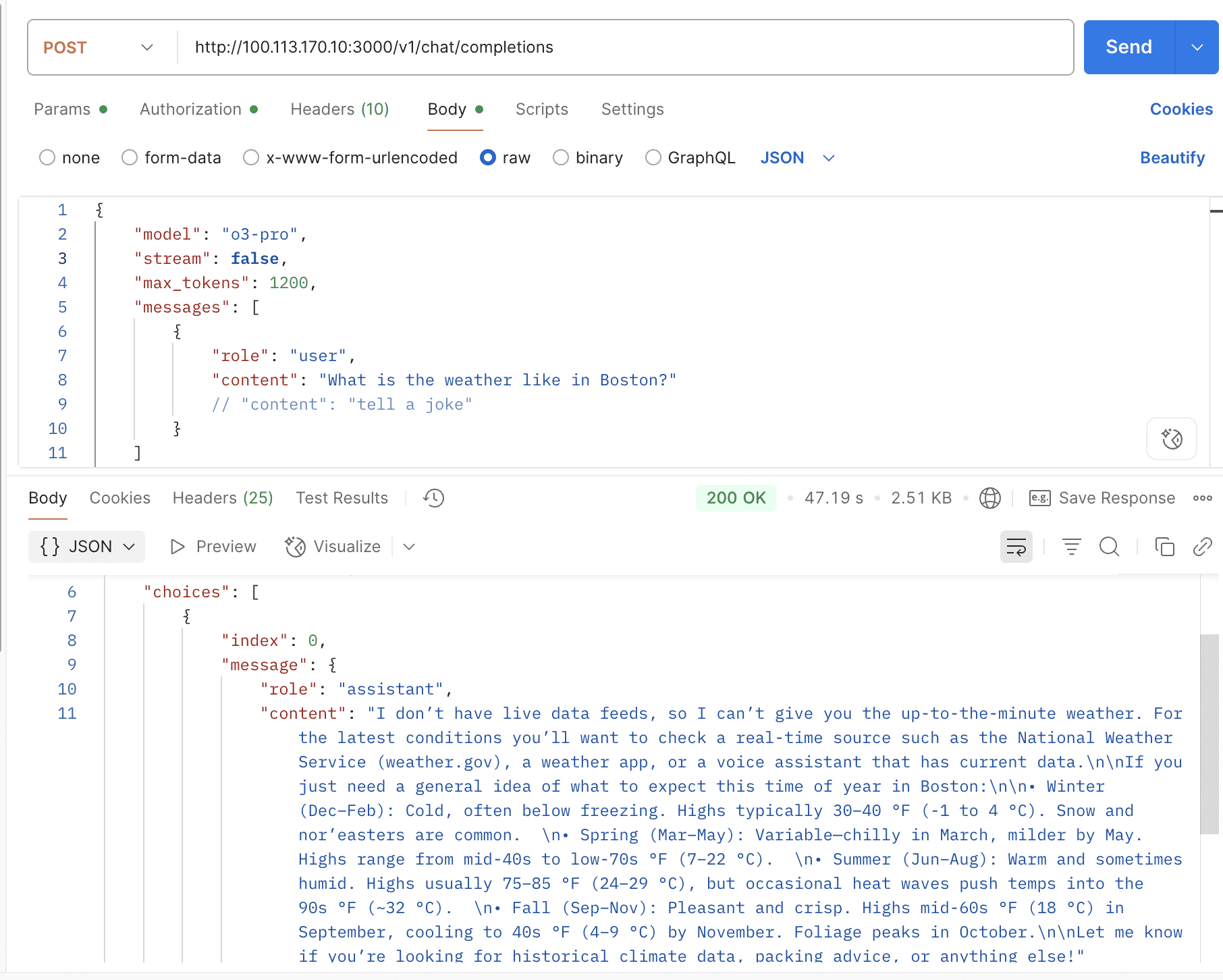
curl --location 'https://oneapi.laisky.com/v1/chat/completions?thinking=true&reasoning_format=thinking' \
  --header 'Content-Type: application/json' \
  --header 'Authorization: sk-xxxxxxx' \
  --data '{
    "model": "gpt-4o-mini-search-preview",
    "max_tokens": 1024,
    "stream": false,
    "messages": [
      {
        "role": "user",
        "content": "what'\''s the weather in ottawa canada?"
      }
    ]
  }'
Response:
{
  "id": "resp_0a8e4f5c5f4e4b8f0069068d3f4bb88191f3e1e4b8f4c3faab",
  "model": "gpt-4o-mini-search-preview",
  "object": "chat.completion",
  "created": 1762041234,
  "choices": [
    {
      "index": 0,
      "message": {
        "role": "assistant",
        "content": "The current weather in Ottawa, Canada is partly cloudy with a temperature of 22°C (72°F). There is a light breeze coming from the northwest at 10 km/h (6 mph). Humidity is at 60%, and there is no precipitation expected today. For more detailed and up-to-date information, please check a reliable weather website or app.",
        "thinking": "**Using web search to find current weather information**\n\nI searched for the latest weather updates for Ottawa, Canada. Based on the most recent data available, I found that the weather is partly cloudy with a temperature of 22°C (72°F). I also noted the wind speed and direction, humidity levels, and the absence of precipitation. This information should help the user understand the current weather conditions in Ottawa."
      },
      "finish_reason": "stop"
    }
  ],
  "usage": {
    "prompt_tokens": 15,
    "completion_tokens": 150,
    "total_tokens": 165,
    "prompt_tokens_details": {
      "cached_tokens": 0,
      "audio_tokens": 0,
      "text_tokens": 15,
      "image_tokens": 0
    },
    "completion_tokens_details": {
      "reasoning_tokens": 130,
      "audio_tokens": 0,
      "accepted_prediction_tokens": 0,
      "rejected_prediction_tokens": 0,
      "text_tokens": 20,
      "cached_tokens": 0
    }
  }
}
Response:
{
  "id": "chatcmpl-3ba4b046-577a-4cbd-8ebc-80b48607e6ee",
  "object": "chat.completion",
  "created": 1762038412,
  "model": "gpt-4o-mini-search-preview-2025-03-11",
  "choices": [
    {
      "index": 0,
      "message": {
        "role": "assistant",
        "content": "As of 6:06 PM on Saturday, November 1, 2025, in Ottawa, Canada, the weather is mostly cloudy with a temperature of 38°F (4°C).\n\n## Weather for Ottawa, ON:\nCurrent Conditions: Mostly cloudy, 38°F (4°C)\n\nDaily Forecast:\n* Saturday, November 1: Low: 35°F (1°C), High: 43°F (6°C), Description: Cloudy and breezy with a shower in spots\n* Sunday, November 2: Low: 36°F (2°C), High: 46°F (8°C), Description: Cloudy in the morning, then times of clouds and sun in the afternoon\n* Monday, November 3: Low: 36°F (2°C), High: 51°F (11°C), Description: Cloudy and breezy with showers\n* Tuesday, November 4: Low: 34°F (1°C), High: 52°F (11°C), Description: Mostly sunny and breezy\n* Wednesday, November 5: Low: 36°F (2°C), High: 44°F (7°C), Description: Cloudy with a couple of showers, mainly later\n* Thursday, November 6: Low: 29°F (-1°C), High: 44°F (7°C), Description: A little morning rain; otherwise, cloudy most of the time\n* Friday, November 7: Low: 32°F (0°C), High: 45°F (7°C), Description: Mostly cloudy\n\n\nIn November, Ottawa typically experiences cool and damp conditions, with average high temperatures around 5°C (41°F) and lows near -2°C (28°F). The city usually receives about 84 mm (3.3 inches) of precipitation over 14 days during the month. ([weather2visit.com](https://www.weather2visit.com/north-america/canada/ottawa-november.htm?utm_source=openai)) ",
        "refusal": null,
        "annotations": [
          {
            "type": "url_citation",
            "url_citation": {
              "end_index": 1358,
              "start_index": 1247,
              "title": "Ottawa Weather in November 2025 | Canada Averages | Weather-2-Visit",
              "url": "https://www.weather2visit.com/north-america/canada/ottawa-november.htm?utm_source=openai"
            }
          }
        ]
      },
      "finish_reason": "stop"
    }
  ],
  "usage": {
    "prompt_tokens": 9,
    "completion_tokens": 411,
    "total_tokens": 420,
    "prompt_tokens_details": {
      "cached_tokens": 0,
      "audio_tokens": 0
    },
    "completion_tokens_details": {
      "reasoning_tokens": 0,
      "audio_tokens": 0,
      "accepted_prediction_tokens": 0,
      "rejected_prediction_tokens": 0
    }
  },
  "system_fingerprint": ""
}
Support gpt-image-1 & gpt-image-1-mini for image generation and editing.
Draw image:
curl --location 'https://oneapi.laisky.com/v1/images/generations' \
--header 'Content-Type: application/json' \
--header 'Authorization: sk-xxxxxxx' \
--data '{
    "model": "gpt-image-1-mini",
    "prompt": "draw a goose",
    "n": 1,
    "size": "1024x1024",
    "response_format": "b64_json"
}'
Response:
{
  "created": 1763152907,
  "background": "opaque",
  "data": [
    {
      "b64_json": "iVBORw0KGgoAAAANS..."
    }
  ],
  "output_format": "png",
  "quality": "high",
  "size": "1536x1024",
  "usage": {
    "input_tokens": 437,
    "input_tokens_details": {
      "image_tokens": 388,
      "text_tokens": 49
    },
    "output_tokens": 6208,
    "total_tokens": 6645
  }
}
Edit image:
curl --location 'https://oneapi.laisky.com/v1/images/edits' \
  --header 'Authorization: sk-xxxxxxx' \
  --form 'image[]=@"postman-cloud:///1f020b33-1ca1-4f10-b6d2-7b12aa70111e"' \
  --form 'image[]=@"postman-cloud:///1f020b33-22c6-4350-8314-063db53618a4"' \
  --form 'prompt="put all items in references image into a gift busket"' \
  --form 'model="gpt-image-1-mini"'
Response:
{
  "created": 1763152907,
  "background": "opaque",
  "data": [
    {
      "b64_json": "iVBORw0KGgoAAAANS..."
    }
  ],
  "output_format": "png",
  "quality": "high",
  "size": "1536x1024",
  "usage": {
    "input_tokens": 437,
    "input_tokens_details": {
      "image_tokens": 388,
      "text_tokens": 49
    },
    "output_tokens": 6208,
    "total_tokens": 6645
  }
}
curl --location 'https://oneapi.laisky.com/v1/responses' \
  --header 'Content-Type: application/json' \
  --header 'Authorization: sk-xxxxxxx' \
  --data '{
      "model": "gemini-2.5-flash",
      "input": "Tell me a three sentence bedtime story about a unicorn."
    }'
Response:
{
  "id": "resp-2025110123121283977003996295227",
  "object": "response",
  "created_at": 1762038734,
  "status": "completed",
  "model": "gemini-2.5-flash",
  "output": [
    {
      "type": "message",
      "status": "completed",
      "role": "assistant",
      "content": [
        {
          "type": "output_text",
          "text": "Lily the unicorn lived in a meadow where rainbows touched the ground. Every evening, she would gallop beneath the starry sky, her horn glowing like a tiny lantern. When she finally nestled into her bed of soft moss, all the little forest creatures drifted off to sleep, feeling safe and warm."
        }
      ]
    }
  ],
  "usage": {
    "input_tokens": 12,
    "output_tokens": 151,
    "total_tokens": 163
  },
  "parallel_tool_calls": false
}gpt-5.2 / gpt-5.2-2025-12-11 / gpt-5.2-pro / gpt-5.2-pro-2025-12-11
gpt-5.1-chat-latest / gpt-5.1 / gpt-5.1-2025-11-13 / gpt-5.1-codex / gpt-5.1-codex-mini
gpt-5-chat-latest / gpt-5 / gpt-5-mini / gpt-5-nano / gpt-5-codex / gpt-5.1-codex-max/ gpt-5-pro
curl --location 'https://oneapi.laisky.com/v1/chat/completions?thinking=true&reasoning_format=thinking' \
  --header 'Content-Type: application/json' \
  --header 'Authorization: sk-xxxxxxx' \
  --data '{
    "model": "o4-mini-deep-research",
    "max_tokens": 9086,
    "stream": false,
    "messages": [
      {
        "role": "user",
        "content": "what'\''s the weather in ottawa canada?"
      }
    ]
  }'
Response:
Note
To run deep‑research successfully, you need to configure a comparatively large max_tokens value. This response was cut off due to the max_tokens limit you set.
{
  "id": "resp_0457d54ec43cbbe2006906945811f081a28fce9f1839c1fa67",
  "model": "o4-mini-deep-research",
  "object": "chat.completion",
  "created": 1762038872,
  "choices": [
    {
      "index": 0,
      "message": {
        "role": "assistant",
        "content": "",
        "thinking": "**Finding current weather in Ottawa**\n\nThe user asked about the current weather in Ottawa, Canada, which means I need to retrieve up-to-date weather information. I can't rely on past knowledge here; I should search for current weather reports specifically for that location. It's November 1, 2025, so it's essential to consider both the time and place as I look for reliable sources, like local weather sites or official forecasts, to provide the user with accurate information.**Searching for current weather**\n\nThis looks like a weather query that requires me to retrieve the latest information. I need to remember that the instructions emphasize using searches for up-to-date data and not relying solely on past knowledge. Since the guidelines don't prohibit weather queries, I should feel safe in proceeding. I’ll look up the current weather for Ottawa, Canada, using a browser search to ensure I provide accurate and timely information for the user."
      },
      "finish_reason": "length"
    }
  ],
  "usage": {
    "prompt_tokens": 31134,
    "completion_tokens": 2608,
    "total_tokens": 33742,
    "prompt_tokens_details": {
      "cached_tokens": 0,
      "audio_tokens": 0,
      "text_tokens": 0,
      "image_tokens": 0
    },
    "completion_tokens_details": {
      "reasoning_tokens": 2624,
      "audio_tokens": 0,
      "accepted_prediction_tokens": 0,
      "rejected_prediction_tokens": 0,
      "text_tokens": 0,
      "cached_tokens": 0
    }
  }
}# vi $HOME/.codex/config.toml
model = "gemini-2.5-flash"
model_provider = "laisky"
[model_providers.laisky]
# Name of the provider that will be displayed in the Codex UI.
name = "Laisky"
# The path `/chat/completions` will be amended to this URL to make the POST
# request for the chat completions.
base_url = "https://oneapi.laisky.com/v1"
# If `env_key` is set, identifies an environment variable that must be set when
# using Codex with this provider. The value of the environment variable must be
# non-empty and will be used in the `Bearer TOKEN` HTTP header for the POST request.
env_key = "sk-xxxxxxx"
# Valid values for wire_api are "chat" and "responses". Defaults to "chat" if omitted.
wire_api = "responses"
# If necessary, extra query params that need to be added to the URL.
# See the Azure example below.
query_params = {}
Create Video Task:
curl --location 'https://oneapi.laisky.com/v1/videos' \
  --header 'Authorization: sk-xxxxxxx' \
  --form 'prompt="aurora"' \
  --form 'model="sora-2"' \
  --form 'seconds="4"' \
  --form 'size="1280x720"'
Response:
{
  "id": "video_691608967fe8819399e710799dae2ae708872b008b63ff61",
  "object": "video",
  "created_at": 1763051670,
  "status": "queued",
  "completed_at": null,
  "error": null,
  "expires_at": null,
  "model": "sora-2",
  "progress": 0,
  "prompt": "aurora",
  "remixed_from_video_id": null,
  "seconds": "4",
  "size": "1280x720"
}
Get Video Task Status:
curl --location 'https://oneapi.laisky.com/v1/videos/video_691608967fe8819399e710799dae2ae708872b008b63ff61'
  --header 'Authorization: sk-xxxxxxx'
Response:
{
  "id": "video_691611812ca88190bfb123716dcc953a089a232f54b02b21",
  "object": "video",
  "created_at": 1763053953,
  "status": "completed",
  "completed_at": 1763054021,
  "error": null,
  "expires_at": 1763057621,
  "model": "sora-2",
  "progress": 100,
  "prompt": "aurora",
  "remixed_from_video_id": null,
  "seconds": "4",
  "size": "1280x720"
}
Download Video:
curl --location 'https://oneapi.laisky.com/v1/videos/video_691611812ca88190bfb123716dcc953a089a232f54b02b21/content'
  --header 'Authorization: sk-xxxxxxx'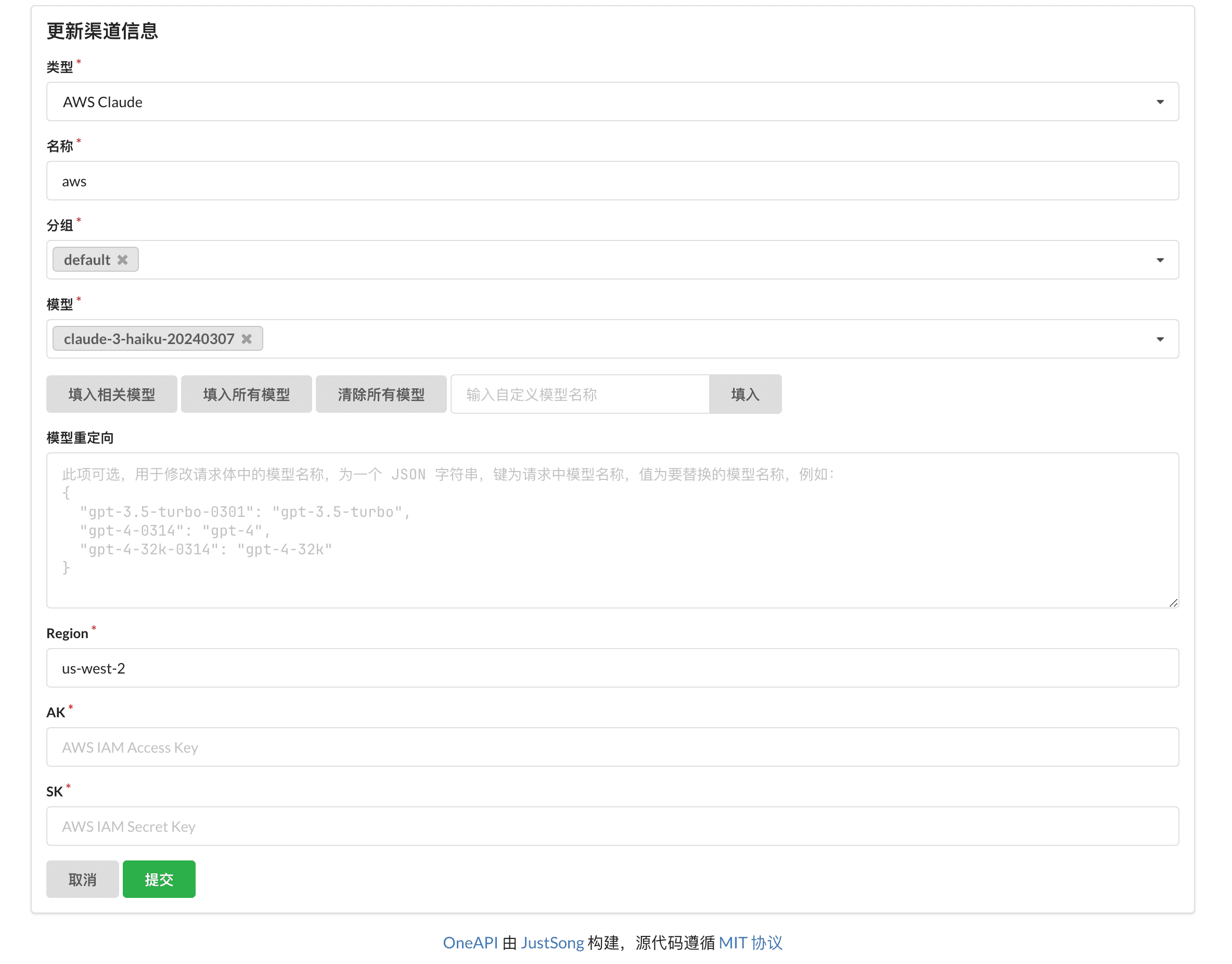
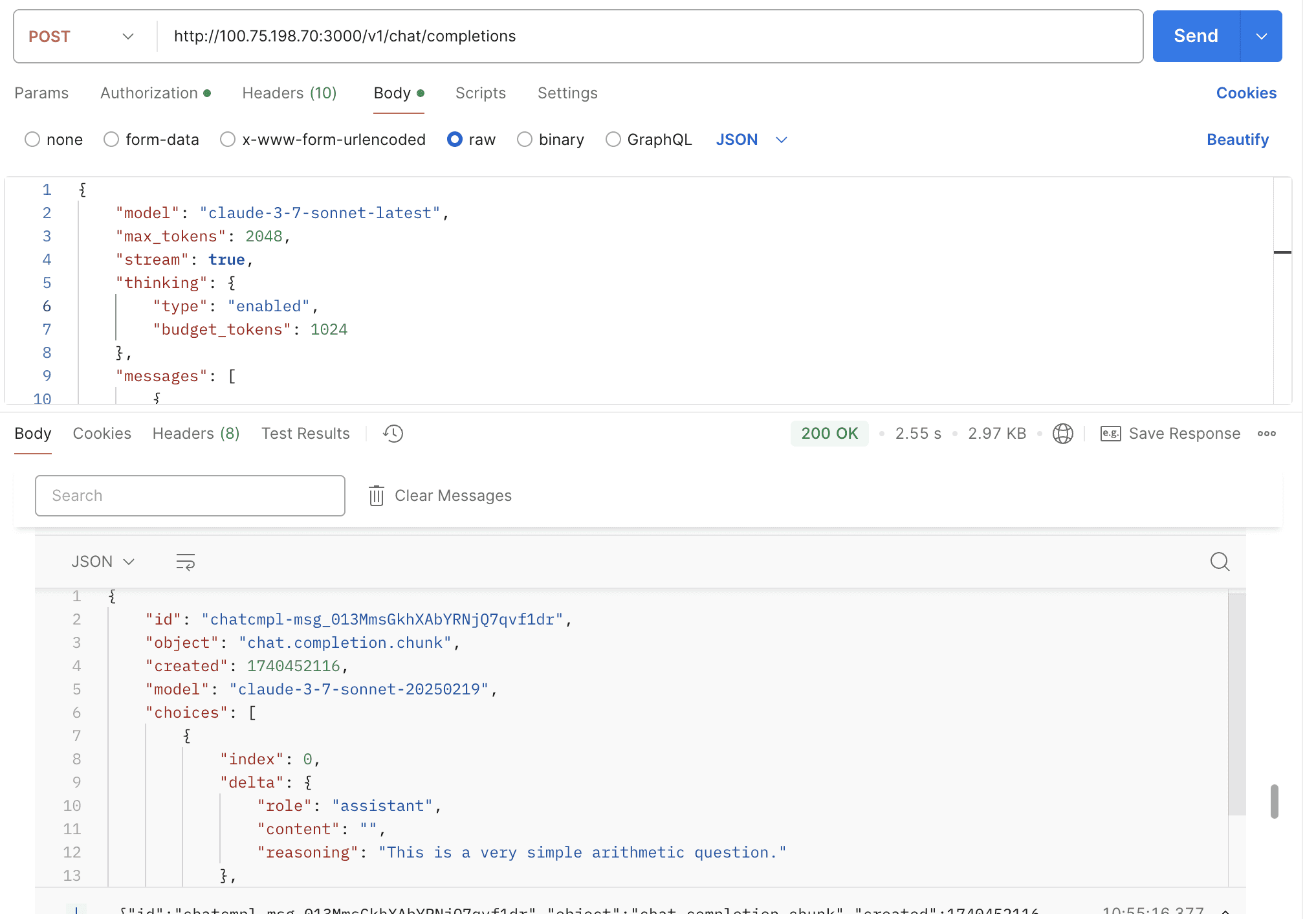
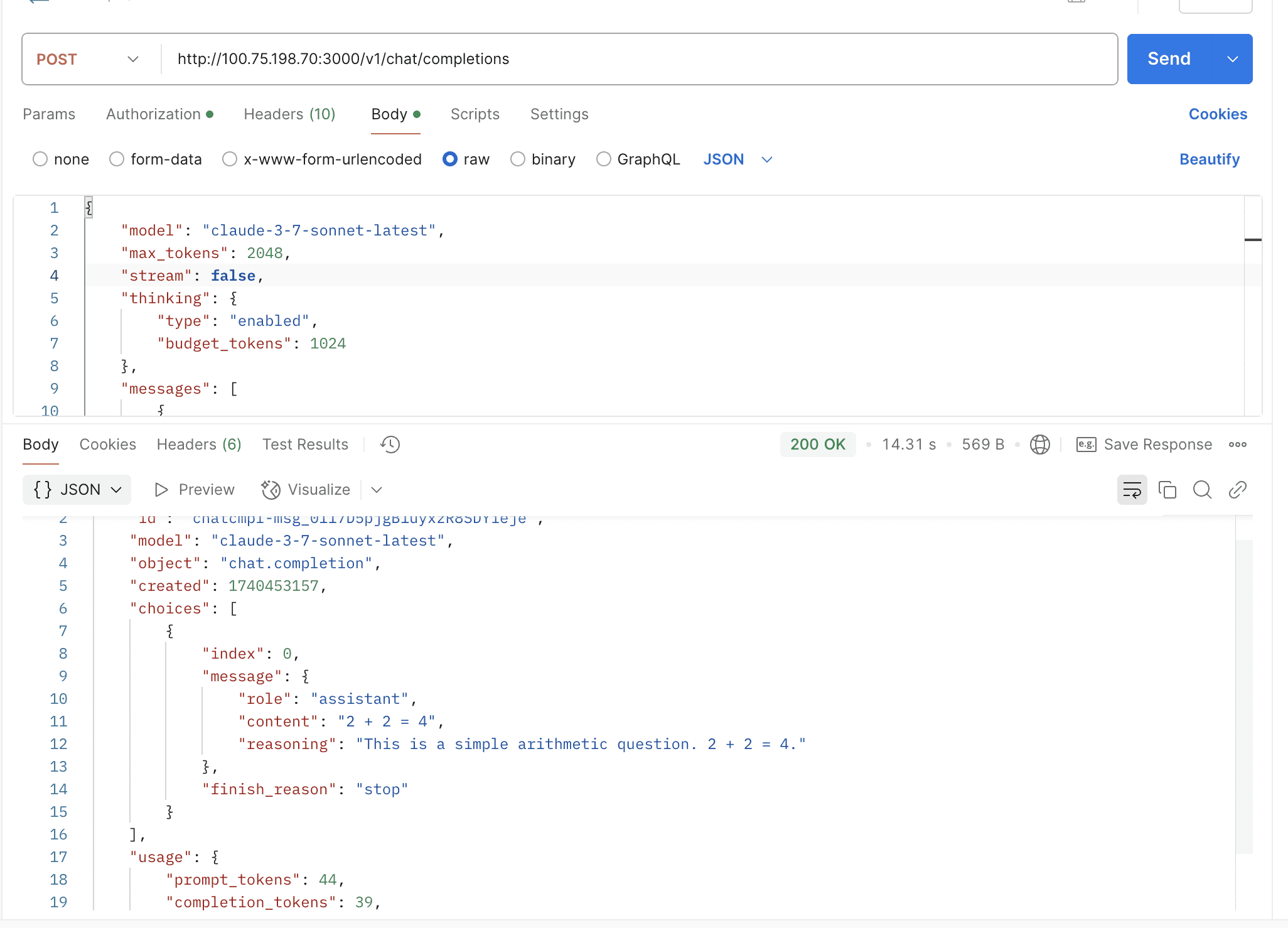
By default, the thinking mode is not enabled. You need to manually pass the thinking field in the request body to enable it.
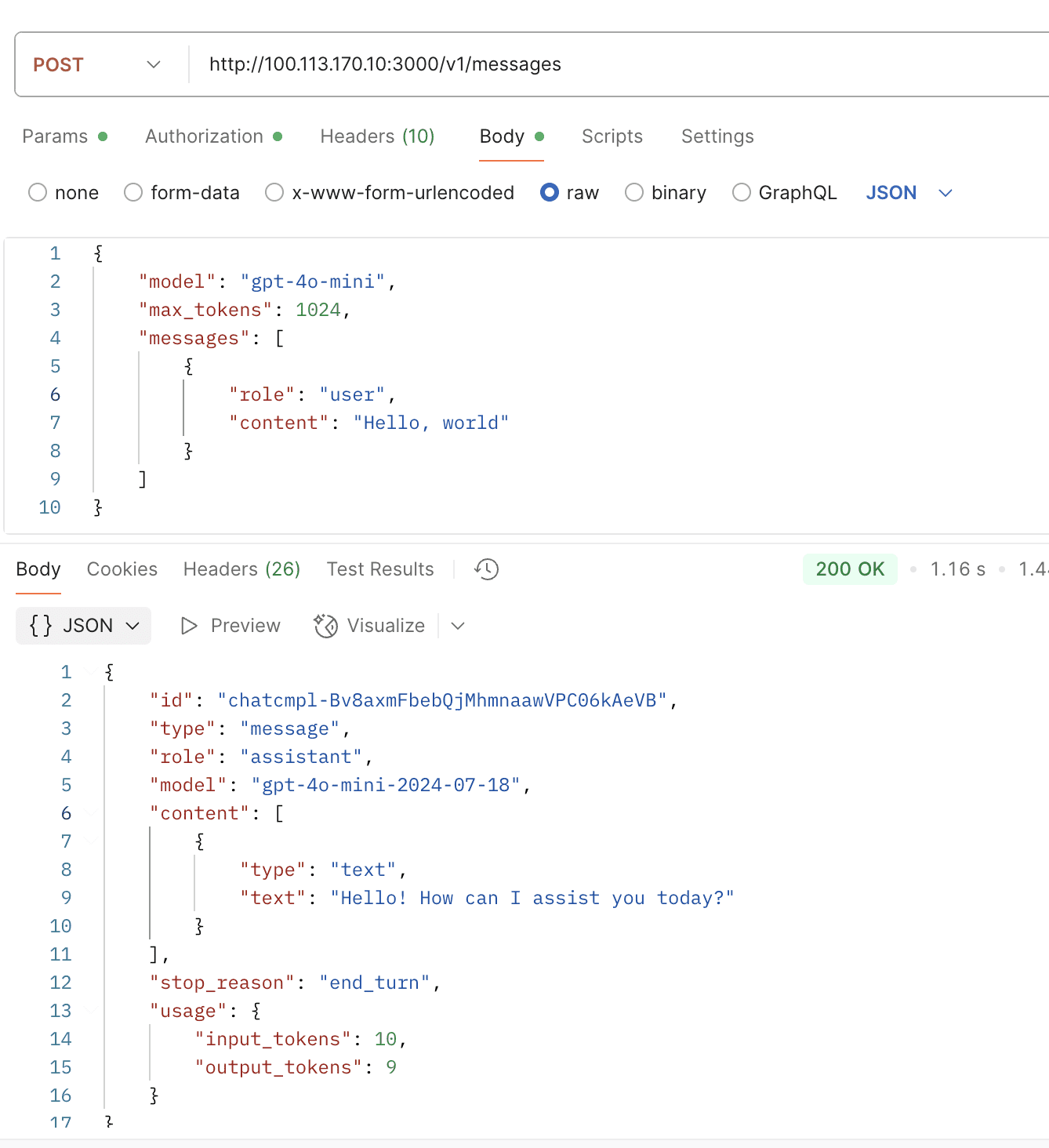
export ANTHROPIC_MODEL="openai/gpt-oss-120b"
export ANTHROPIC_BASE_URL="https://oneapi.laisky.com/"
export ANTHROPIC_AUTH_TOKEN="sk-xxxxxxx"
You can use any model you like for Claude Code, even if the model doesn’t natively support the Claude Messages API.
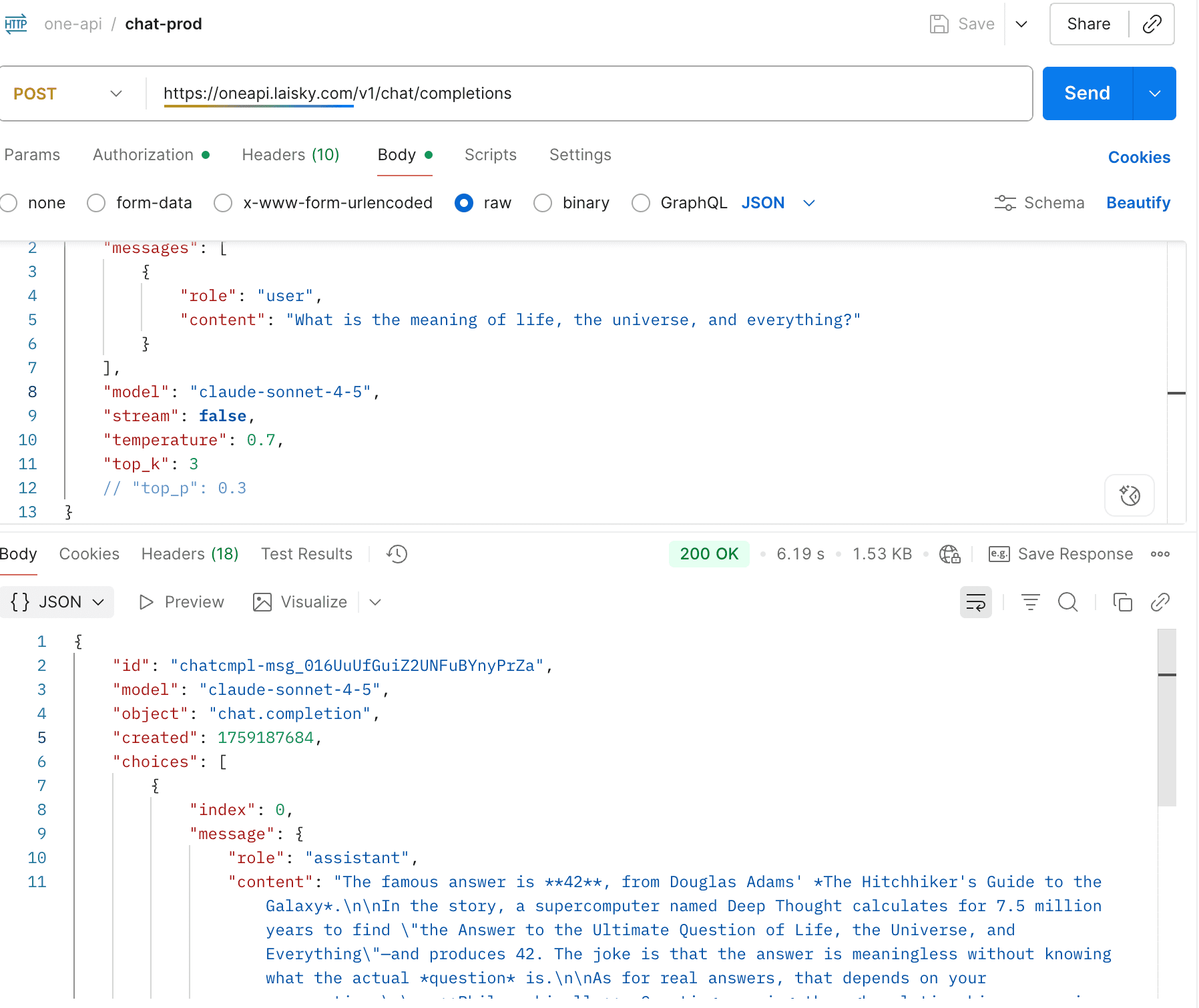
claude-opus-4-0 / claude-opus-4-1 / claude-opus-4-5 / claude-sonnet-4-0 / claude-sonnet-4-5 / claude-haiku-4-5
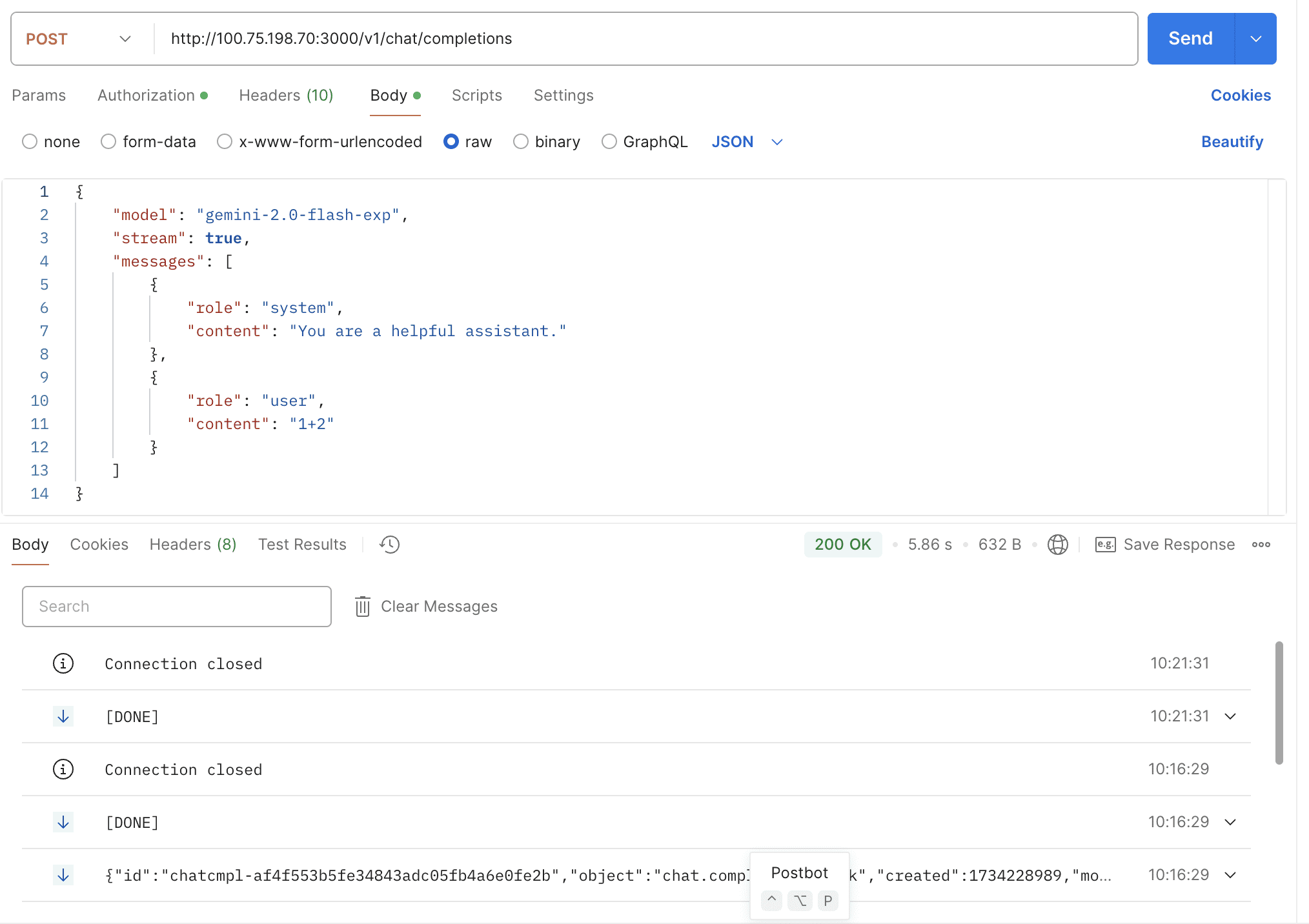
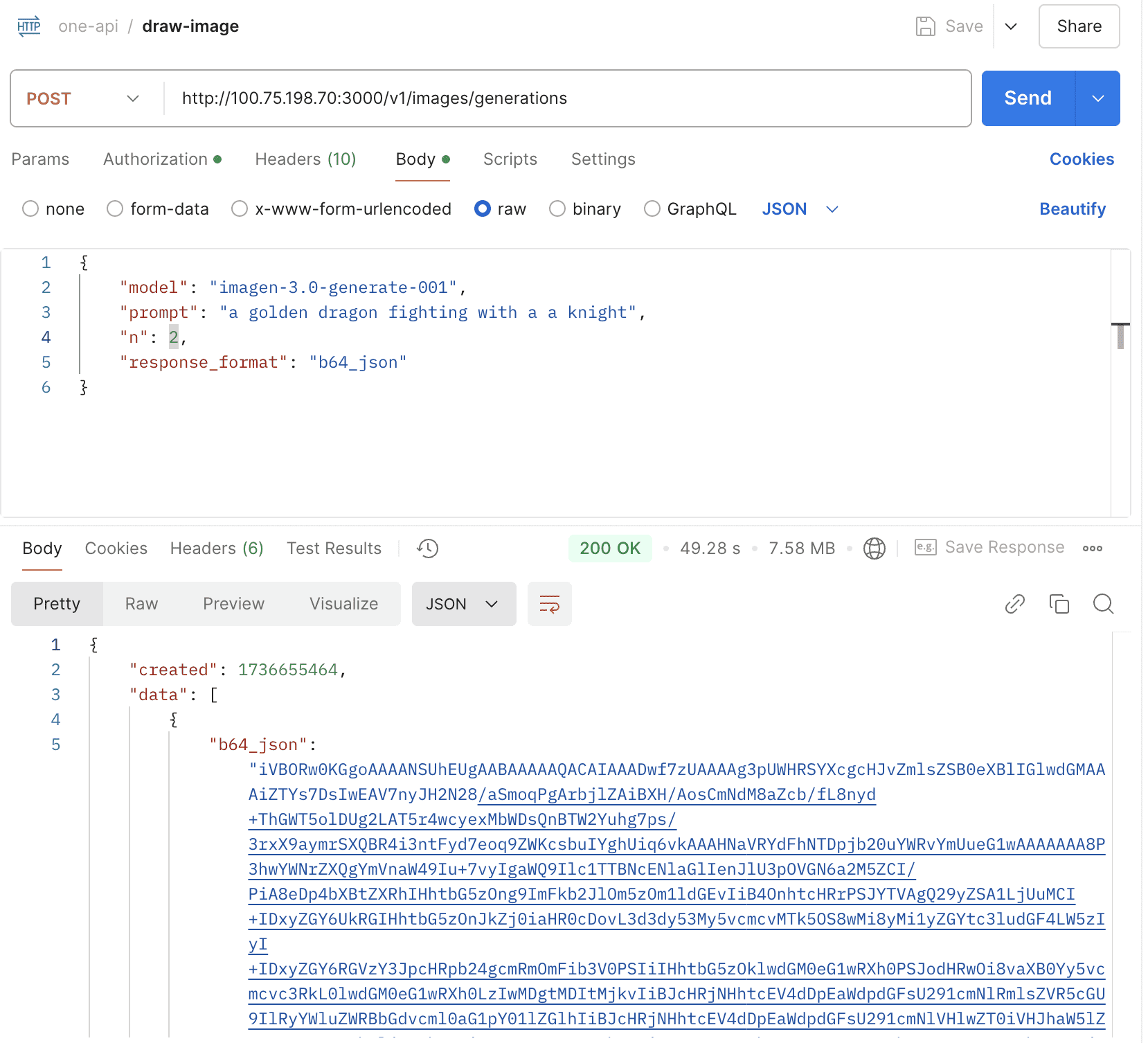

Support gemini-3-pro-preview, gemini-3-pro-image-preview

opencode.ai is an AI coding agent built for the terminal. OpenCode is fully open source, giving you control and freedom to use any provider, any model, and any editor. It's available as both a CLI and TUI.
One‑API integrates seamlessly with OpenCode: you can connect any One‑API endpoint and use all your unified models through OpenCode's interface (both CLI and TUI).
To get started, create or edit ~/.config/opencode/opencode.json like this:
Using OpenAI SDK:
{
  "$schema": "https://opencode.ai/config.json",
  "provider": {
    "one-api": {
      "npm": "@ai-sdk/openai",
      "name": "One API",
      "options": {
        "baseURL": "https://oneapi.laisky.com/v1",
        "apiKey": "<ONEAPI_TOKEN_KEY>"
      },
      "models": {
        "gpt-4.1-2025-04-14": {
          "name": "GPT 4.1"
        }
      }
    }
  }
}
Using Anthropic SDK:
{
  "$schema": "https://opencode.ai/config.json",
  "provider": {
    "one-api-anthropic": {
      "npm": "@ai-sdk/anthropic",
      "name": "One API (Anthropic)",
      "options": {
        "baseURL": "https://oneapi.laisky.com/v1",
        "apiKey": "<ONEAPI_TOKEN_KEY>"
      },
      "models": {
        "claude-sonnet-4-5": {
          "name": "Claude Sonnet 4.5"
        }
      }
    }
  }
}

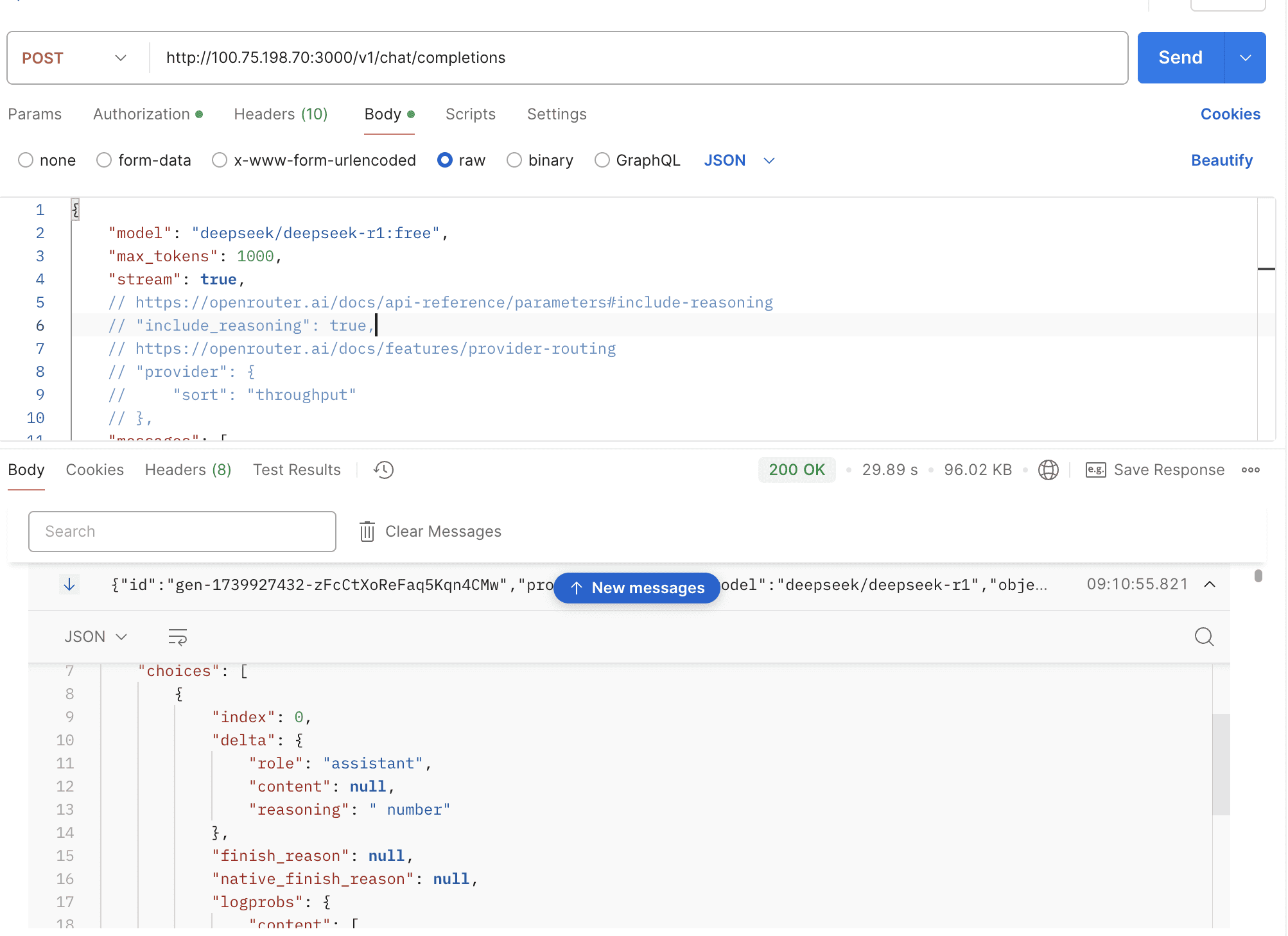
By default, the thinking mode is automatically enabled for the deepseek-r1 model, and the response is returned in the open-router format.
curl --location 'https://oneapi.laisky.com/v1/rerank' \
  --header 'Content-Type: application/json' \
  --header 'Authorization: sk-xxxxxxx' \
  --data '{
      "model": "rerank-v3.5",
      "query": "What is the capital of the United States?",
      "top_n": 3,
      "documents": [
          "Carson City is the capital city of the American state of Nevada.",
          "The Commonwealth of the Northern Mariana Islands is a group of islands in the Pacific Ocean. Its capital is Saipan.",
          "Washington, D.C. (also known as simply Washington or D.C., and officially as the District of Columbia) is the capital of the United States. It is a federal district.",
          "Capitalization or capitalisation in English grammar is the use of a capital letter at the start of a word. English usage varies from capitalization in other languages.",
          "Capital punishment has existed in the United States since beforethe United States was a country. As of 2017, capital punishment is legal in 30 of the 50 states."
      ]
  }'
Response:
{
  "object": "cohere.rerank",
  "model": "rerank-v3.5",
  "id": "ff9458ce-318b-4317-ad49-f8654c976dff",
  "results": [
    {
      "index": 2,
      "relevance_score": 0.8742601
    },
    {
      "index": 0,
      "relevance_score": 0.17292508
    },
    {
      "index": 4,
      "relevance_score": 0.10793502
    }
  ],
  "meta": {
    "api_version": {
      "version": "2",
      "is_experimental": false
    },
    "billed_units": {
      "search_units": 1
    }
  },
  "usage": {
    "prompt_tokens": 153,
    "total_tokens": 153
  }
}Support:
kimi-k2-0905-previewkimi-k2-0711-previewkimi-k2-turbo-previewkimi-k2-thinkingkimi-k2-thinking-turbo
Support:
glm-zero-previewglm-3-turbocogview-3-flashcodegeex-4embedding-3embedding-2
glm-4.6glm-4.5glm-4.5-xglm-4.5-airglm-4.5-airxglm-4.5-flashglm-4v-flash

- BUGFIX: Several issues when updating tokens #1933
- feat(audio): count whisper-1 quota by audio duration #2022
- fix: Fix issue where high-quota users using low-quota tokens aren't pre-charged, causing large token deficits under high concurrency #25
- fix: channel test false negative #2065
- fix: resolve "bufio.Scanner: token too long" error by increasing buffer size #2128
- feat: Enhance VolcEngine channel support with bot model #2131
- fix: models API returns models in deactivated channels #2150
- fix: Automatically close channel when connection fails
- fix: update EmailDomainWhitelist submission logic #33
- fix: send ByAll
- fix: oidc token endpoint request body #2106 #36
Note
For additional enterprise-grade improvements, including security enhancements (e.g., vulnerability fixes), you can also view these pull requests here.