mrview: ROI edits deleted after two elements drawn #2319

Description

When drawing an ROI, I can draw a maximum of two elements before previously drawn elements start disappearing in a FIFO manner. So if I draw one rectangle, then a second, as soon as I click to draw a third, the first one vanishes.
This behaviour is limited to the current slice. So for example, if I fill an axial slice, then switch to a saggital slice (which now has a single filled line through it) and begin editing, after 1 edit the filled line will disappear. Switching back to the filled axial slice, just that line is erased, not the whole slice.
This behaviour persists regardless of
- drawing tool (brush / rectangle / fill)
- loading an existing ROI file vs creating a new one within mrview
- drawing or erasing
- single slice or orthoview
- background image
Here is an animation demonstrating the behaviour:
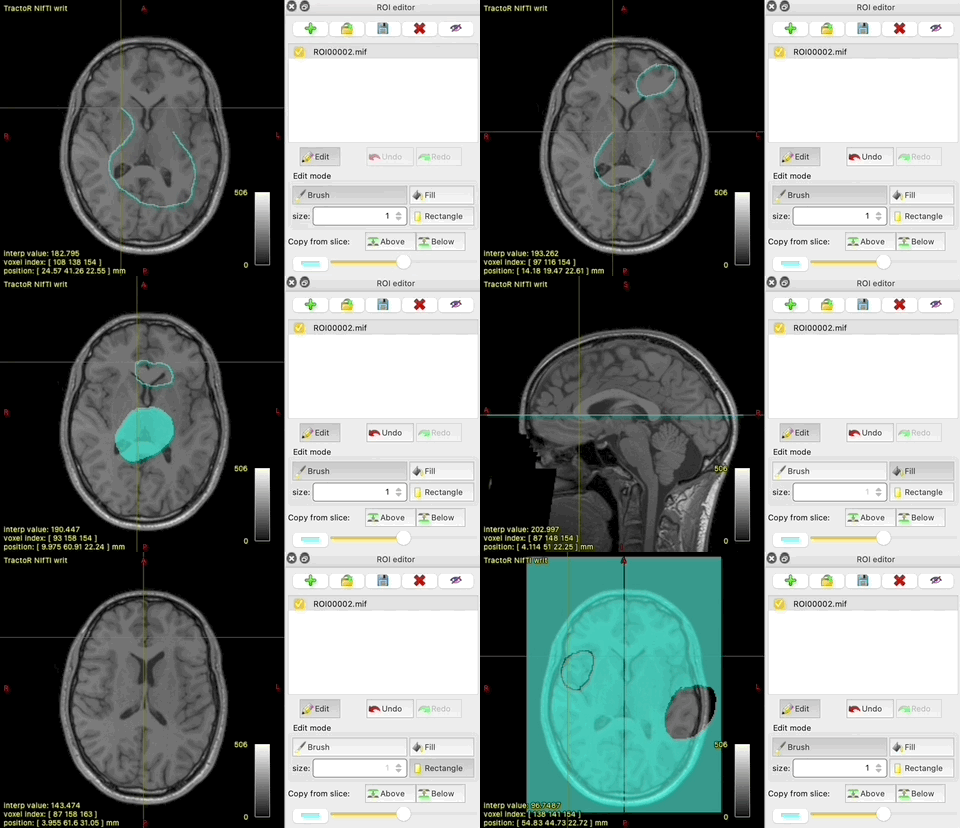
I have never had this problem with any other installations of MRtrix on other machines, only on my new M1 silicon Macbook Pro. I've also checked it isn't just a display issue: if I save the file, quit mrview and load the ROI again, the erased bits are still erased.
To Reproduce
- Open any image in mrview and create a new ROI in the ROI editor
- Choose a tool (e.g. brush) and click edit
- Draw a shape
- Draw another shape
- Draw a third shape: the first one disappears
- Draw another shape: the second one disappears
- You get the picture
Platform/Environment/Version
- OS: MacOS 11.1
- MRtrix3 version
3.0.2-78-g430465d6 64 bit release version, built Mar 9 2021, using Eigen 3.3.9(built from source)
Advanced debugging information
- Qt version: 5.15.2
- OpenGL info:
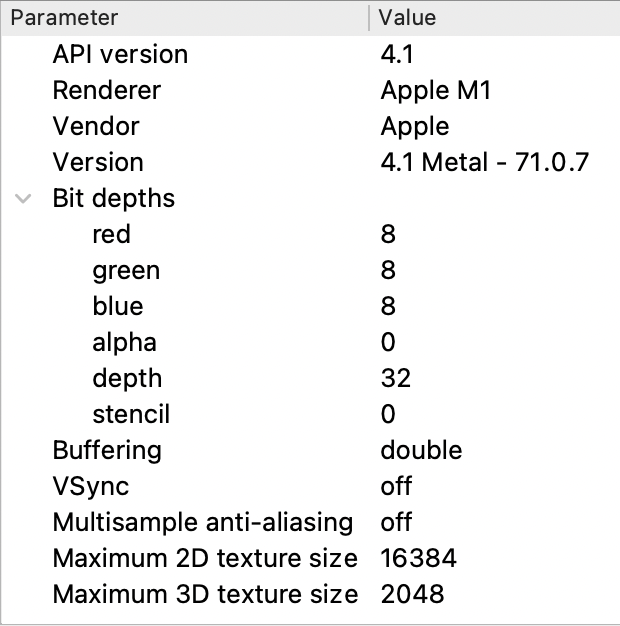
mrview -exit -debug:
mrview -exit -debug
mrview: [DEBUG] No config file found at "/etc/mrtrix.conf"
mrview: [INFO] reading config file "/Users/fiona/.mrtrix.conf"...
mrview: [DEBUG] reading key/value file "/Users/fiona/.mrtrix.conf"...
mrview: [INFO] GL renderer:  Apple M1
mrview: [INFO] GL version:   4.1 Metal - 71.0.7
mrview: [INFO] GL vendor:    Apple
mrview: [DEBUG] loading font into OpenGL texture...
mrview: [DEBUG] compiling OpenGL vertex shader:
#version 330 core
layout(location = 0) in vec2 pos;
layout(location = 1) in vec2 font_pos;
uniform float scale_x;
uniform float scale_y;
out vec2 tex_coord;
void main () {
  gl_Position = vec4 (pos[0]*scale_x-1.0, pos[1]*scale_y-1.0, 0.0, 1.0);
  tex_coord = font_pos;
}

mrview: [DEBUG] compiling OpenGL fragment shader:
#version 330 core
in vec2 tex_coord;
uniform sampler2D sampler;
uniform float red, green, blue;
out vec4 color;
void main () {
  color.ra = texture (sampler, tex_coord).rg;
  color.rgb = color.r * vec3 (red, green, blue);
}

mrview: [DEBUG] font loaded