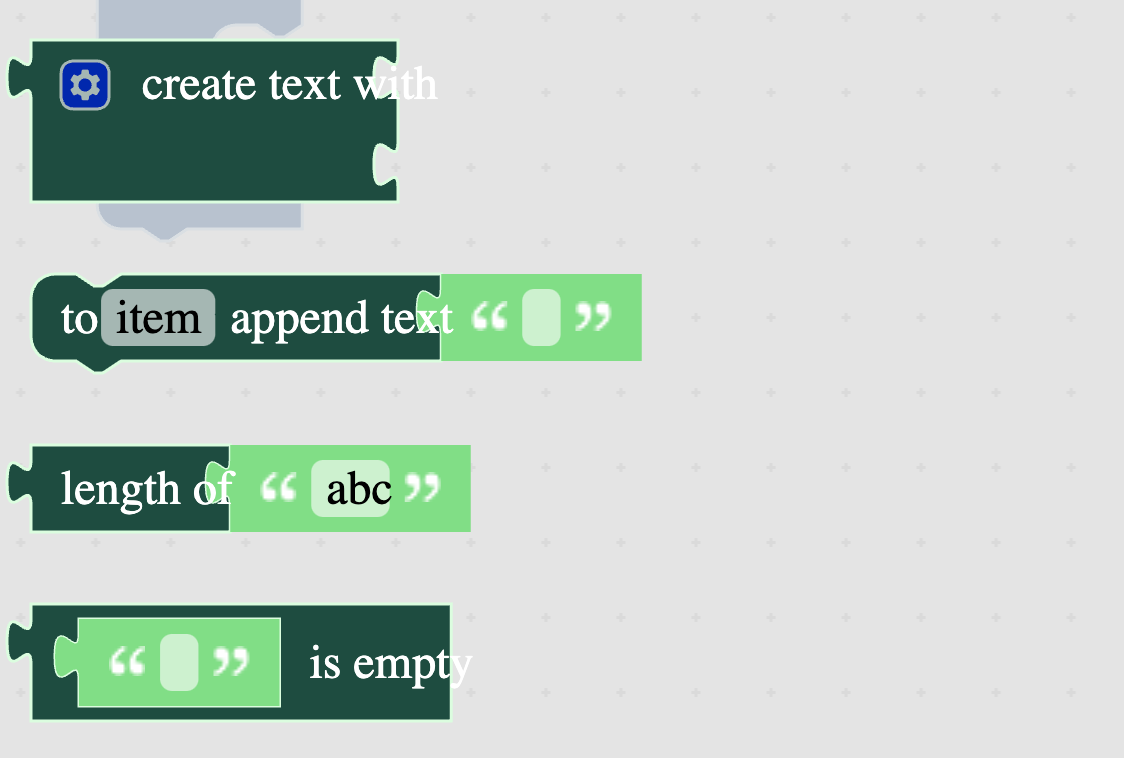
<!-- - Thanks for opening an issue for us! Before you open an issue, - please check if a similar issue exists or has been closed before. - - If you're asking a question about how to use Blockly in your application, - please ask questions on the mailing list, instead of filing issues: - https://groups.google.com/forum/#!forum/blockly --> **Describe the bug** The high contrast theme was not defaulting to the correct font values. <!-- A clear and concise description of what the bug is. --> **To Reproduce** <!-- Explain what someone needs to do in order to see what's described above --> Steps to reproduce the behavior: 1. Go to advanced playground 2. Click on high contrast theme 3. Open text category **Expected behavior** <!-- A clear and concise description of what you expected to happen. --> **Screenshots** <img width="562" alt="Screen Shot 2021-12-16 at 9 39 39 AM" src="https://user-images.githubusercontent.com/23059043/146421550-d9da857d-452d-4bbc-8bd2-6720c0539fc4.png"> <!-- If applicable, add screenshots to help explain your problem. -->