A sleek, real-time chat and video calling web application with friend requests, communities, QR code sharing, and voice/video calling — built with vanilla JavaScript, Firebase, and WebRTC.
- Email/Password & Google Sign-In via Firebase
- 5-Digit User ID for easy friend discovery
- Profile Management: Edit name and upload avatar
- QR Code Sharing: Share your ID by scanning
- Realtime 1-on-1 Chat: Powered by Firebase Realtime Database
- Group Communities: Create and join group chats
- Message Bubbles: Sent/received styling with sender name (in groups)
- Typing Simulation: Smooth UI with loading indicators
- Add Friends by ID: Send/receive friend requests
- Community Chats: Create/join public or private groups
- Friend List: View online/offline status in real time
- Audio Calls: One-tap calling with mic control
- Video Calls: Full video chat with local preview
- WebRTC Signaling: Peer-to-peer via Firebase
- Call History: Logs for incoming, outgoing, missed, and rejected calls
- Call Timer: Shows duration once connected
- Fully Responsive: Works on mobile, tablet, and desktop
- Material Design: Clean layout with FAB buttons, icons, and smooth transitions
- No Frameworks: Built with pure HTML, CSS, and JavaScript — lightweight and fast
- Toast Notifications: Real-time alerts for actions and errors
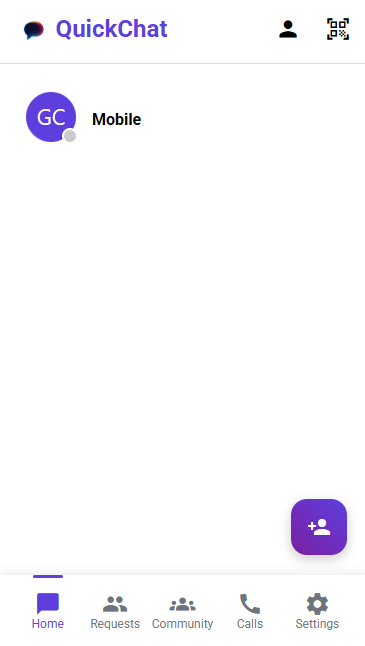
Friend list with online status and floating action button
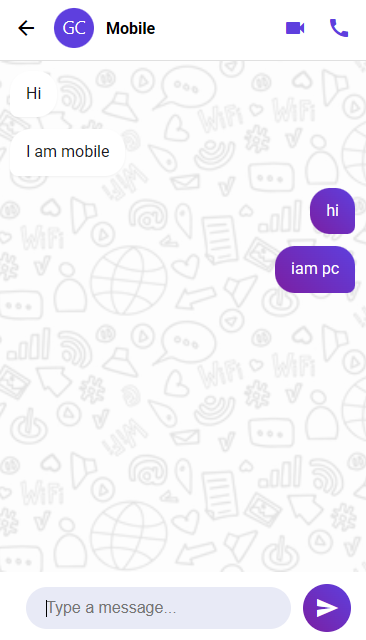
Clean message bubbles with call options in header
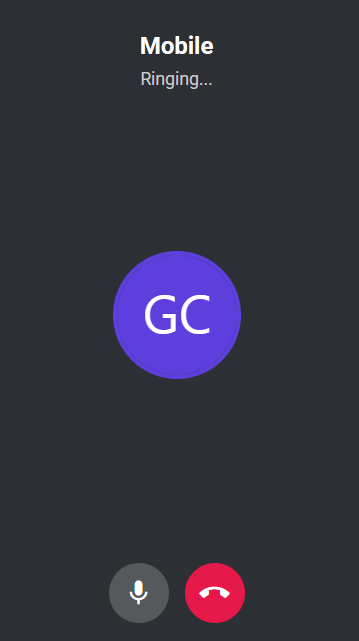
Full-screen calling UI with remote and local video
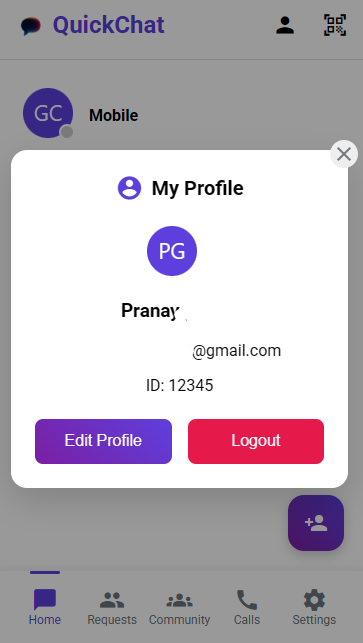
Add friends using 5-digit ID or share your QR code
- Modern browser (Chrome, Firefox, Edge)
- Firebase account (for authentication and database)
-
Clone the repository:
git clone https://github.com/TechWithAiTelugu/QuickChat.git cd tournament-manager -
Set up Firebase:
- Create a new project at Firebase Console
- Enable Realtime Database
- Copy your Firebase configuration
-
Configure Firebase:
- Open
index.html - Replace the Firebase configuration object with your own:
const firebaseConfig = {
    apiKey: "YOUR_API_KEY",
    authDomain: "YOUR_AUTH_DOMAIN",
    projectId: "YOUR_PROJECT_ID",
    storageBucket: "YOUR_STORAGE_BUCKET",
    messagingSenderId: "YOUR_MESSAGING_SENDER_ID",
    appId: "YOUR_APP_ID"
};
- Open
-
Deploy to web hosting:
- Use Firebase Hosting, GitHub Pages, or any static web hosting service
- Ensure both admin and user interfaces are accessible
This project is licensed under the MIT License - see the LICENSE file for details.
Your Name - @TechWithAiTelugu
Project Link: https://github.com/yourusername/tournament-manager
- Font Awesome for the amazing icons
- Google Fonts for the Poppins font
- Firebase for the backend services