this is a take home project for cloud kitchen
System should have brew, python3, and pip installed already.
 $ brew install redis
 $ redis-server /usr/local/etc/redis.conf
First git clone the project, and then cd into it.
  $ python3 -m pip install virtualenv
  $ python3 -m venv venv
  $ . venv/bin/activate
  $ python3 -m pip install flask numpy redis pytest
  $ export FLASK_APP=app.py
  $ python3 -m flask run
Or if you have PyCharm IDE, just load the project and click ctl+R to run it.
- open chrome tab, navigate to localhost:5000/orders/queue (to start queueing orders)
- open chrome tab, navigate to localhost:5000/orders/stream (to start streaming results)
- You can refresh each tab as many times as you want, so if you refresh the queue tab, it will queue all orders one more time.
It does not matter which tab you open first, changes will be streamed to /orders/stream tab, please note that if you use adblock, your browser may block loading js files from localhost
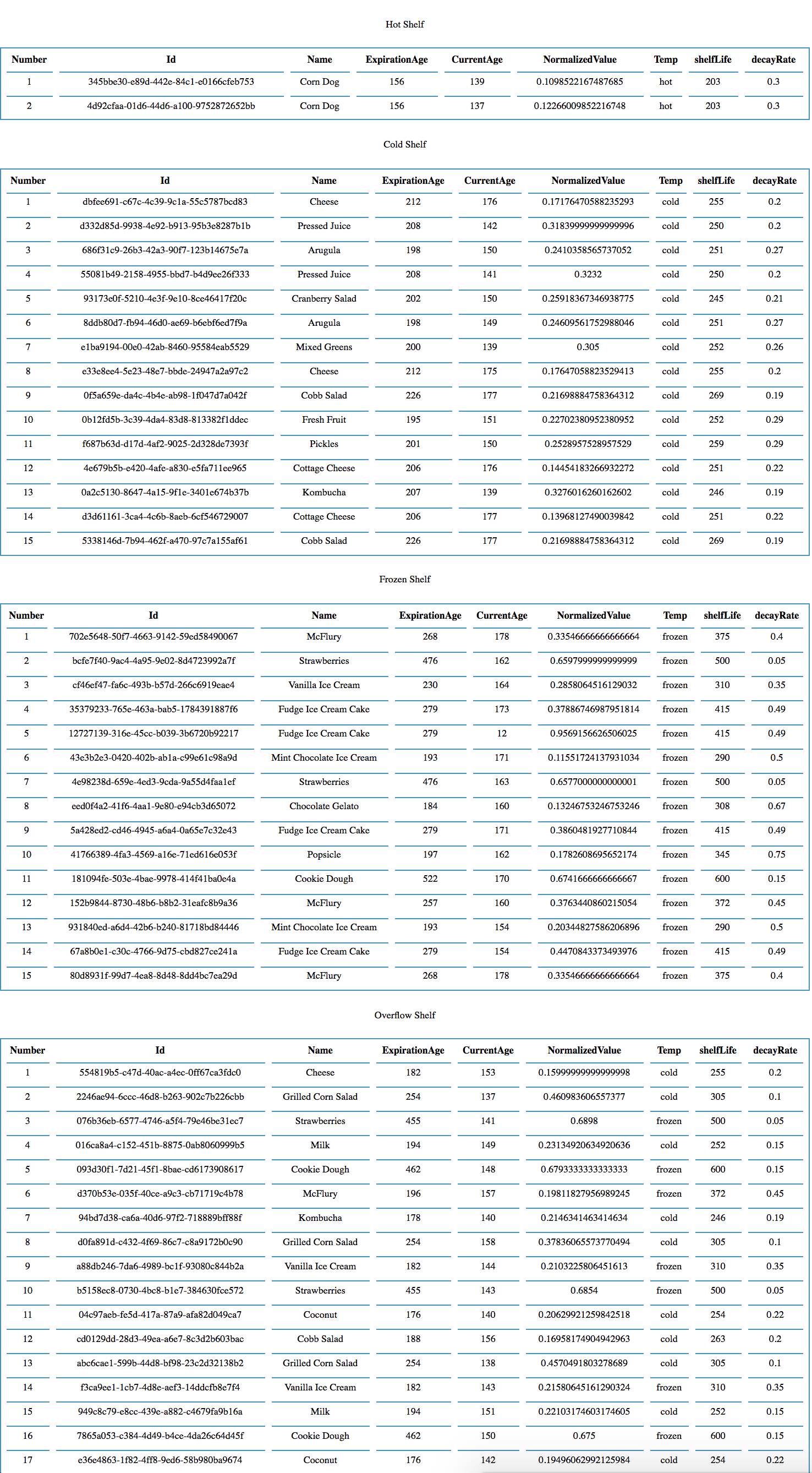
Here is how it looks like in chrome:
$ python3 -m pytest
Flask: a light-weight web frame work for streaming order changes in real time from redis to web clients
Numpy: a scientific library for handling poisson distribution.
Kitchen Class: where all order related things happen, e.g. queuing, processing, deleting, grouping, and optomizing.
Driver Class: picks up orders, deletes it from redis server.
Database: Redis, since it natually supports ttl, which mirrors the food expiration process. Compare to traditional SQL database, it's much quicker for the type of query I am making.
-
Why
- when regular shelves (hot, cold, frozen) are full, we want to be able to keep accepting orders so we don't wait or back up orders
- this optimizes the kitchen throughput
-
How
- When we are adding orders to a regular shelf, say hot, we can check the size of that shelf first.
- If the size is below the limit, we can safely add the order.
- If it reached the limit, we will now try to append the order to the overflow shelf
- If the overflow shelf is not full, we can safely add that order.
- If the overflow shelf is also full, we need to find an order to discard before we can add
- By comparing the ttl (time to live) in redis server, we can find out which order will most likely to expire next, (in either in regular shelf or overflow shelf)
- Choose that order to remove (because it minimizes the cost of food waste)
- Insert the new order in the same shelf where the expiring order was removed
-
Why
- when regular shelves free up, we want to move food back from overflow shelf to regular shelf to reduce the decay (overflow shelf has double the decay rate)
- this reduces unnecessary waste thus saving cost
-
How
- By doing pattern matching on the keys of redis entries, we can get all overflow orders (with keys starts with 'overflow')
- Pick a random order from those
- Check which regular shelf it originally comes from by checking the keys, e.g: 'overflow:cold:uuid'
- Check if that regular shelf is full or not
- If it is full, then we will just skip
- If not full, we will delete the order from overflow shelf and insert it into the regular shelf.
- Of course, we need to update all attributes associated with the order such as time to live, age, etc.