How to: Google Docs
Brief overview into how to best use Google Docs + some tips so it’s effective for you and your team.
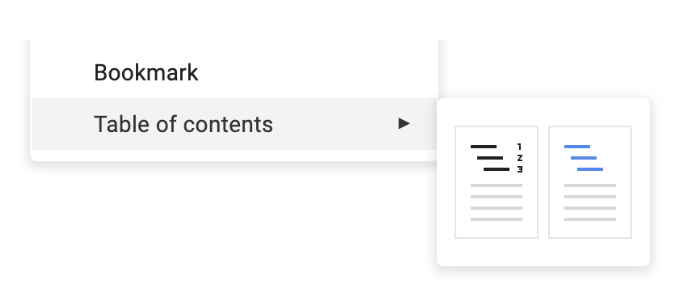
Insert a table of contents directly into your google doc by selecting it from the menu options Insert > Table of Contents, and then selecting which format you would prefer.
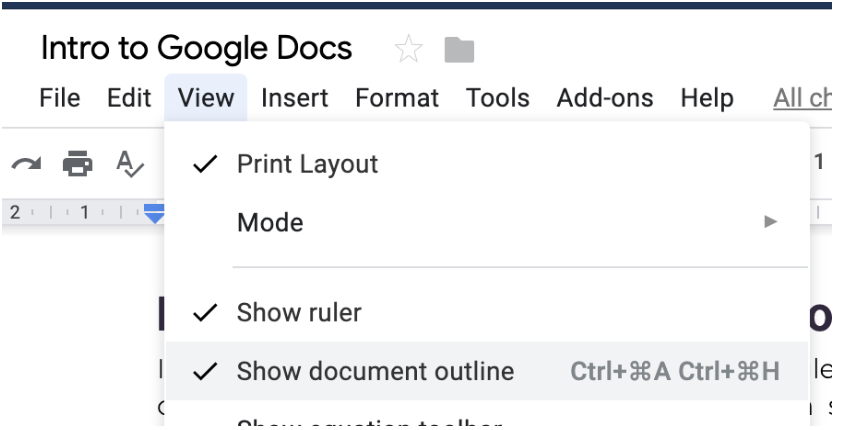
You can add an outline to your document which appears on the left-hand-side with all the heading and subheadings.
You can apply title, header, or subtitle formats from the Styles menu option
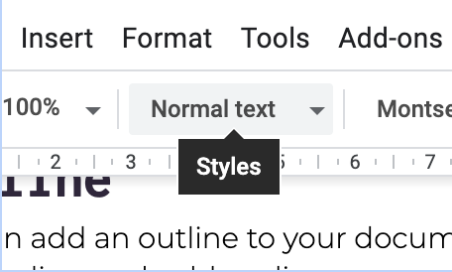
When you select it, the paragraph / text where the cursor is will convert to this format.
You can quickly create headings by pressing cmd + option + 1 for Header 1. For Header 2, or Header 3, replace the number 1, with the corresponding number.
#Comments You can add comments to any text by highlighting it and selecting the add comment button that appears on the right side of the page.

Once you do this, the commented text will be highlighted in yellow and you can add a comment in the dialog box.
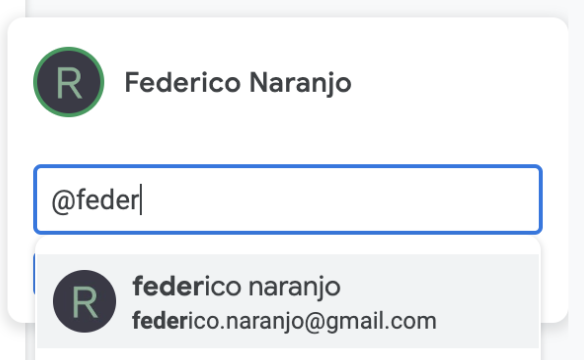
If you want to assign a task to someone using comments you can write their email preceded by @.
Originally written by Federico Naranjo