Using Assembly language to replicate an arcade game Frogger, using registers, stacks and program counters to perform various loops, conditions and more. Show understanding on low level computer operation.
To run the program, following the following steps:
-
Have Java ready and download MARS MIPS simulator
-
Download
frogger.asmand open in MARS -
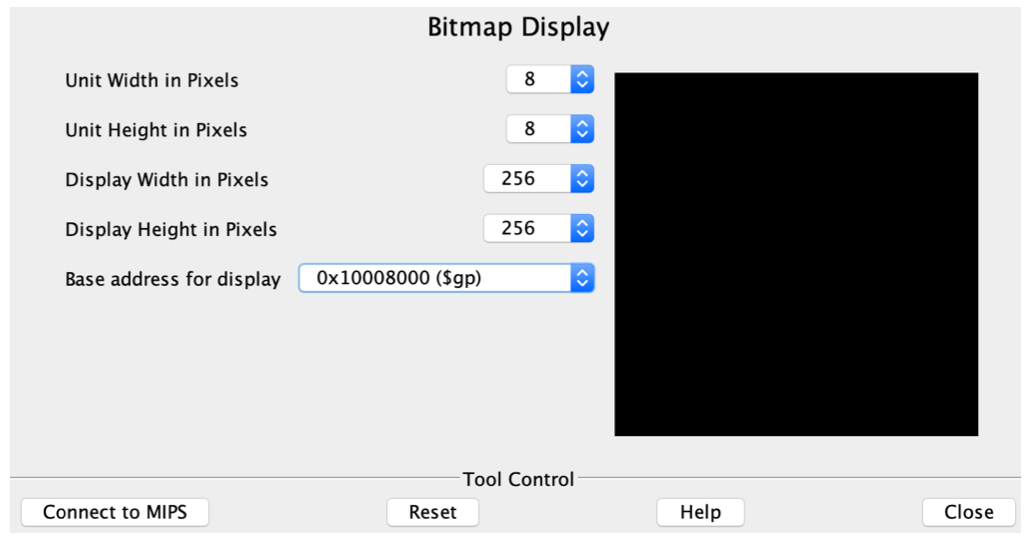
Setup Bitmap Display(MARS -> Tools -> Bitmap Display) with the following settings
- Set parameters like unit width & height (8) and base address for display.
- Click “Connect to MIPS” once these are set.
-
-
Set up keyboard: Tools > Keyboard and Display MMIO Simulator
- Click “Connect to MIPS”
-
Run > Assemble
-
Run > Go (to start running your program)
-
Try entering characters (such as w, a, s or d) in Keyboard area (bottom white box) in Keyboard and Display MMIO Simulator window