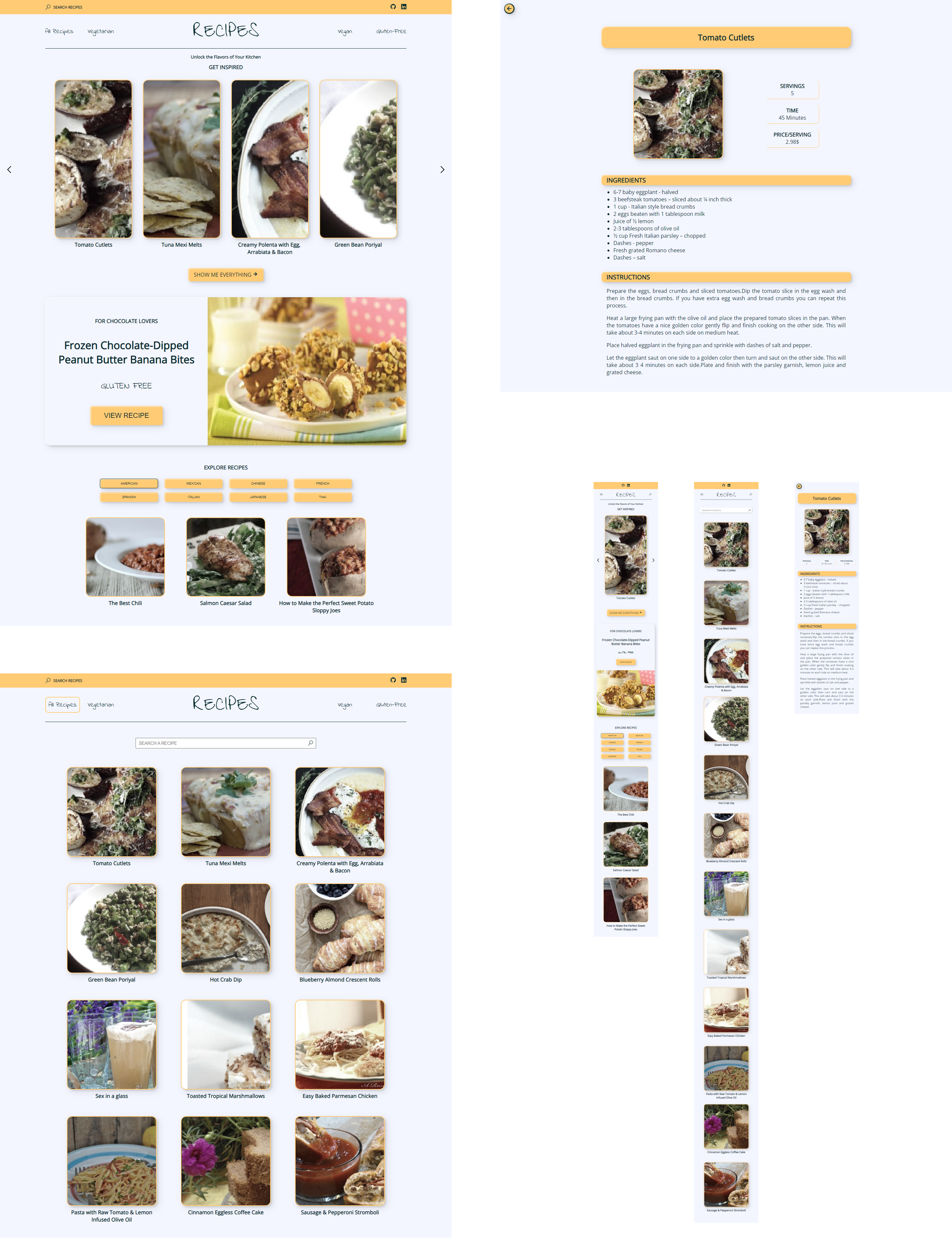
This is a responsive website that displays information from different recipes. This information is extracted from the Spoonacular API.
The app uses the React JavaScript library because of its focus on component reuse, its use of virutal DOM and the ability to render on the server, in addition to its large community and ecosystem.
Other libraries used are:
- Axios for handling HTTP requests.
- React-Query to manage cache and data management in the application.
- React-Loading-Skeleton to display a load skeleton while getting the src from the images.
- React-Router-Dom to manage routes in the app.
- Sass to add custom styles.
- React-Icons to add icons to the user inferface.
- SweetAlert2 to display custom alerts and messages.
This project was bootstrapped with Vite.
First, you will need to clone the repo:
$ git clone https://github.com/imarti01/react-app.gitRun npm i in the terminal to install the dependencies.
Then, run npm run dev to start up the app.
You will need to register on the Spoonacular API in order to get a API KEY.
Once you get it, you must create a file .env and save it as follows:
VITE_REACT_APP_API_KEY=api key personal
The API is limited to only 150 calls/day.
- Search for recipes from an ingredient.
- Visualize recipes filtering by gluten-free, vegan or vegetarian diet
- Visualize recipes filtering by type of cuisine from different countries.
- See the details of a specific recipe, including ingredients and instructions.
- Easy to use and very intuitive.
- api: API calling functions.
- context: All recipes context.
- hooks: Custom hook to calculate the width of the screen.
- routes: files where routes are defined and protected.
- scss: SCSS files that define application styles.
- views: This folder is divided into two folders, one contains the pages and another contains the components that are rendered on those pages. Inside the component folder, these are also structured by folders by pages and within each folder there are usually two files, the component itself and an SCSS file to define the styles of this.