Voice Insight AI is a web application that records audio conversations, transcribes them using faster-whisper (via OpenAI) and generates summaries with key points, potential impacts, action items, and open points using Ollama. It supports both English and Italian languages and is compatible with Python 3.12. The application implements advanced caching mechanisms for both Ollama and OpenAI clients, as well as various Whisper optimizations for improved transcription performance.
- Real-time audio recording through the browser
- Speech-to-text transcription using faster-whisper via OpenAI API
- Intelligent conversation summarization with Ollama
- Support for English and Italian languages
- Clean, responsive web interface
- REST API for audio processing and language selection
- Advanced caching system for both Ollama and OpenAI clients
- Whisper optimizations including hardware acceleration and audio fingerprinting
- Configurable transcription parameters via JSON configuration files
The application consists of:
- Backend: FastAPI-based REST API for audio processing and text analysis
- Frontend: HTML/CSS/JavaScript interface for recording and displaying results
- Ollama Integration: Uses Ollama API for summarization with caching capabilities
- OpenAI Integration: Uses OpenAI API with faster-whisper for optimized transcription
- Cache Manager: Centralized caching system for improved performance
- Configuration System: JSON-based configuration for Whisper and Ollama settings
- Python 3.12
- Ollama server running locally or remotely
- A modern web browser with microphone access
- Sufficient disk space for the faster-whisper model (approximately 3GB)
- GPU with CUDA support (optional, for hardware acceleration)
- Clone the repository:
git clone https://github.com/lucapompei/VoiceInsightAI.git
cd voicebot- Create and activate a virtual environment:
python -m venv venv
source venv/bin/activate # On Windows: venv\Scripts\activate- Install dependencies:
pip install -r requirements.txt- Note about faster-whisper model:
- On first execution, the application will automatically download the faster-whisper model (approximately 3GB) if not already present on your system
- The model will be stored in the Hugging Face cache directory (~/.cache/huggingface/hub/)
- Ensure you have sufficient disk space and a stable internet connection for the initial download
- The download may take several minutes depending on your internet speed
-
Make sure Ollama is running and the model specified in your
.envfile is available -
Start the FastAPI application:
python app.py- Open your web browser and navigate to
http://localhost:5000(or the port you specified)
- Select your preferred language (English or Italian) from the dropdown menu
- Click the "Start Recording" button to begin capturing audio
- Speak clearly into your microphone
- Click the "Stop Recording" button when you're done
- View the generated summary with key points, impacts, action items, and open points
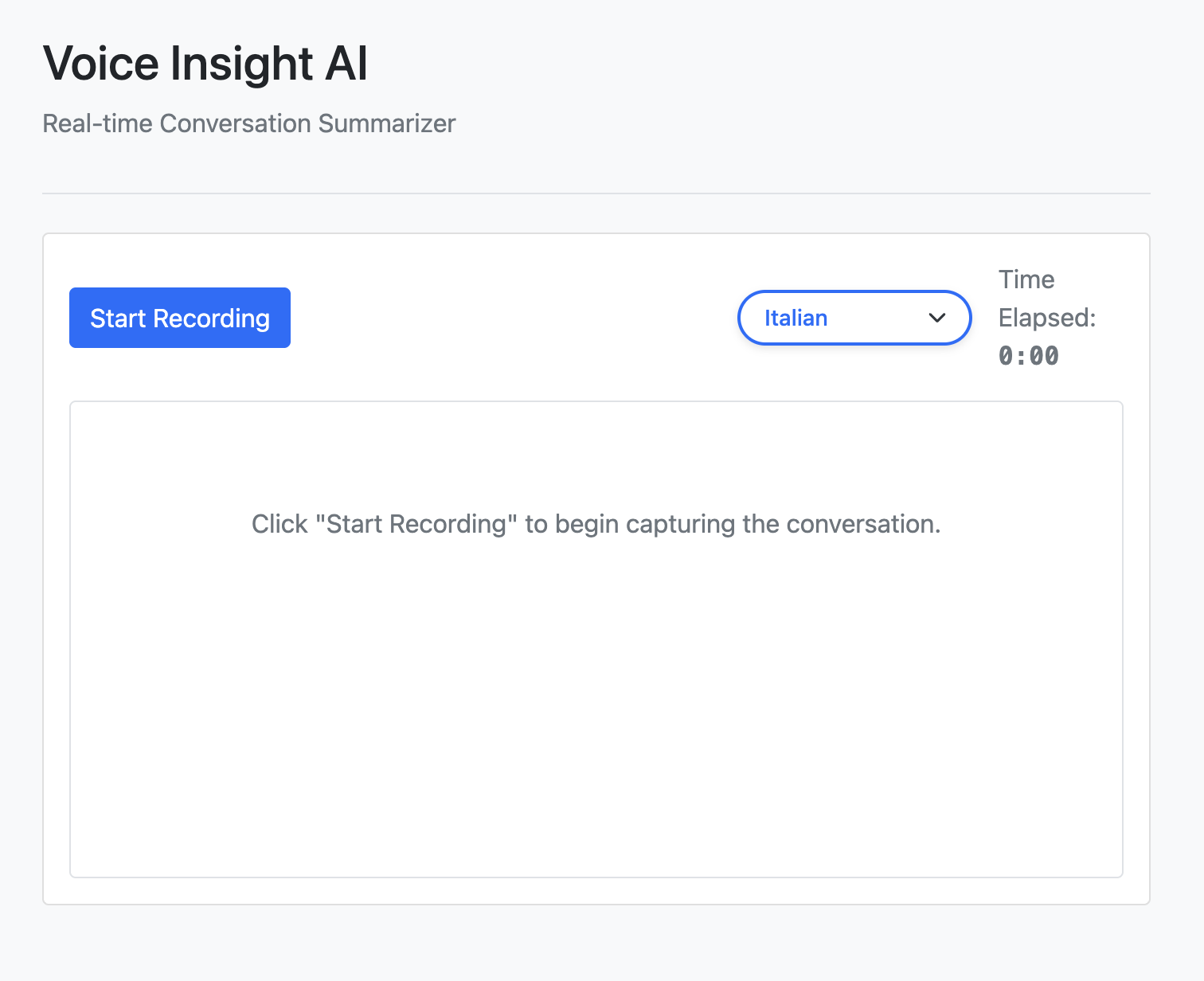
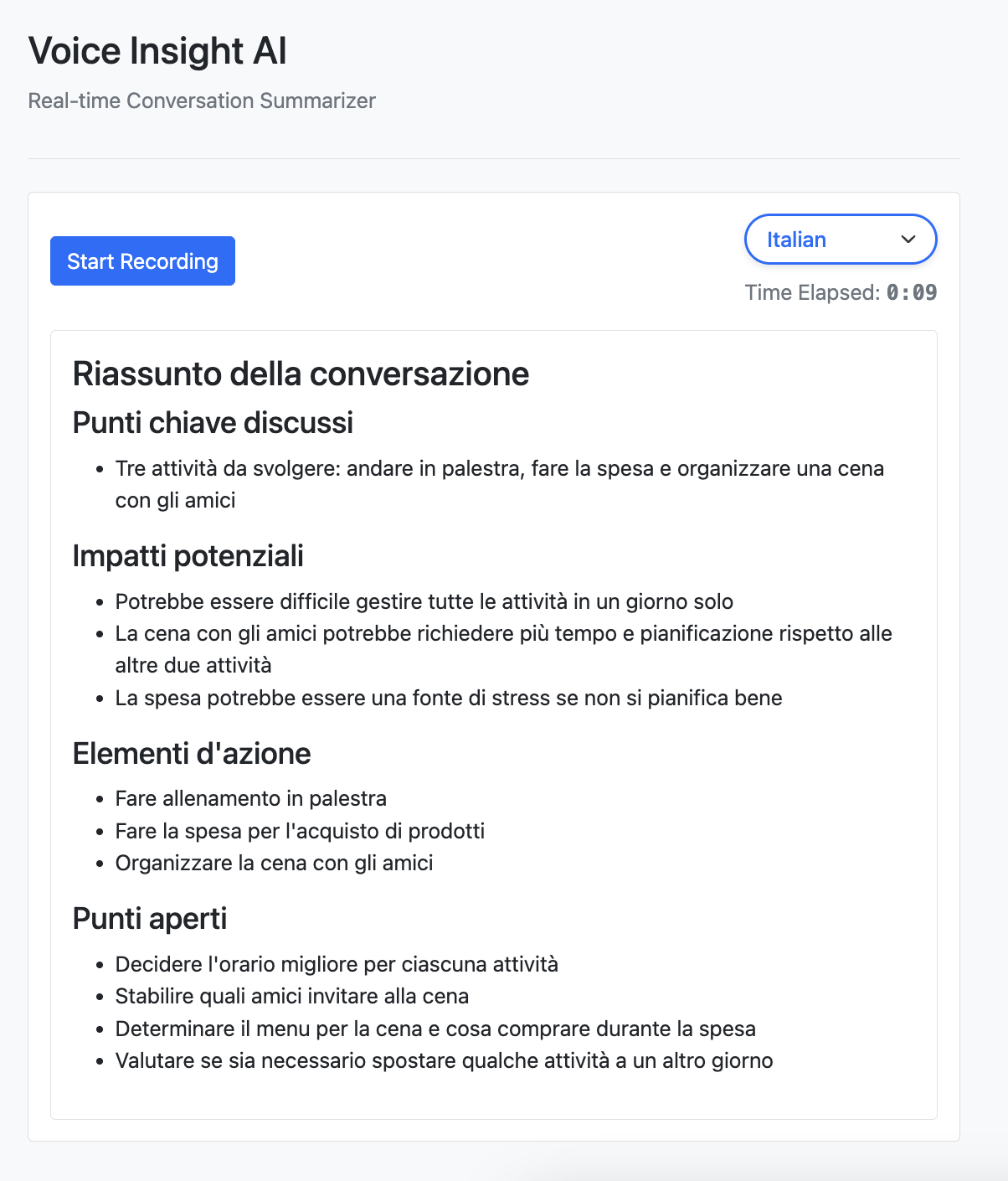
GET /: Main application pagePOST /api/audio: Submit audio data for processingPOST /api/language: Set the language for speech recognition
Voice Insight AI implements an advanced caching mechanism to improve performance and reduce redundant processing:
- Centralized Cache Manager: A unified caching system for both Ollama and OpenAI clients
- Audio Fingerprinting: Identifies similar audio inputs to avoid reprocessing
- Configurable Cache Settings: Adjustable cache size and location via configuration files
- Persistent Storage: Cache is saved to disk and loaded on startup
- Memory Management: Automatic pruning of oldest entries when cache size limit is reached
The application includes several optimizations for the Whisper transcription engine:
- Hardware Acceleration: Automatic detection and utilization of CUDA GPUs when available
- Precision Reduction: Uses float16 precision when possible for improved performance
- Dynamic Beam Size: Adjusts beam search parameters based on audio length
- Voice Activity Detection (VAD): Skips silent portions of audio for faster processing
- Segment Coherence: Improves transcription quality with condition_on_previous_text
- Configurable Parameters: All optimization settings can be adjusted via .whisper_config.json
voicebot/
├── app/                    # Application package
│   ├── __init__.py         # FastAPI app initialization
│   ├── audio_processor.py  # Audio processing module
│   ├── cache_manager.py    # Centralized caching system
│   ├── logging_config.py   # Centralized logging configuration
│   ├── ollama_client.py    # Ollama API client
│   ├── openai_client.py    # OpenAI API client with faster-whisper
│   ├── text_analyzer.py    # Text analysis module
│   └── web_interface.py    # FastAPI routes and API endpoints
├── static/                 # Static assets
│   ├── css/                # CSS stylesheets
│   └── js/                 # JavaScript files
├── templates/              # HTML templates
├── tests/                  # Unit tests
│   ├── test_audio_processor.py  # Tests for audio processing
│   ├── test_fastapi_interface.py  # Tests for FastAPI endpoints
│   ├── test_ollama_client.py  # Tests for Ollama client
│   ├── test_openai_client.py  # Tests for OpenAI client
│   ├── test_text_analyzer.py  # Tests for text analysis
│   └── test_web_interface.py  # Tests for web interface
├── .env                    # Environment variables
├── .whisper_config.json    # Whisper configuration settings
├── .ollama_config.json     # Ollama configuration settings
├── .whisper_cache/         # Cache directory for Whisper transcriptions
├── .whisper_models/        # Directory for downloaded Whisper models
├── app.py                  # Application entry point
└── requirements.txt        # Python dependencies
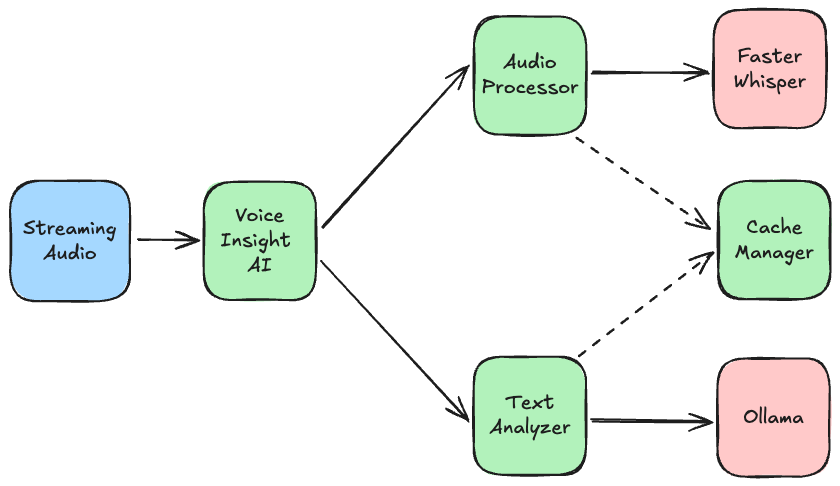
Run the test suite with pytest:
python -m pytestThe test suite includes unit tests for all major components:
- Audio processing and transcription
- FastAPI interface and endpoints
- OpenAI client integration
- Ollama client integration
- Text analysis and summarization
- Web interface functionality
Contributions are welcome! Please feel free to submit a Pull Request.