feat(DataToolbar): Add Data Toolbar component to experimental #2861
Conversation


 nicolethoen
requested review from
dgutride,
dlabaj,
jessiehuff,
jgiardino,
karelhala,
mattnolting and
mturley
nicolethoen
requested review from
dgutride,
dlabaj,
jessiehuff,
jgiardino,
karelhala,
mattnolting and
mturley

|
PatternFly-React preview: https://patternfly-react-pr-2861.surge.sh |

 karelhala
left a comment
karelhala
left a comment
karelhala
left a comment
There was a problem hiding this comment.
Thank you so much for this PR! It's a great start, we just have to remove the isExpanded from state and some variable renames and we are good to go!
| } | ||
|
|
||
| componentDidMount() { | ||
| window.addEventListener('resize', this.closeExpandableContent); |
There was a problem hiding this comment.
Please do not listen on resize events and close expandable content. This is css breakpoints work, no need to close the content on each window resize. It adds performance issues and plus unwanted behavior.
There was a problem hiding this comment.
@karelhala There's an issue where if the toggle drawer is open and the window is resized when the breakpoint is hit the content will not layout correctly. We're looking for a solution to make it behave the same way that dropdown does. Will look at that code to see how that one works to see if there's a better solution.
There was a problem hiding this comment.
This is really unaesthetic because imagine that you are looking at table with this on mobile, click on the expand button, realise that landscape view might be better for this and once you flip the phone this expanded menu is lost and user has to click on it once again.
If the layout is not rendered correctly on window resize I think that is more of a issue in PF core and we shouldn't try to fix it here.
There was a problem hiding this comment.
@mcarrano Any thoughts on the behavior with the toggle?

There was a problem hiding this comment.
This is a tough one to answer because it's not clear what the best approach is. I agree that just collapsing the drawer on resize it not great. Maybe if the drawer is open and a breakpoint is crossed, the content should not reconfigure itself (i.e. suppress the behavior in this case). Is that even possible? @mattnolting any thoughts here?
There was a problem hiding this comment.
@mcarrano - matt nolting is on PTO until Tuesday.
regarding that being possible, yes I believe it is, but we'd have to use the breakpoint passed in by the user and look up the global size of that breakpoint and make it reconfigure itself based on the global size (hopefully no one will have over written it). I may not have time to figure that out today - but I can try. Would that be an acceptable approach @dlabaj?
There was a problem hiding this comment.
@mcarrano I think, when using a toggle group, the content should reconfigure at the specified breakpoint if expanded content is .pf-m-expanded.
packages/patternfly-4/react-core/src/experimental/components/DataToolbar/DataToolbar.tsx
Outdated
Show resolved
Hide resolved
packages/patternfly-4/react-core/src/experimental/components/DataToolbar/DataToolbar.tsx
Show resolved
Hide resolved
packages/patternfly-4/react-core/src/experimental/components/DataToolbar/DataToolbar.tsx
Show resolved
Hide resolved
packages/patternfly-4/react-core/src/experimental/components/DataToolbar/DataToolbarGroup.tsx
Outdated
Show resolved
Hide resolved
packages/patternfly-4/react-core/src/experimental/components/DataToolbar/DataToolbarItem.tsx
Outdated
Show resolved
Hide resolved
packages/patternfly-4/react-core/src/experimental/components/DataToolbar/DataToolbarUtils.tsx
Show resolved
Hide resolved
packages/patternfly-4/react-core/src/experimental/components/DataToolbar/DataToolbarUtils.tsx
Outdated
Show resolved
Hide resolved
packages/patternfly-4/react-core/src/experimental/components/DataToolbar/DataToolbarUtils.tsx
Outdated
Show resolved
Hide resolved
packages/patternfly-4/react-core/src/experimental/components/DataToolbar/DataToolbarUtils.tsx
Outdated
Show resolved
Hide resolved

 mattnolting
left a comment
mattnolting
left a comment
mattnolting
left a comment
There was a problem hiding this comment.
Well done @nicolethoen!!! It's really exciting to see all the great work you've done in action. Left some comments.
packages/patternfly-4/react-core/src/experimental/components/DataToolbar/DataToolbar.md
Show resolved
Hide resolved
packages/patternfly-4/react-core/src/experimental/components/DataToolbar/DataToolbarUtils.tsx
Outdated
Show resolved
Hide resolved
packages/patternfly-4/react-core/src/experimental/components/DataToolbar/DataToolbar.md
Outdated
Show resolved
Hide resolved
packages/patternfly-4/react-core/src/experimental/components/DataToolbar/DataToolbar.md
Outdated
Show resolved
Hide resolved
packages/patternfly-4/react-core/src/experimental/components/DataToolbar/DataToolbar.md
Outdated
Show resolved
Hide resolved
packages/patternfly-4/react-core/src/experimental/components/DataToolbar/DataToolbarItem.tsx
Outdated
Show resolved
Hide resolved

 mturley
left a comment
mturley
left a comment
mturley
left a comment
There was a problem hiding this comment.
Awesome work @nicolethoen !
packages/patternfly-4/react-core/src/experimental/components/DataToolbar/DataToolbar.tsx
Show resolved
Hide resolved
packages/patternfly-4/react-core/src/experimental/components/DataToolbar/DataToolbar.tsx
Outdated
Show resolved
Hide resolved
...s/patternfly-4/react-core/src/experimental/components/DataToolbar/DataToolbarToggleGroup.tsx
Show resolved
Hide resolved
| {toggleIcon} | ||
| </Button> | ||
| </div> | ||
| { isExpanded ? ReactDOM.createPortal(children, expandableContentRef.current): children } |
There was a problem hiding this comment.
I'm so glad this worked! For a while there I thought there might not be a declarative way to achieve this... but context, refs and portals = magic ✨
nicolethoen
changed the title
 nicolethoen
force-pushed
the
toolbar_component
branch
from
nicolethoen
force-pushed
the
toolbar_component
branch
from
97e8bed to
b112b4f
Compare
mturley
left a comment
mturley
left a comment
There was a problem hiding this comment.
Noticed a few non-blocking things, but this looks good to me.
| </Select> | ||
| </DataToolbarItem> | ||
| <DataToolbarItem> | ||
| <Select |
There was a problem hiding this comment.
There's some inconsistent indentation/spacing here and elsewhere in this file, but I don't think we need to hold up the PR for it. I'll address cases like this when I rebase #2810 after the release, but I'm not sure if Prettier will run on the JSX in our Markdown files, so that's something else I want to look into.
| variant="plain" | ||
| onClick={toggleIsExpanded} | ||
| {...isExpanded && { 'aria-expanded': true }} | ||
| // TODO aria-haspopup when isExpanded = true && viewport is smaller than lg global breakpoint |
There was a problem hiding this comment.
Is this something we need to implement with this PR, and if not can we open an issue to track it?
There was a problem hiding this comment.
Let's open an issue for this.
mattnolting
left a comment
mattnolting
left a comment
There was a problem hiding this comment.
@nicolethoen Again, great work! Can we add an example of .pf-m-space-items on a group to the Data toolbar spacers example? Perhaps the last two action buttons?
@nicolethoen can we add a horizontal divider to the Data toolbar group stacked example?
@mcarrano @mceledonia should we add a horizontal divider to the Data toolbar group stacked example?

Yes and Yes! |

|
@nicolethoen This is looking great. Agree with adding the horizontal divider to the stacked example. The only other thing I found is that for the Consumer managed toggle group example, I can get into a situation where the drawer remains open but the toggle disappears by opening the drawer and then stretching the window. See below.
If this is not easy to fix. I'd be OK to approve this and come back to address this as a bug in the next release. |
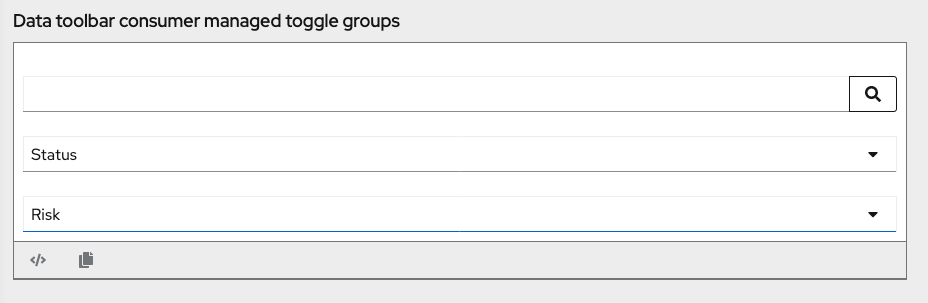

|
@mcarrano that's exactly what is discussed in #2861 (comment) Consumers should be rensponsible when the pane is hidden and shown in this example. So if you open this toggle change the screen size and want to close the pane consumer is responsible for that. It's actually expected bahavior. |
I noted this issue in the documentation above the example. |

 dlabaj
left a comment
dlabaj
left a comment
dlabaj
left a comment
There was a problem hiding this comment.
A few comments but looks good otherwise.
| className?: string; | ||
| /** Content to be rendered as rows in the Data toolbar */ | ||
| children?: React.ReactNode; | ||
| /** Flag indicating if a Data toolbar toggle group's expandable content is expanded */ |
There was a problem hiding this comment.
We should add a comment that setting this means that the consumer will be responsible for managing the toogle group expansion. Also how would a consumer find out if the toogle group is currently expanded after construction??? Can we use a getter to return the correct value.
There was a problem hiding this comment.
If the consumer is managing the expansion, they would already know, right? If the consumer is not managing the expansion, why do they need to be able to find out if it's currently expanded?
There was a problem hiding this comment.
There is some documentation just before the toggle group examples that i believe explains this? should I add more info to that documentation?
| variant="plain" | ||
| onClick={toggleIsExpanded} | ||
| {...isExpanded && { 'aria-expanded': true }} | ||
| // TODO aria-haspopup when isExpanded = true && viewport is smaller than lg global breakpoint |
There was a problem hiding this comment.
Let's open an issue for this.


mattnolting
left a comment
mattnolting
left a comment
There was a problem hiding this comment.
Just two more comments 😄
| <DataToolbarItem spacers={fifthSpacers}><Button variant="secondary">Action</Button></DataToolbarItem> | ||
| <DataToolbarItem><Button variant="primary">Action</Button></DataToolbarItem> | ||
| <DataToolbarItem variant="separator"></DataToolbarItem> | ||
| <DataToolbarGroup itemSpacers={[{spacerSize: 'lg'}]} spacers={[{spacerSize: 'lg'}]}> |
There was a problem hiding this comment.
Can you remove spacers={[{spacerSize: 'lg'}]}
| <DataToolbarItem variant="separator"></DataToolbarItem> | ||
| <DataToolbarGroup itemSpacers={[{spacerSize: 'lg'}]} spacers={[{spacerSize: 'lg'}]}> | ||
| <DataToolbarItem><Button variant="secondary">Action</Button></DataToolbarItem> | ||
| ` <DataToolbarItem><Button variant="secondary">Action</Button></DataToolbarItem> |
There was a problem hiding this comment.
looks like you have a floating tick mark ^^


|
Your changes have been released in:
Thanks for your contribution! 🎉 |
8 participants


#2009