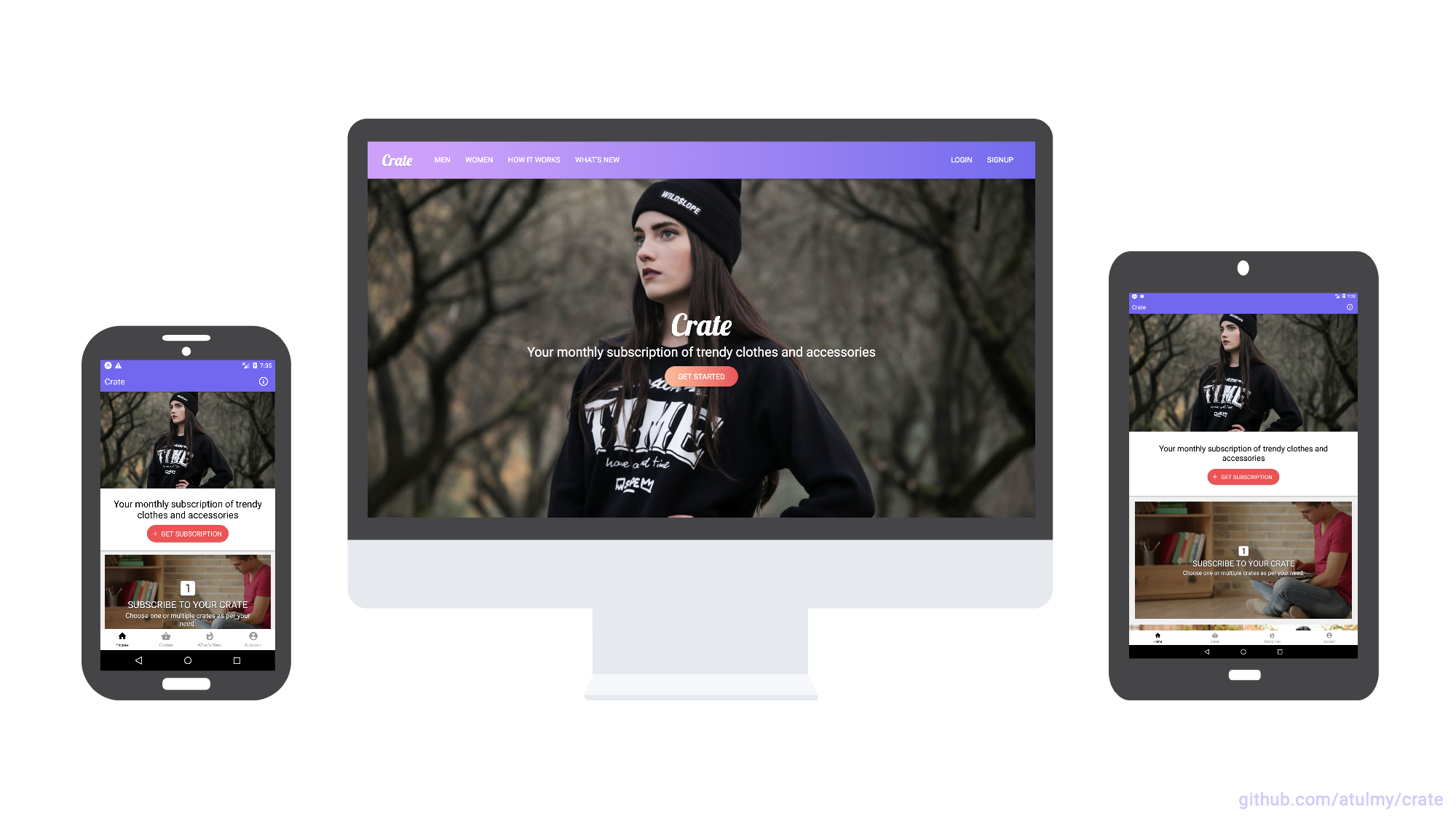
- API built with Node, GraphQL, Express, Sequelize (MySQL) and JWT Auth
- WebApp built with React and Redux along with Server Side Rendering (SSR) / SEO friendly
- Mobile (Android and iOS) Native App build with React Native
- Written in ES6+ using Babel + Webpack
- Designed using Adobe Experience Design. Preview it here.
- We are a small group (7 individuals) of Turing Students, for our current project, we were tasked with adding a style survey for users that will help them determine what their dress style is. The survey consists of a series of categories such as tops, bottoms, shoes and accessories. After I have completed the survey, I am given a summary of my style such as ‘classic but edgy’. Once the user completes the style survey, their user object will be updated with a new column of style, this will allow us to filter the results that the user receives in order to more easily present items that would fit with their style.


Front-end Team:
Back-end Team:
- Dan Halverson: GitHub | LinkedIn
- Roberto Rodriguez: GitHub | LinkedIn
- Saryn Mooney: GitHub | LinkedIn
- Alex Desjardins: GitHub | LinkedIn


- Modular and easily scalable code structure
- Emphasis on developer experience
- UI components in separate folder which can be swapped for your favorite UI framework easily
- Responsive UI for React Native to support Mobile and Tablet
- GraphQL schema with associations
- Database migration and data seeding
- User authentication using JSON Web Tokens with GraphQL API
- File upload feature with GraphQL
- React storybook demonstrating UI components for web
- Server side rendering
- Multi-package setup and dev scripts for an automated dev experiance
- Developers with basic knowledge on React exploring advance React projects
- Developers learning React Native
- Exploring GraphQL
- Scalable project structure and code
- Starter application for Mobile and Web along with SSR
- Multi-package scripts
- Sample project with combination of all above
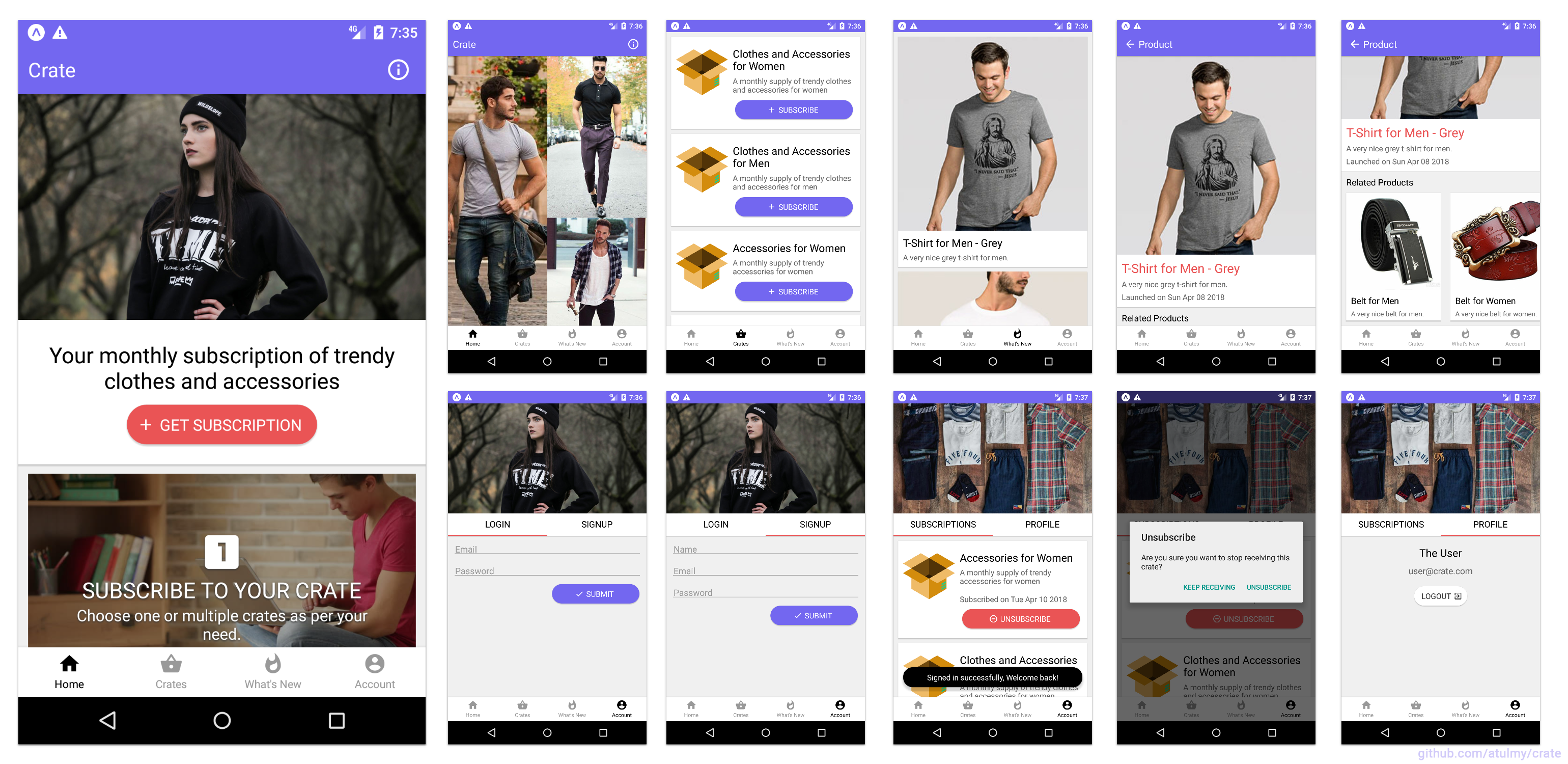
Click on image to view fullscreen and zoom




code
  ├── package.json
  │
  ├── api (api.example.com)
  │   ├── public
  │   ├── src
  │   │   ├── config
  │   │   ├── migrations
  │   │   ├── modules
  │   │   ├── seeders
  │   │   ├── setup
  │   │   └── index.js
  │   │
  │   └── package.json
  │
  ├── mobile (Android, iOS)
  │   ├── assets
  │   ├── src
  │   │   ├── modules
  │   │   ├── setup
  │   │   ├── ui
  │   │   └── index.js
  │   │
  │   └── package.json
  │
  ├── web (example.com)
  │   ├── public
  │   ├── src
  │   │   ├── modules
  │   │   ├── setup
  │   │   ├── ui
  │   │   └── index.js
  │   ├── storybook
  │   │
  │   └── package.json
  │
  ├── .gitignore
  └── README.md
- Prerequisites
- Node
- MySQL (or Postgres / Sqlite / MSSQL)
- Clone repo
git clone git@github.com:Atos20/Crate.git - Switch to
codedirectorycd code - Configurations
- Modify
/api/src/config/database.jsonfor database credentials - Modify
/api/.envfor PORT (optional) - Modify
/web/.envfor PORT / API URL (optional) - Modify
/mobile/src/setup/config.jsonfor API URL (tip: useifconfigto get your local IP address)
- Modify
- Setup
- API: Install packages and database setup (migrations and seed)
cd apiandnpm run setup - Webapp: Install packages
cd webandnpm install - Mobile:
- Install packages
cd mobileandnpm install - Install iOS dependencies
cd mobile/iospod install
- Install packages
- API: Install packages and database setup (migrations and seed)
- Development
- Run API
cd apiandnpm start, browse GraphiQL at http://localhost:8000/ - Run Webapp
cd webandnpm start, browse webapp at http://localhost:3000/ - Run Mobile
cd mobileandnpx react-native run-iosfor iOS andnpx react-native run-androidfor Android
- Run API
- Production
- Run API
cd apiandnpm run start:prod, creates an optimized build inbuilddirectory and runs the server - Run Webapp
cd webandnpm run start:prod, creates an optimized build inbuilddirectory and runs the server
- Run API
- Testing
- back-end testing
cd code/apinpm run test
- front-end testing
- enter testing commands
- back-end testing
- New developers are advised to run through the above 'setup and running' process before reading further.
- Optional multi-package automation for faster setup and easier dev environment initiation.
- No need to cd to sub-folders unless working with mobile or running a production build.
- Once Node, MySQL, repo clone and configuration are setup correctly
- Switch to
codedirectorycd code - Setup
- Setup API, Webapp and Mobile with a single command
npm run setup
- Setup API, Webapp and Mobile with a single command
- Development
- Run API and Webapp
npm start, browse GraphiQL at http://localhost:8000/ and Webapp at http://localhost:8000/ - Run API alone
npm start:api, browse GraphiQL at http://localhost:8000/ - Run Webapp alone
npm start:web, browse webapp at http://localhost:3000/
- Run API and Webapp
- Switch to
Copyright (c) 2018 Atul Yadav http://github.com/atulmy
The MIT License (http://www.opensource.org/licenses/mit-license.php)