Error bar color does not change after switching the dark/light mode #5246


Description

Hi Tensorboard team,
Thank you for the latest update v2.6.0. I love the dark mode feature, but I found it has some issue on the front end:
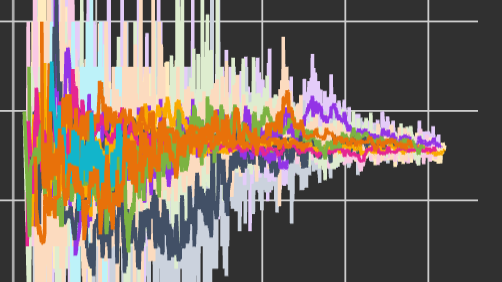
If I switch the mode from light to dark (or reverse), the background color changes, but the colors of the curves and their error bars (in shadows) does not change. E.g.
Switching from light to dark:
Switching from dark to light:
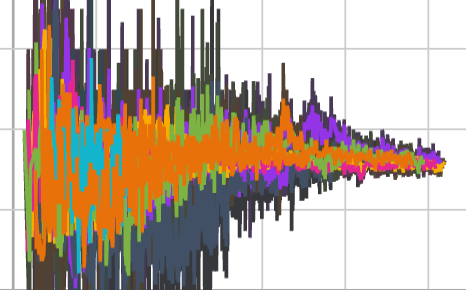
You can see the error bars remain the previous colors. Now my temporary solutions are to tune the scalar smoothing value to force change. But I hope the color change can be done automatically.
By the way, in the dark mode, the curves of dark colors such as black, cannot be viewed clearly. Maybe a brighter set of colors in dark mode?
System
INFO: installed: tensorboard==2.6.0
WARNING: no installation among: ['tensorflow', 'tensorflow-gpu', 'tf-nightly', 'tf-nightly-2.0-preview', 'tf-nightly-gpu', 'tf-nightly-gpu-2.0-preview']
WARNING: no installation among: ['tensorflow-estimator', 'tensorflow-estimator-2.0-preview', 'tf-estimator-nightly']
INFO: installed: tensorboard-data-server==0.6.1
Ubuntu 20.04.2 LTS
Chrome Version 91.0.4472.114 (Official Build) (x86_64)