Manager: Search is not giving the proper result after applying the filter #1803

Description

From @bikakk on February 18, 2018 1:12
Reported URL
https://connect.topcoder-dev.com/projects?sort=updatedAt%20desc
Reproduction Steps
- Open https://connect.topcoder-dev.com/
- Login as pshah_manager
- Provide a project name in the search bare ex: BIK and search it
- Observe the project type of displayed result and now apply the filter for any project type
- ex: Chatbot
- observe the result
Expected Result
The filter should apply on the searched result.
Actual Result
Filter is not applied on the searched results, instead of this it is applying on hole page.
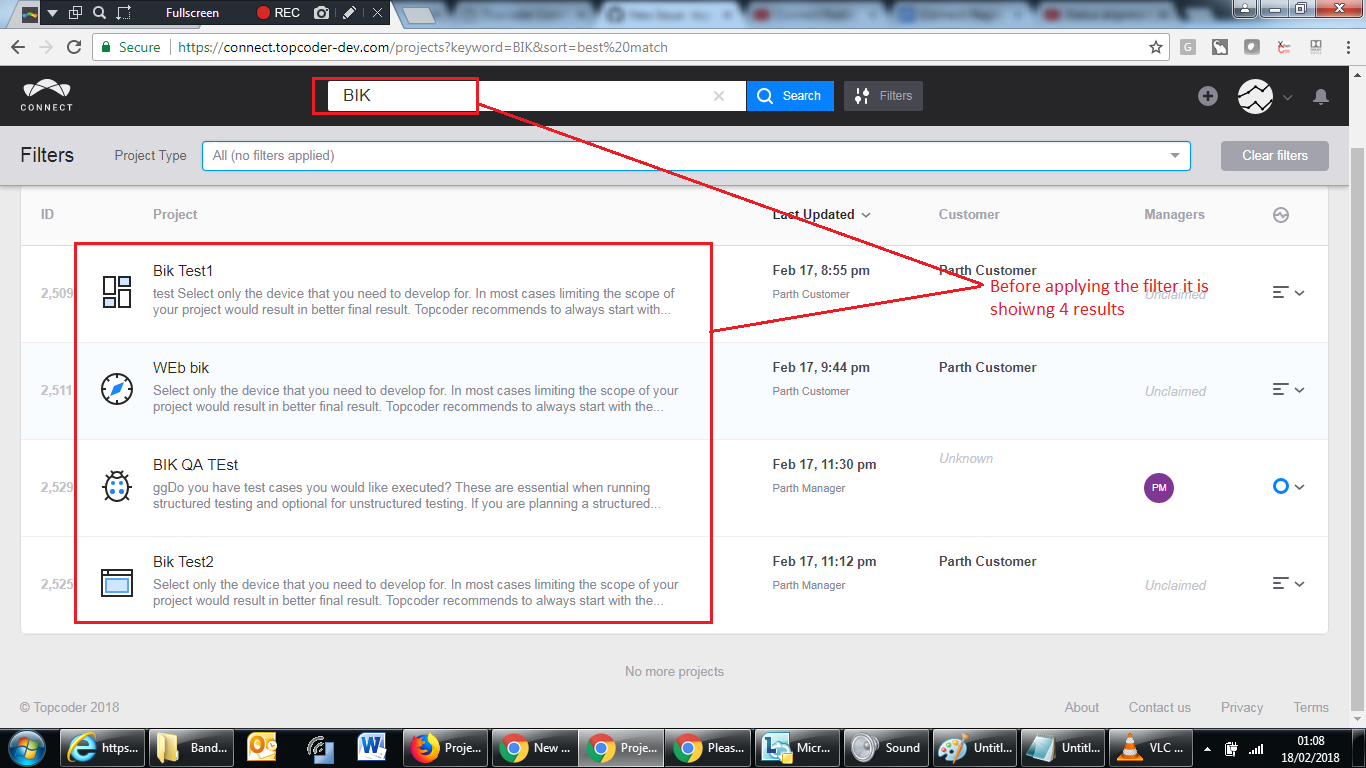
Ex: Here i have searched for BIK , then it is displayed 4 results and none of them are chatbot project.
Now i applied the filter and expected the result as zero. But it is showing lot of results.
Screenshots
Result before applying the filter:
Result after applying the filter:

Issue Information
Frequency: Always
Device: Laptop
OS: Windows 64-bit
Browser: Chrome 64.0.3
Copied from original issue: topcoderinc/connect-test-cycle-1#125