Skip to content

Conversation

@rashmi73
Copy link
Contributor

No description provided.

Copy link
Collaborator

@maxceem maxceem left a comment

Choose a reason for hiding this comment

The reason will be displayed to describe this comment to others. Learn more.

Thanks @rashmi73

  1. After update pshah_manager cannot edit not-completed phases. But Managers should be still able to edit not-completed phases as before. Changes are only for admin users.
    Before:
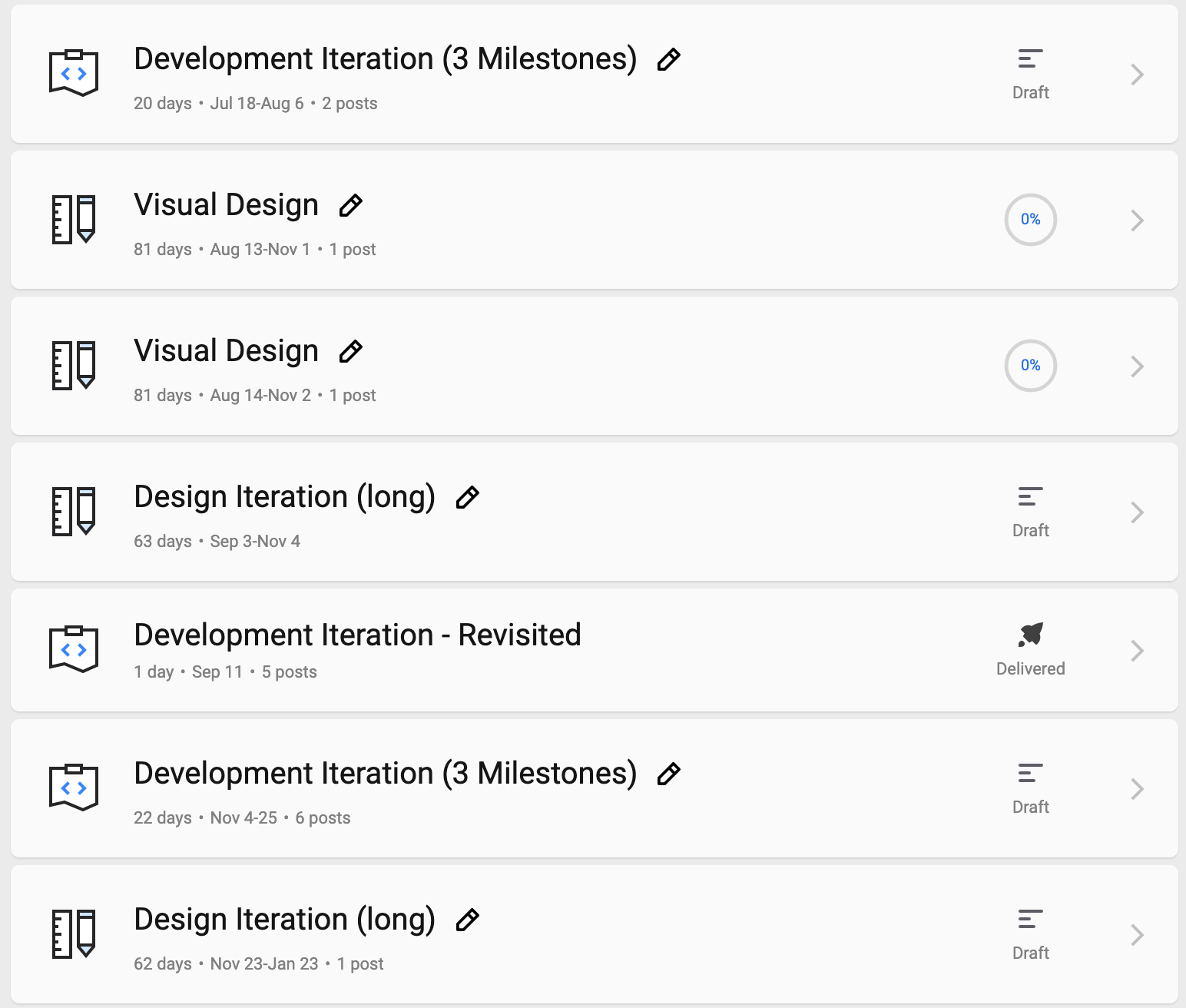
    image

    After:

    image

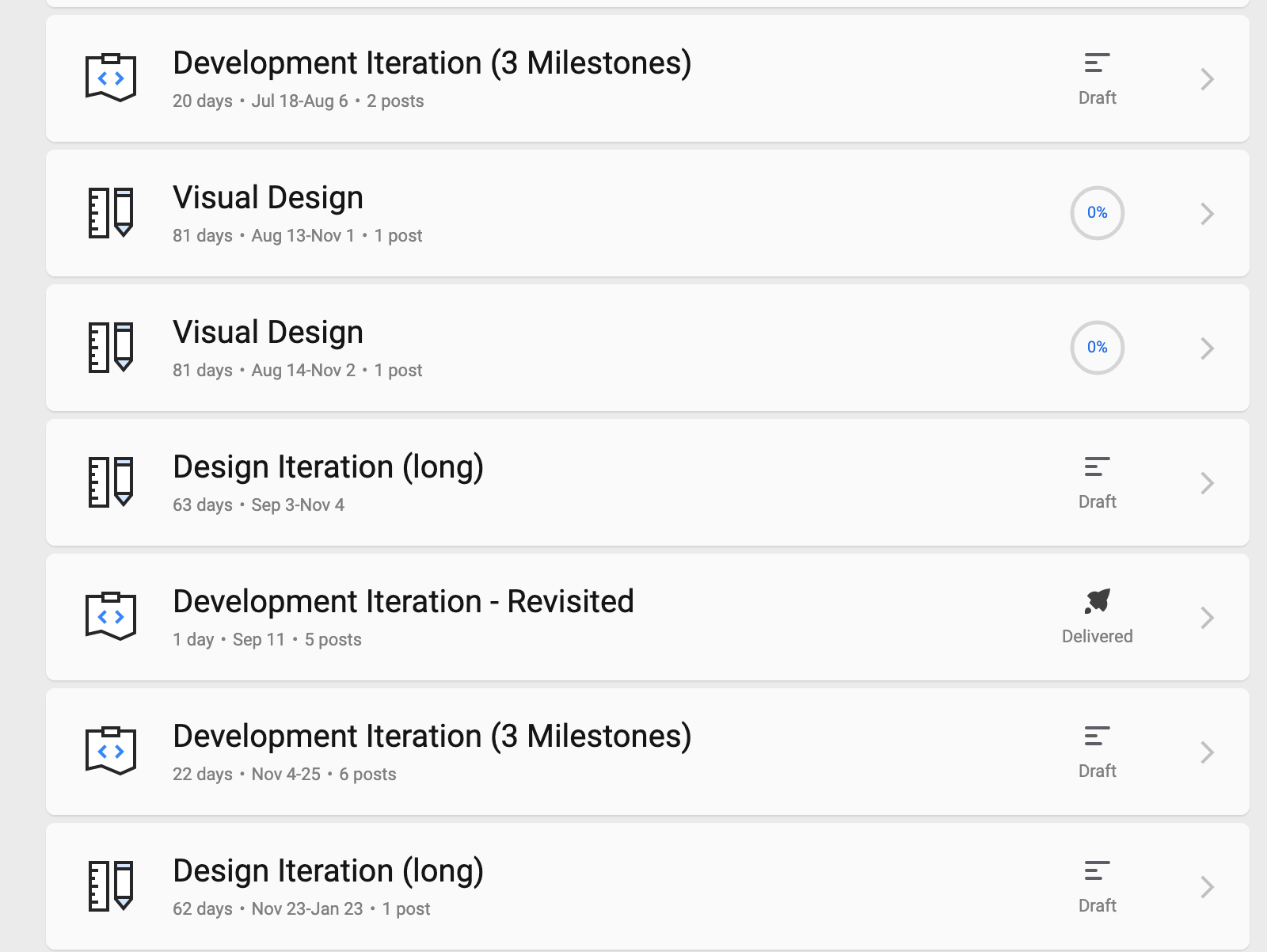
  2. Admins should be able to edit all the fields of completed phases, same like not completed.
    Not completed phase looks like this (if it has timeline):
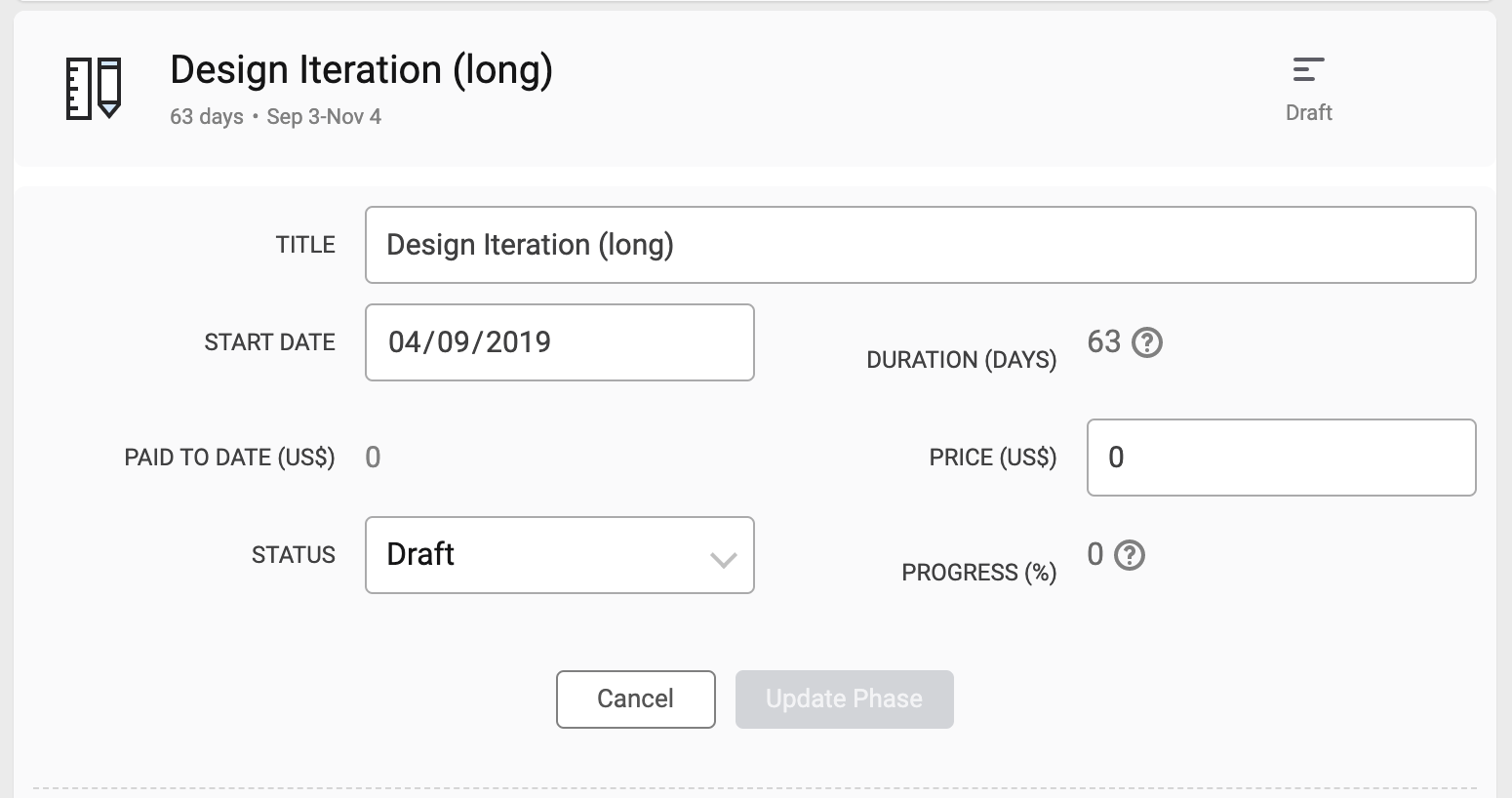
    image

    And not completed phase looks like this (if it doesn't have timeline):
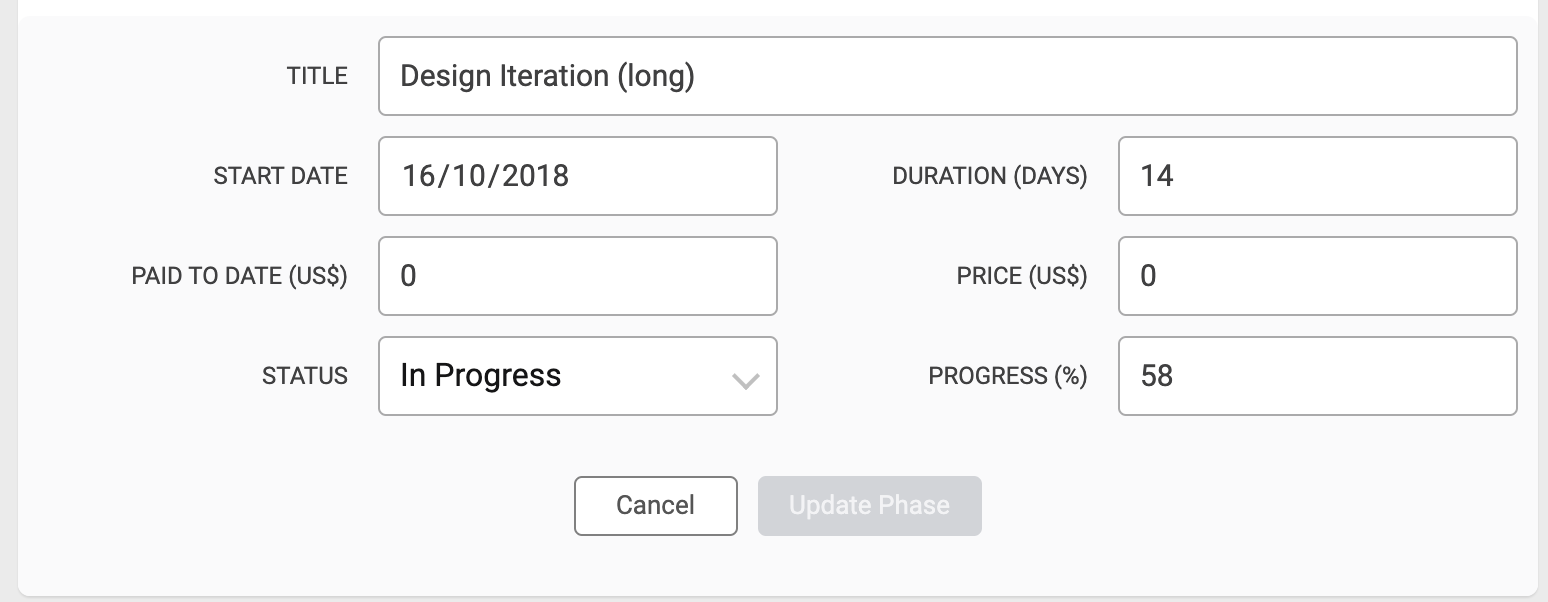
    image

    But when admin open completed phase now, only one field is editable:
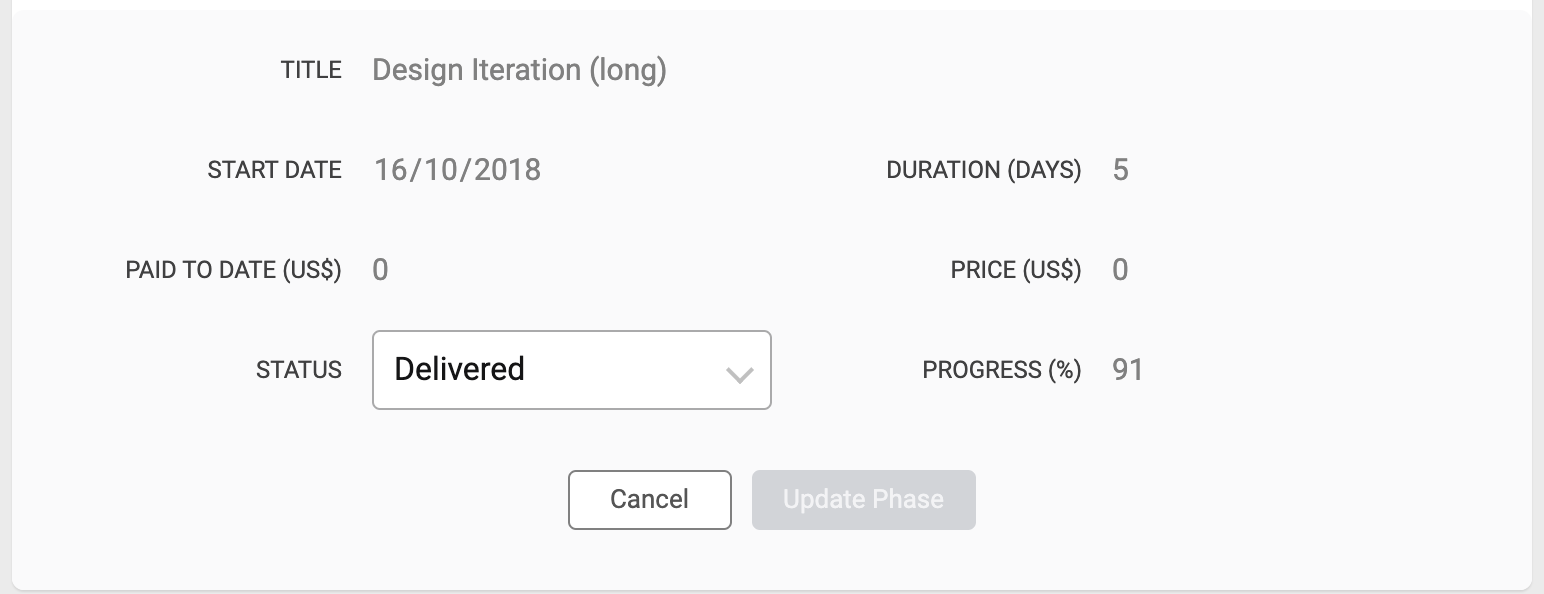
    image

  3. Could you please move the new date fields to the end:
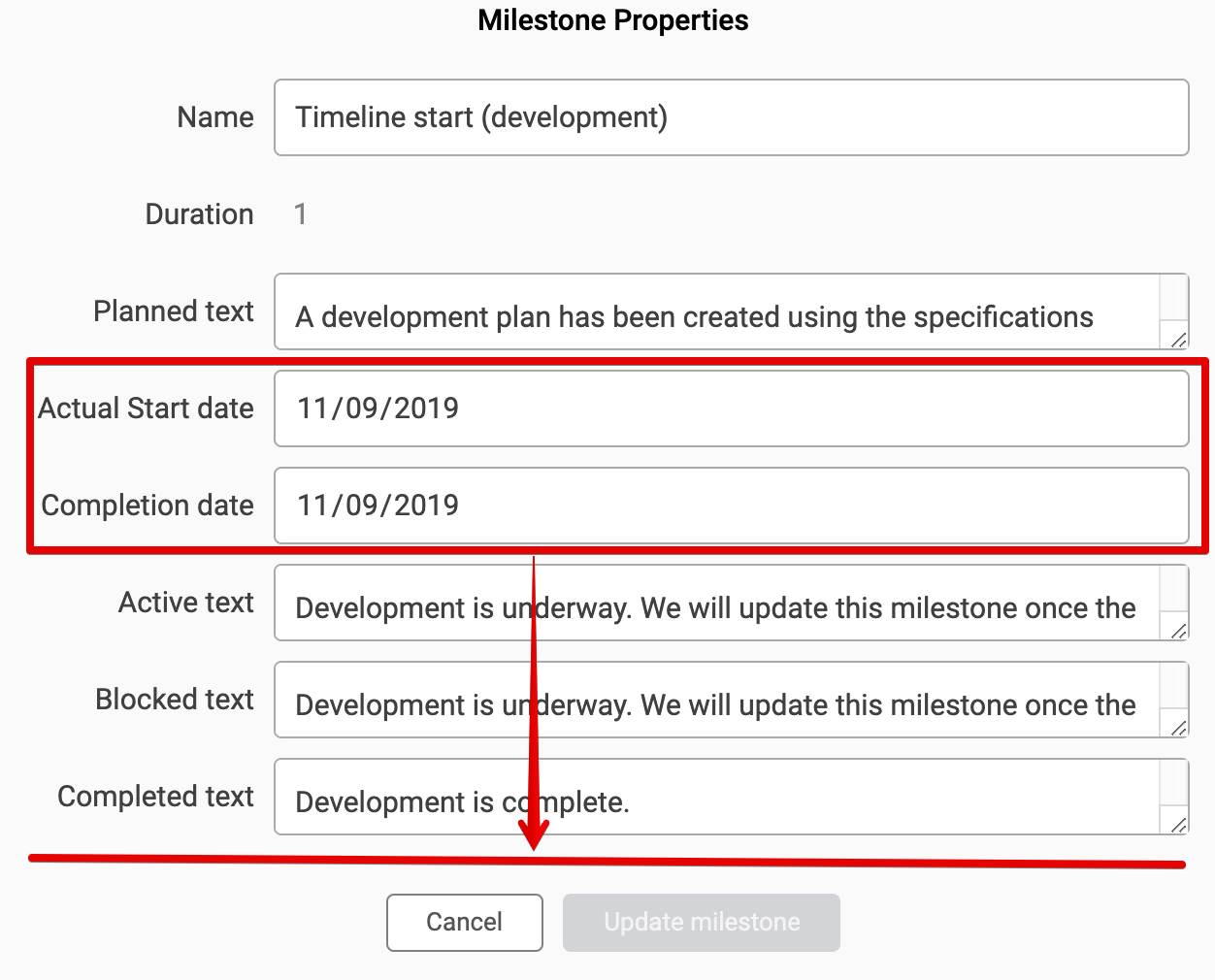
    image

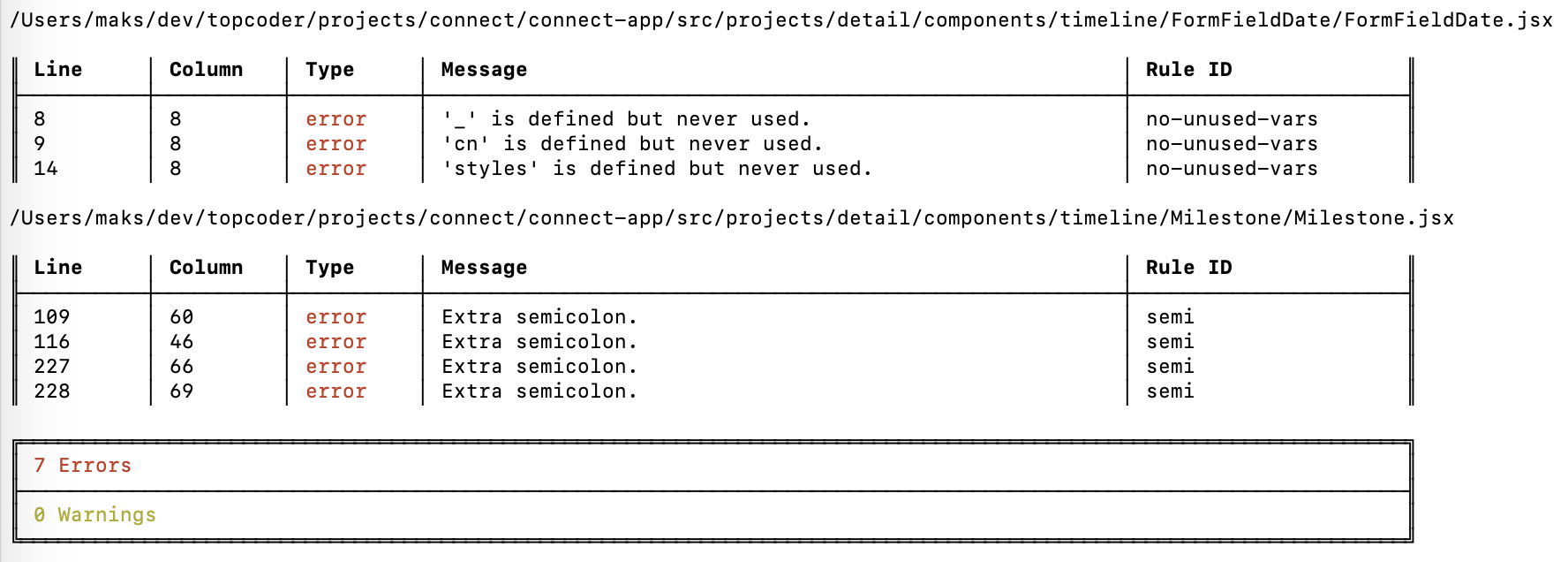
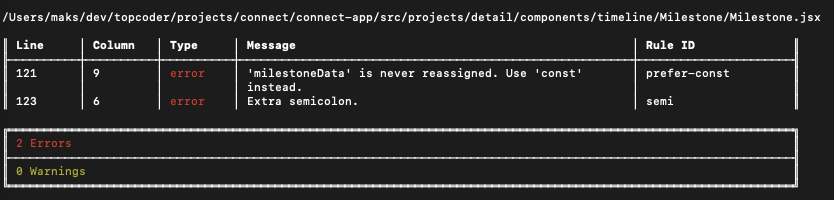
  4. There are lint errors:

    image

@rashmi73
Copy link
Contributor Author

@maxceem I will address all 4 points immediately,
but I am confused regarding pt 2.

  1. whether pt 2 was requirement of this issue? or such error has been introduced due to mine code?
    can you please give project number of it, it would be helpful for me.

  2. Also regarding your pt 1, I have not touched manager functionality, so it shall function as it is.only admin check is added in code, can you also please provide project number for this so I can get it immediately?

@maxceem
Copy link
Collaborator

maxceem commented Sep 24, 2019

  1. Regarding point 2. Before nobody can edit phases after they are completed. And now admins should be able to do it. So this was not implemented before, and it's a part of this task, see this comment pt 1 [$50] Admins should be able to modify the actual start and completion dates of a milestone #3210 (comment)

  2. I tested with project 7442. So when I deploy locally with your PR http://local.topcoder-dev.com:3000/projects/7442/ I cannot edit any phase. But if I open current implementation by link https://connect.topcoder-dev.com/projects/7442 - I can edit not-completed phases.

@rashmi73
Copy link
Contributor Author

@maxceem is backend down? because on all projects list, I suddenly get error screen with following error

Topcoder Connect Issue Report D’oh! Something went wrong Error: Request failed with status code 502 at createError (webpack-internal:///./node_modules/axios/lib/core/createError.js:15:15) at settle (webpack-internal:///./node_modules/axios/lib/core/settle.js:18:12) at XMLHttpRequest.handleLoad (webpack-internal:///./node_modules/axios/lib/adapters/xhr.js:75:7)

Actually project list is loaded and seen, then within 1 sec i get error screen

any issues?

@maxceem
Copy link
Collaborator

maxceem commented Sep 24, 2019

Yes @rashmi73. One of the backend services (Member Service) is down. But it's not critical and there is a patch in Connect App, so it works even without Member Service.

So get the latest commits in cf19 branch, and after you could load Project Listing page, only users data cannot be loaded, but it's not critical.

@maxceem
Copy link
Collaborator

maxceem commented Sep 24, 2019

@rashmi73 regarding 1pt. I think this issue is only in old cf19 branch. You can try to fetch the latest commits in cf19 and this issue suppose to go away.

@rashmi73
Copy link
Contributor Author

1. After update pshah_manager cannot edit not-completed phases. But Managers should be still able to edit not-completed phases as before. Changes are only for admin users.

I am not able to observe such behaviour as mentioned in your comment with before and after image for pshah_manager.

can you please confirm above behaviour again?

@rashmi73
Copy link
Contributor Author

@maxceem kindly verify PR now

@maxceem
Copy link
Collaborator

maxceem commented Sep 24, 2019

@rashmi73 after the last update I cannot build project.
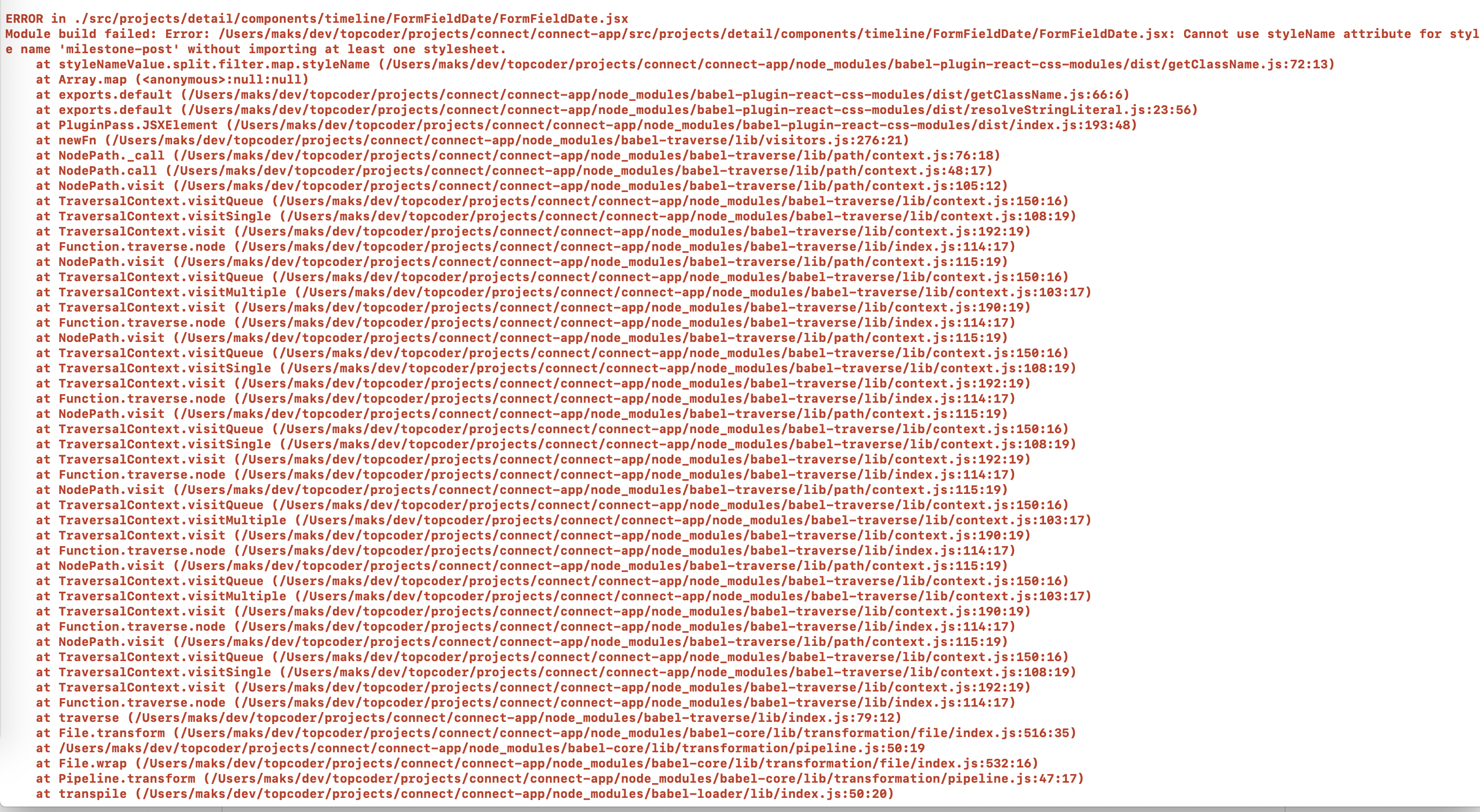
When I run npm start I get error:

Module build failed: Error: /Users/maks/dev/topcoder/projects/connect/connect-app/src/projects/detail/components/timeline/FormFieldDate/FormFieldDate.jsx: Cannot use styleName attribute for style name 'milestone-post' without importing at least one stylesheet.

image

@rashmi73
Copy link
Contributor Author

@maxceem it was built perfectly on my machine. checking

@rashmi73
Copy link
Contributor Author

@maxceem PR update it should work fine now

Copy link
Collaborator

@maxceem maxceem left a comment

Choose a reason for hiding this comment

The reason will be displayed to describe this comment to others. Learn more.

Thanks for update @rashmi73. Now I can build the project but some issues still there.

  1. Admins should be able to edit all the fields of completed phases, same like not completed.
    Not completed phase looks like this (if it has timeline):

    image

    And not completed phase looks like this (if it doesn't have timeline):

    image

    But when admin open completed phase now, only one field is editable:

    image

  2. When I save milestone with actual start date or completed date. The date is sent in format 2019-09-11, but we have to send it in format 2018-09-11T00:00:00.000Z. See how it's done for the phase form when we edit the Start Date there.

@maxceem
Copy link
Collaborator

maxceem commented Sep 30, 2019

@rashmi73 do you think you can update on this shortly? This issue has a priority.

@rashmi73
Copy link
Contributor Author

@maxceem sorry for delay I will be able to complete it sometime

@maxceem
Copy link
Collaborator

maxceem commented Sep 30, 2019

Thanks for update @rashmi73. How much time do you need to complete this one?

@rashmi73
Copy link
Contributor Author

@maxceem within an hour

@rashmi73
Copy link
Contributor Author

@maxceem

  1. can you please provide admin credentials?

  2. Can you please provide project number on which you are exactly testing. because everything is working fine at my end hence lets target it step by step. I would paste screenshot for each so that it is verified.

@maxceem
Copy link
Collaborator

maxceem commented Sep 30, 2019

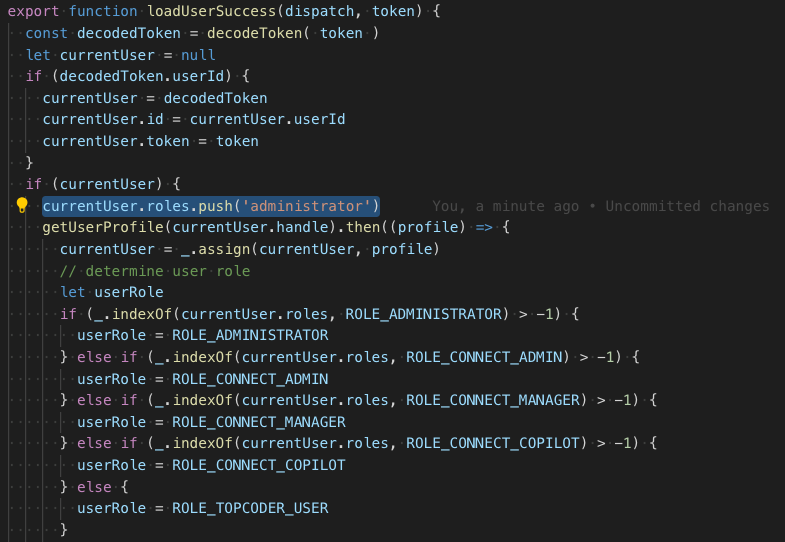
  1. @rashmi73 I cannot provide the admin account. But this can be tested by making the next change in the Connect App, so the user behaves like admin:
    Add the next line of code:

    currentUser.roles.push('administrator')

    After line 53 in this file https://github.com/appirio-tech/connect-app/blob/dev/src/actions/loadUser.js#L53 so it looks like this:

    image

  2. I test with this project http://local.topcoder-dev.com:3000/projects/7442

@rashmi73
Copy link
Contributor Author

@maxceem thanks. Pr is updated. Mostly all working Kindly provide feedback if any. waiting.

Copy link
Collaborator

@maxceem maxceem left a comment

Choose a reason for hiding this comment

The reason will be displayed to describe this comment to others. Learn more.

Thanks for update @rashmi73.

Works great.

There is a couple of lint issues, I would fix them myself, as this issue is kind of urgent. The PR is accepted. Thanks!

image

@maxceem maxceem merged commit b3cf374 into topcoder-archive:cf19 Sep 30, 2019
Sign up for free to join this conversation on GitHub. Already have an account? Sign in to comment

Labels

None yet

Projects

None yet

Development

Successfully merging this pull request may close these issues.

2 participants