基于react 16.8+ ,react-router 4+ 开发的react缓存组件,可以用于缓存页面组件,类似vue的keepalive包裹vue-router的效果功能。
采用react hooks全新api,支持缓存路由,手动解除缓存,增加了缓存的状态周期,监听函数等。
后续版本会完善其他功能。
npm install react-keepalive-router --save
# or
yarn add react-keepalive-routerKeepaliveRouterSwitch可以理解为常规的Switch,也可以理解为 keepaliveScope,我们确保整个缓存作用域,只有一个 KeepaliveRouterSwitch 就可以了。
import { BrowserRouter as Router, Route, Redirect ,useHistory  } from 'react-router-dom'
import { KeepaliveRouterSwitch ,KeepaliveRoute ,addKeeperListener } from 'react-keepalive-router'

const index = () => {
  useEffect(()=>{
    /* 增加缓存监听器 */
    addKeeperListener((history,cacheKey)=>{
      if(history)console.log('当前激活状态缓存组件:'+ cacheKey )
    })
  },[])
  return <div >
    <div >
      <Router  >
      <Meuns/>
      <KeepaliveRouterSwitch>
          <Route path={'/index'} component={Index} ></Route>
          <Route path={'/list'} component={List} ></Route>
          { /* 我们将详情页加入缓存 */ }
          <KeepaliveRoute path={'/detail'} component={ Detail } ></KeepaliveRoute>
          <Redirect from='/*' to='/index' />
       </KeepaliveRouterSwitch>
      </Router>
    </div>
  </div>
}这里应该注意KeepaliveRouterSwitch 增加特有的属性 withoutRoute 就可以了。如下例子🌰🌰🌰:
例子一
<KeepaliveRouterSwitch withoutRoute >
  <div>
     <Route path="/a" component={ComponentA}  />
     <Route path="/b" component={ComponentB}  />
     <KeepaliveRoute path={'/detail'} component={ Detail } ></KeepaliveRoute>
  </div>
</KeepaliveRouterSwitch>
例子二
或者我们可以使用 renderRoutes 等api配合 KeepliveRouterSwitch 使用 。
import {renderRoutes} from "react-router-config"
<KeepliveRouterSwitch withoutRoute  >{ renderRoutes(routes) }</KeepliveRouterSwitch>
KeepaliveRoute 基本使用和 Route没有任何区别。
在当前版本中KeepaliveRoute 如果没有被 KeepaliveRouterSwitch包裹就会失去缓存作用。
效果
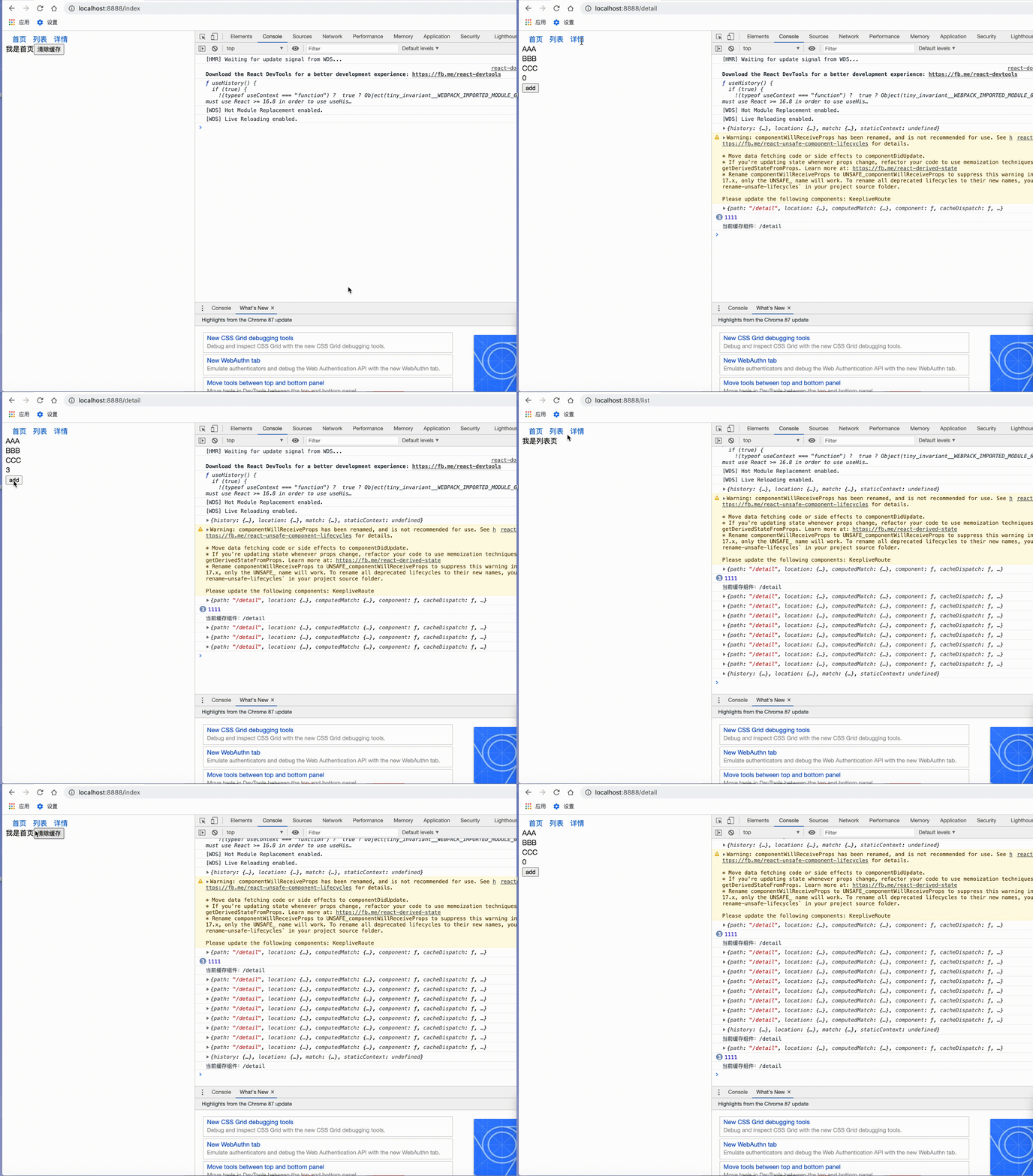
如果我们希望对当前激活的组件,有一些额外的操作,我们可以添加监听器,用来监听缓存组件的激活状态。
addKeeperListener((history,cacheKey)=>{
  if(history)console.log('当前激活状态缓存组件:'+ cacheKey )
})
第一个参数未history对象,第二个参数为当前缓存路由的唯一标识cacheKey
缓存的组件,或是被route包裹的组件,会在props增加额外的方法cacheDispatch用来清除缓存。
如果props没有cacheDispatch方法,可以通过
import React from 'react'
import { useCacheDispatch } from 'react-keepalive-router'

function index(){
    const cacheDispatch = useCacheDispatch()
    return <div>我是首页
        <button onClick={()=> cacheDispatch({ type:'reset' }) } >清除缓存</button>
    </div>
}

export default index
1 清除所有缓存
cacheDispatch({ type:'reset' }) 2 清除单个缓存
cacheDispatch({ type:'reset',payload:'cacheId' }) 3 清除多个缓存
cacheDispatch({ type:'reset',payload:['cacheId1','cacheId2'] })