[xaprepare] Update Android 10 name #4011
Conversation


Context: https://www.blog.google/products/android/evolving-android-brand/

Starting with Android 10, Google is no longer adding nicknames to the
Android releases.


|
This might or might not be the ideal way to name this Android release. In particular, the current suggestion in this PR results in an entry that appears in the Visual Studio project property pages as: ... and in the Android SDK manager as: (Tested locally by editing |

|
In case it's handy to know, with the current way the logic and string resources are set up, if the ... and in the Android SDK Manager it looks like: |

|
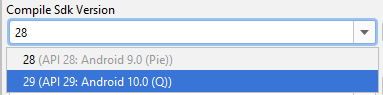
This is a tough one. I don't honestly know what's the best way forward. I believe your proposal makes the most sense although it is a bit duplicative in nature. I'm wondering if we can add a conditional for >= 10.0 and drop the codename entirely? It's interesting because Android Studio is still using
It'll be interesting to see what is done for Android 11. |

|
@JonDouglas, @joj: What should we do here then? Update the VS IDE so that "code names" are dropped for >= API-29/Android 10? Update the code name to be |
|
@JonDouglas, @joj: Do we even need to care about/present the "code name"/"mnemonic" name at all? Or would we be better served to just have Android version numbers in the drop-down, and no code names? |
|
I think moving forward, we should drop the codenames. That was the primary motivation for Google to drop dessert names in the first place! @joj thoughts? |

|
I will follow what you guys decide is best. The main point here is if people are still using the names in everyday conversation. In that case, having the name will make it faster to understand what version we're talking about here. It is true that having 3 different pieces of data that represent the same thing doesn't make a lot of sense. |
https://www.blog.google/products/android/evolving-android-brand/ Let's move forward with removing internal code names. |
|
Just to be extra careful, one clarifying question might be whether we want to stop showing the additional names only for Android 10 and higher or for all the versions from Android 9 Pie and lower too. I don't have a strong opinion myself. |
|
I was personally for >= Android 10. Prior to that, some dessert names are more meaningful than the version number for most developers (i.e. KitKat / Lollipop / Marshmallow / Oreo). I think it makes sense from Android 10 onwards? |

As per discussion on 2020-01-08 with @JonDouglas and @kzu (or @joj?), in order to avoid "duplicating" the Android name in the Android SDK drop-down items, the logic will be as follows:

The IDE/etc. will always construct it's own name based on `Android {framework}`.

*If* we specify an `{apiName}`, then `apiName` will be appended within parenthesis.

Thus, API-28 will result in `Android v9.0 (Pie)`.

API-29 will result in `Android v10.0`, *so long as* `apiName` is the empty string.

Clear out `apiname` so that the IDE can start implementing this idea.
This reverts commit 100b8ae.

It broke the build!

	…/src/Xamarin.Android.NUnitLite/Xamarin.Android.NUnitLite.csproj : error MSB4057: The target "Build" does not exist in the project.

Doh!
Context: https://www.blog.google/products/android/evolving-android-brand/ The `AndroidApiInfo.xml` files produced by `xaprepare` during build preparation includes a *Name* value: <AndroidApiInfo> <Id>29</Id> <Level>29</Level> <Name>Q</Name> <Version>v10.0</Version> <Stable>True</Stable> </AndroidApiInfo> Both the version number and name are shown within various parts of [the IDEs][0], e.g.  Android 9.0 (Pie) Android 8.1 (Oreo) The problem is that starting with Android 10, Google is no longer providing "nicknames" for Android releases. What should Visual Studio do? *Currently*, we still emit a Name of "Q" for API-29, thus VS shows: Android 10.0 (Q) We could "clear out" the Name value, but unfortunately VS currently doesn't special-case this in any way, and thus would show: Android 10.0 () Which looks "wrong". Fixing this will require two changes: 1. We (xamarin-android) will begin clearing out the Name for Android releases which lack a nickname, and 2. The VS team will modify their Target Framework name generation logic such that the parenthesis and Name are only used when Name is a non-empty value. This will allow API-29 to have a displayed name of `Android 10.0`. Begin the process: begin emitting an empty Name field for API-29, allowing the IDE team to begin implementing their side. [0]: https://stackoverflow.com/questions/55945365/how-can-i-target-android-4-1-in-visual-studio-2019


5 participants


Context: https://www.blog.google/products/android/evolving-android-brand/
Starting with Android 10, Google is no longer adding nicknames to the
Android releases.