Dedicated serial console page #1314


Description

As previously discussed, we'd like to move the serial console to it's own page for a few reasons:
- Clicking a tab on the instances page should not automatically start a connection with an instance. Currently we are just retrieving the serial buffer, but when we hookup the connection directly it makes more sense to activate this with a button so the user is clear on the action that they are taking
- Initial connection to the instance might take a few seconds, including this as an instance tab might contribute to a feeling of slowness
- We have more vertical space, for more comfortable reading
- The "Serial" tab can become "Access" instead, including information for connecting via SSH, and eventually for managing SSH keys if a compatible image is used
Notes:
Other content on the access page is placeholder. We can just use the serial console block for v1. Eventually, I'd love some GCP style functionality that shows an updated list of SSH keys and some other options, for example project-wide SSH keys. This is also an opportunity to implement some UX patterns we will be using elsewhere. E.g. skeleton states and dialogs
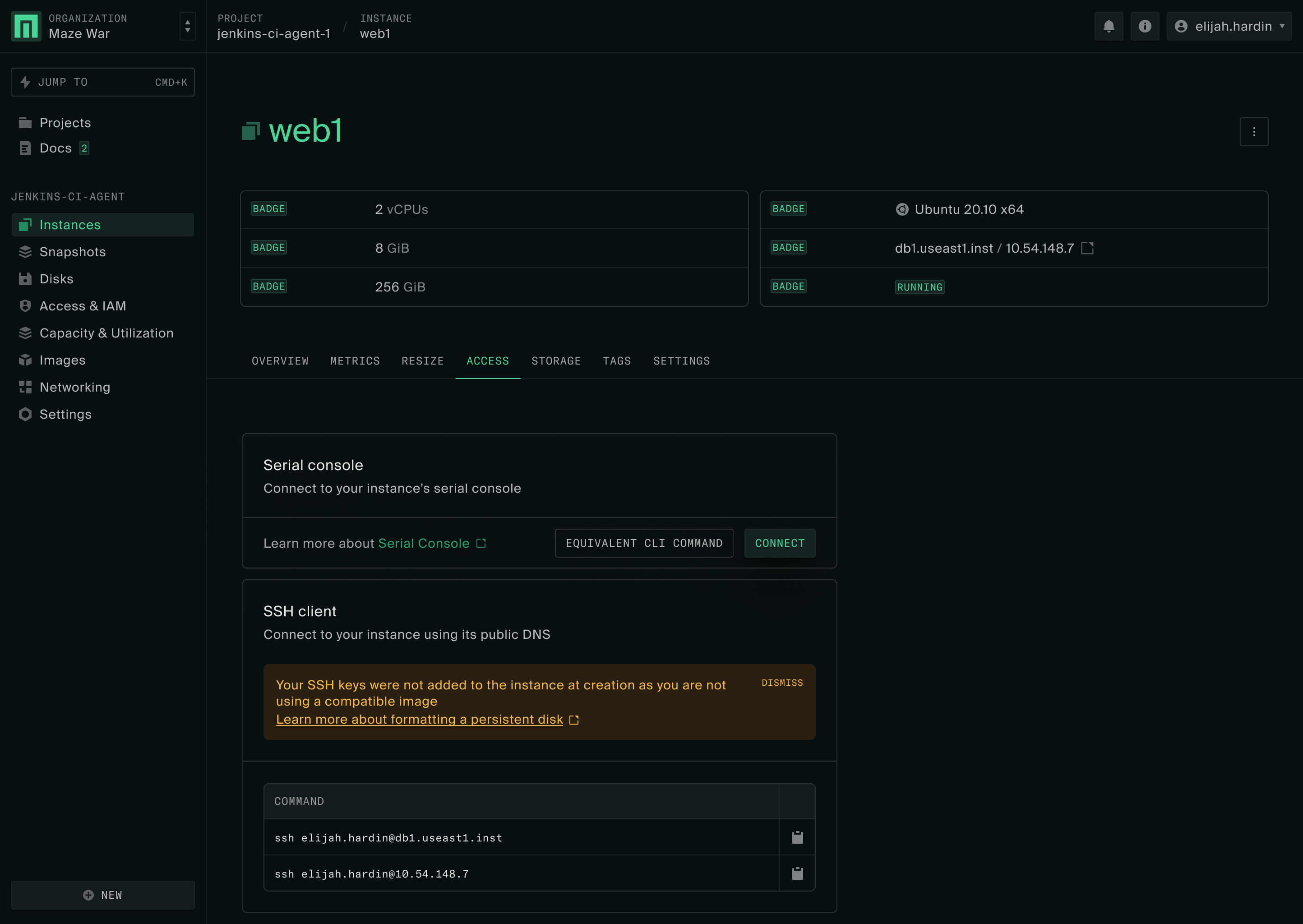
- Access tab, includes a block to connect to the instance and a button that provides the equivalent CLI command
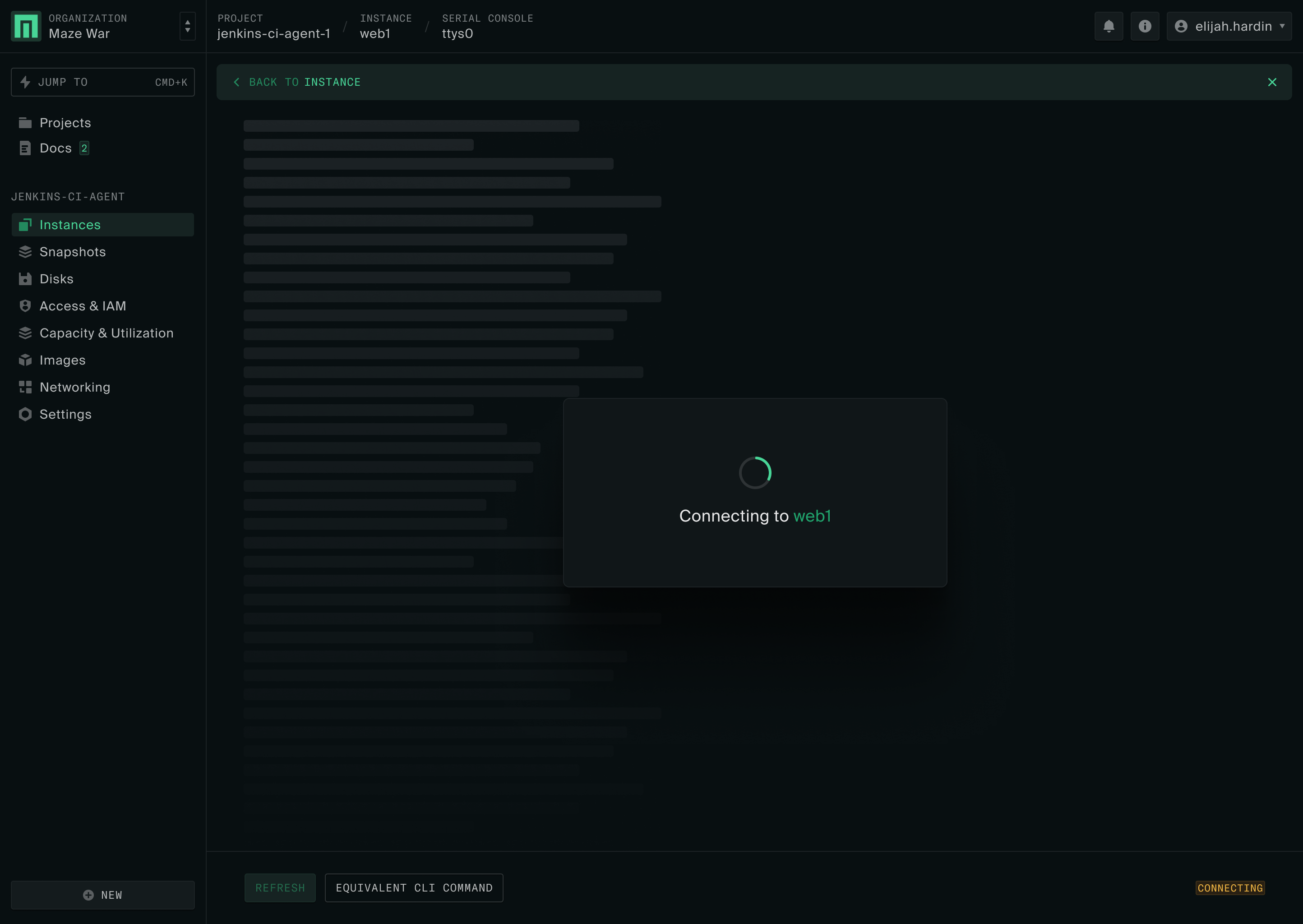
2. Serial console page with appropriate breadcrumb and a "Back to" banner linking to the referrer
Skeleton view and a loader is shown as an intermediate state until connection is made
Badge in the corner shows the current socket connection state
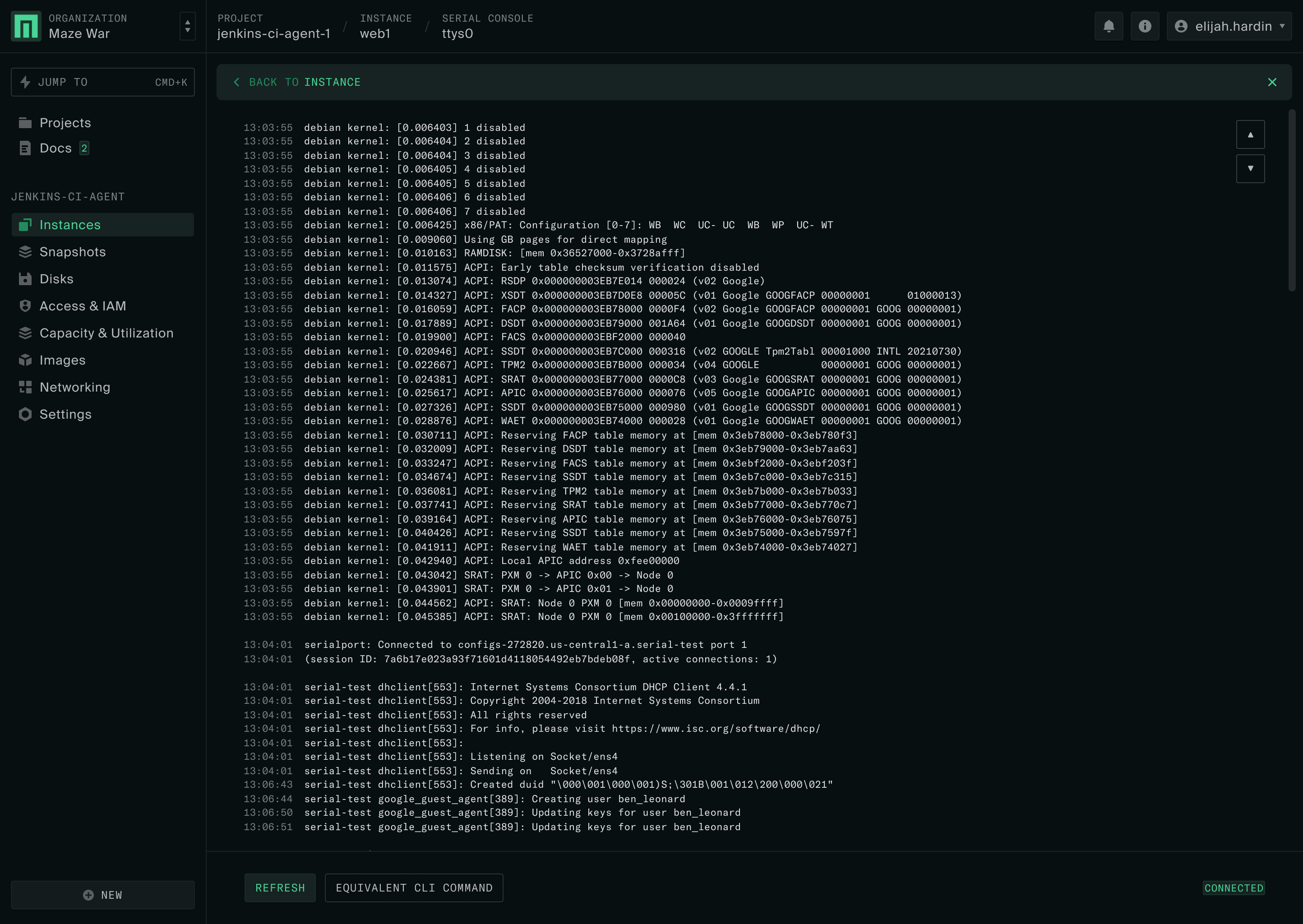
3. Once buffer is loaded, and connection is made, the serial console is visible
The socket connection badge in the corner reflects that