Update language selection menu#2879
Conversation


 chrisgarrity
force-pushed
the
issue/2658-lang-select
branch
from
chrisgarrity
force-pushed
the
issue/2658-lang-select
branch
from
ef666ab to
d76c700
Compare

There was a problem hiding this comment.
-
It looks like the arrow next to the button moved down a little (before/after):

-
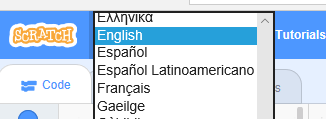
The behavior is a bit different on Edge; the selector that appears covers the menu bar. Does that behavior seem ok?:
-
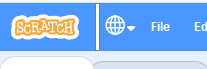
The selector isn't working on Firefox on Windows. When the opacity is set to 100, it looks like this (it's not covering the button):
-
Should the aria label change to be on the selector, since that's the relevant button to interact with now?

Overlay a transparent `select` over the language icon. When a user clicks there the options pops up. There’s no styling of the options, other than font and font size.
chrisgarrity
force-pushed
the
issue/2658-lang-select
branch
from
d76c700 to
165d730
Compare
chrisgarrity
force-pushed
the
issue/2658-lang-select
branch
from
165d730 to
523bb04
Compare
|
@fsih The changes should address 1, 3 & 4. The language options pop up over the menubar in all browsers, so that's expected (although the edge version is particularly ugly) |
|
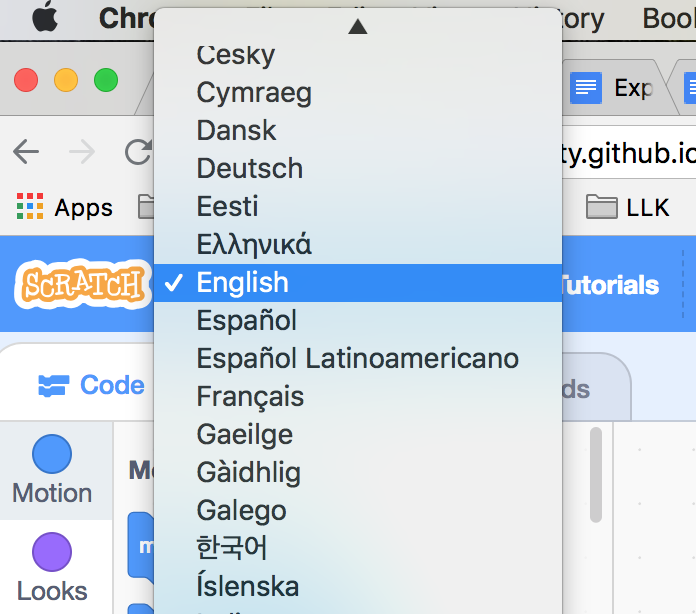
Interesting - I just checked the language select on my PC at home (Edge, Chrome, Firefox). Chrome and Firefox do not overlap the menu but Edge does. I was surprised because on Mac Chrome does overlap the menubar.... In any case this behavior is completely browser specific (while you can style the |
| border: 1px solid $motion-primary; | ||
| position: absolute; | ||
| width: 3rem; | ||
| height: 3rem; |
This comment was marked as abuse.
This comment was marked as abuse.
Sorry, something went wrong.
 fsih
left a comment
fsih
left a comment
fsih
left a comment
There was a problem hiding this comment.
LG besides the one change with the constants
fsih
left a comment
fsih
left a comment
There was a problem hiding this comment.
Looks good! I tried it out on Windows Chrome, Firefox and Edge
3 participants


Resolves
Proposed Changes
Initial update of language selection menu to avoid the menu within a menu. The language list is still a
select, so the list of languages is styled by the browser being used. At some point we probably want to replace theselectto have a consistent look for the languages across platforms./cc @carljbowman
Also removes the coming soon wrapper as it's no longer needed.
Test Coverage
Try it:
https://chrisgarrity.github.io/scratch-gui/issue/2658-lang-select/
Updated language integration test to use the new menu.
Browser Coverage
Check the OS/browser combinations tested (At least 2)
Mac
Windows
Chromebook
iPad
Android Tablet